> ## Documentation Index
> Fetch the complete documentation index at: https://help.kajabi.com/llms.txt
> Use this file to discover all available pages before exploring further.
# Send customers to a landing page after checkout
> Redirect customers to a custom landing page after they purchase an Offer.
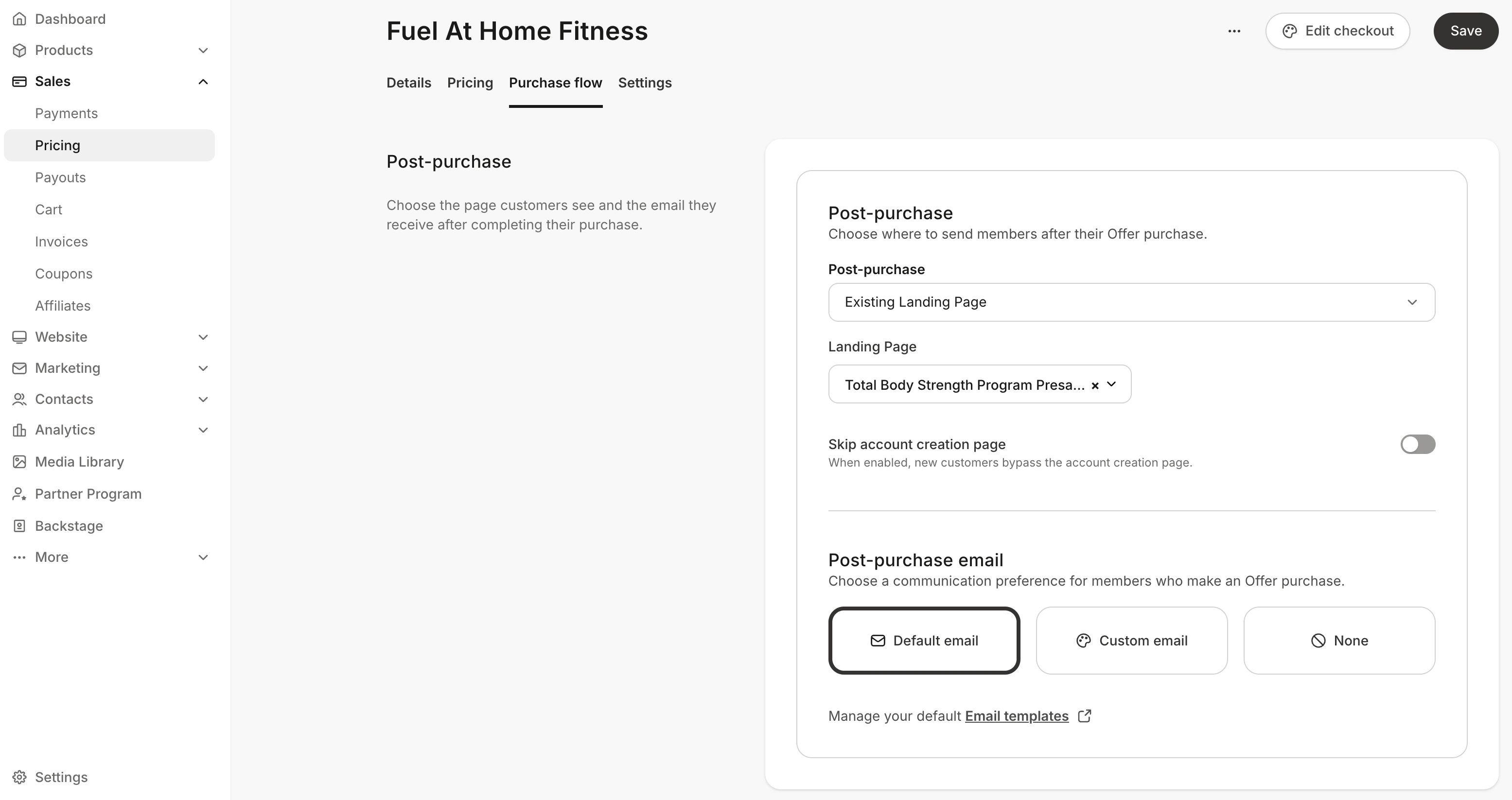
Send your customers to a **Landing Page** after they purchase your Offer. This feature can be used to direct your customers to a custom page such as a custom thank you page, event registration page, or another sales page.
## Set up a post-purchase Landing Page
1. Open the **Sales** tab from your Dashboard.
2. Click **Pricing**.
3. Choose an **Offer** or click **+New Offer** to [create a new one](/articles/sales/offers/create-an-offer).
4. After editing the Offer, select the **Purchase flow** tab.
5. In the **Post-purchase** section, select an existing Landing Page from the **Post-purchase** menu to send your customers to after checkout.
6. Click **Save** to apply your changes.
 **Note:** If your checkout page does not include the [password](/articles/sales/offers/how-to-customize-your-checkout-fields) field in your checkout form, your customer will first encounter the password creation page before they are sent to the landing page you set up in your Post Purchase settings.