> ## Documentation Index
> Fetch the complete documentation index at: https://help.kajabi.com/llms.txt
> Use this file to discover all available pages before exploring further.
# Configure SEO and sharing settings for a blog
> Optimize search engine visibility and social sharing by configuring SEO settings for your blog and individual posts.
## Overview
The SEO and sharing settings for your blog display information about your blog on search engines and social media websites, and may be displayed when your blog is shared by text or email. Properly configuring these settings helps increase your blog's visibility and traffic.
## SEO and sharing settings for the blog page
The SEO and sharing settings for your blog will display information about your blog on search engines and social media websites and may be displayed when your blog is shared by text or email.
With this in mind, it is important to understand that if you do not complete your blog SEO and sharing settings, the results will default to the [SEO settings in your Site Details](../../website/pages/seo-and-sharing#h_916d67e7-770b-4b3e-97ab-6571a5e1c57e).
### Blog page settings
* Customize the Page Title for your blog
* Provide a description for your blog
* Upload an image for your blog
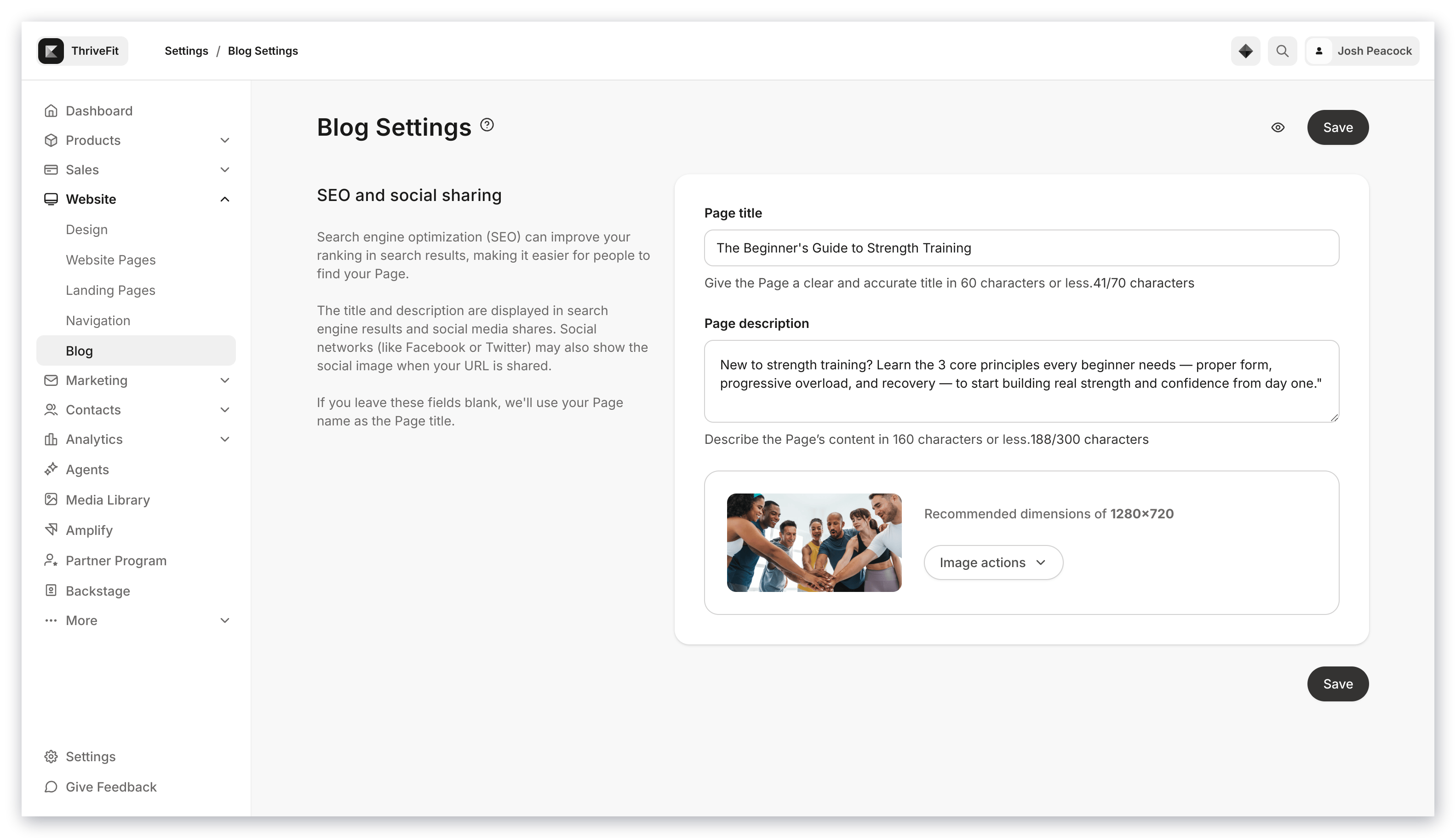 [Learn to optimize your Page Title and Description](../../resources/business-guides/get-started-with-seo).
## SEO and sharing settings for each blog post
The SEO and sharing settings for your blog posts will display information about your post on search engines and social media websites and may be displayed when your post is shared by text or email.
With this in mind, it is important to understand that if you do not complete your SEO and sharing settings for each blog post, the results will default to the [SEO settings in your Site Details](../../website/pages/seo-and-sharing#h_916d67e7-770b-4b3e-97ab-6571a5e1c57e).
### Blog post settings
* Customize the backend of the Blog Post URL address
* Enter the Page Title for the blog post
* Provide a page description for your blog post
* Upload an image for your blog post SEO
[Learn to optimize your Page Title and Description](../../resources/business-guides/get-started-with-seo).
## SEO and sharing settings for each blog post
The SEO and sharing settings for your blog posts will display information about your post on search engines and social media websites and may be displayed when your post is shared by text or email.
With this in mind, it is important to understand that if you do not complete your SEO and sharing settings for each blog post, the results will default to the [SEO settings in your Site Details](../../website/pages/seo-and-sharing#h_916d67e7-770b-4b3e-97ab-6571a5e1c57e).
### Blog post settings
* Customize the backend of the Blog Post URL address
* Enter the Page Title for the blog post
* Provide a page description for your blog post
* Upload an image for your blog post SEO
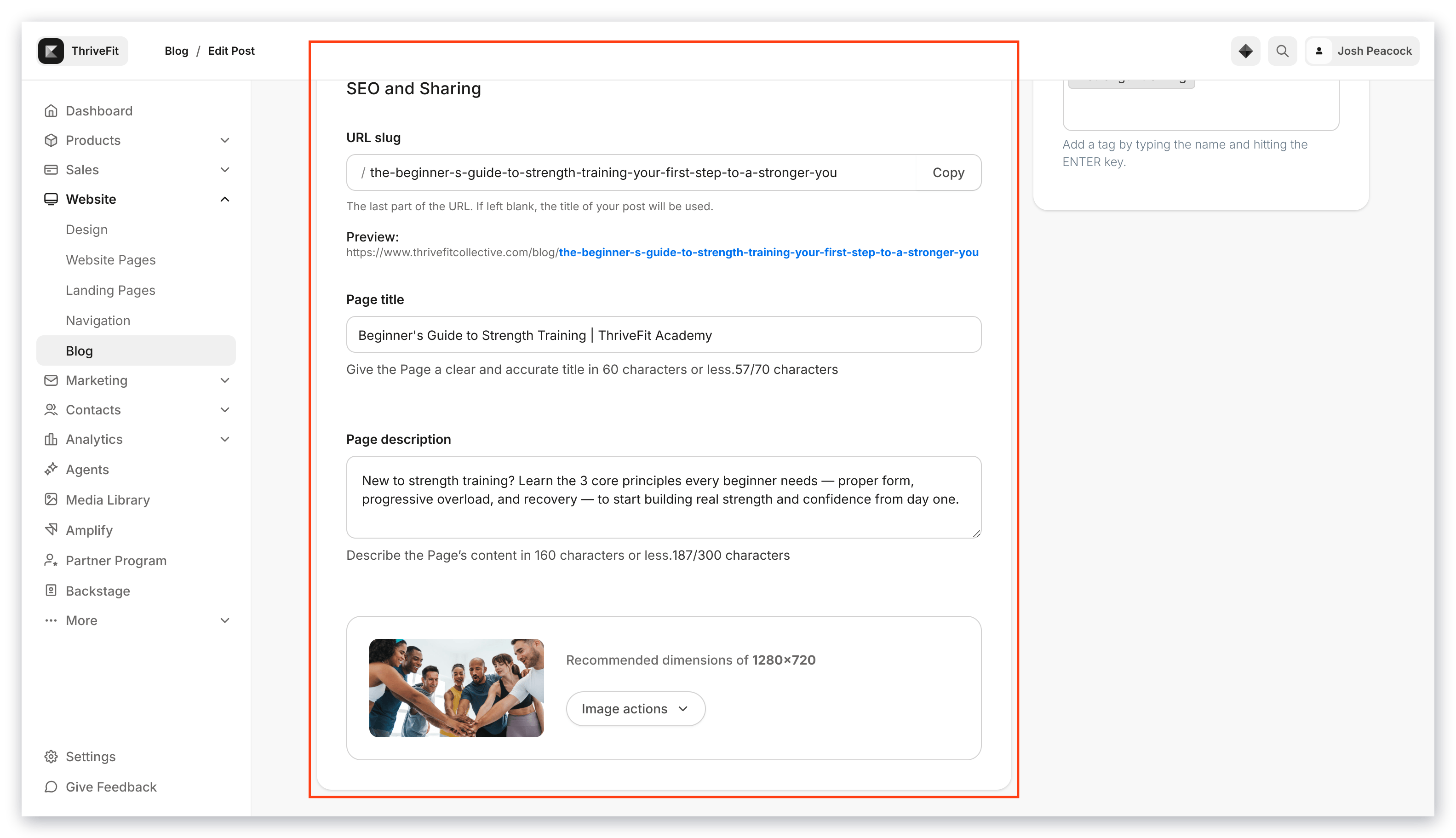 [Learn to optimize your Page Title and Description](../../resources/business-guides/get-started-with-seo).
## Customize blog page SEO and sharing settings
### Customize blog page settings
1. Open the **Website** from your Dashboard.
2. Then, click **Blog**.
3. From there, click **Settings**:
[Learn to optimize your Page Title and Description](../../resources/business-guides/get-started-with-seo).
## Customize blog page SEO and sharing settings
### Customize blog page settings
1. Open the **Website** from your Dashboard.
2. Then, click **Blog**.
3. From there, click **Settings**:
### Configure individual blog post settings
1. Open the **Website** from your Dashboard.
2. Then, click **Blog**.
3. There, select the Blog Post you want to edit.
4. Scroll down to the bottom of the page to **SEO and Sharing**:
**Tip:** To ensure that each blog post has SEO and sharing set up, fill out each blog post's SEO and Sharing section when creating the blog post.
## Edit your blog post URL
The blog post URL is based on the title of the post by default. You can edit the URL to your preference:
**Note:** All blog URLs will have /blog/ before the blog title.
## RSS feed
Yes, all Kajabi sites will have an RSS feed for the blog automatically generated. You can find your blog's RSS feed by starting with your domain or subdomain, adding /blog.rss, and then entering it into your browser.
For example: `https://your-site-name.mykajabi.com/blog.rss`
**Note:** If you have connected a custom domain to your site, use your custom domain for your RSS feed.