> ## Documentation Index
> Fetch the complete documentation index at: https://help.kajabi.com/llms.txt
> Use this file to discover all available pages before exploring further.
# Customize page details
> Learn to modify your Page title, URL slug, visibility, and SEO settings.
## Modify your page details
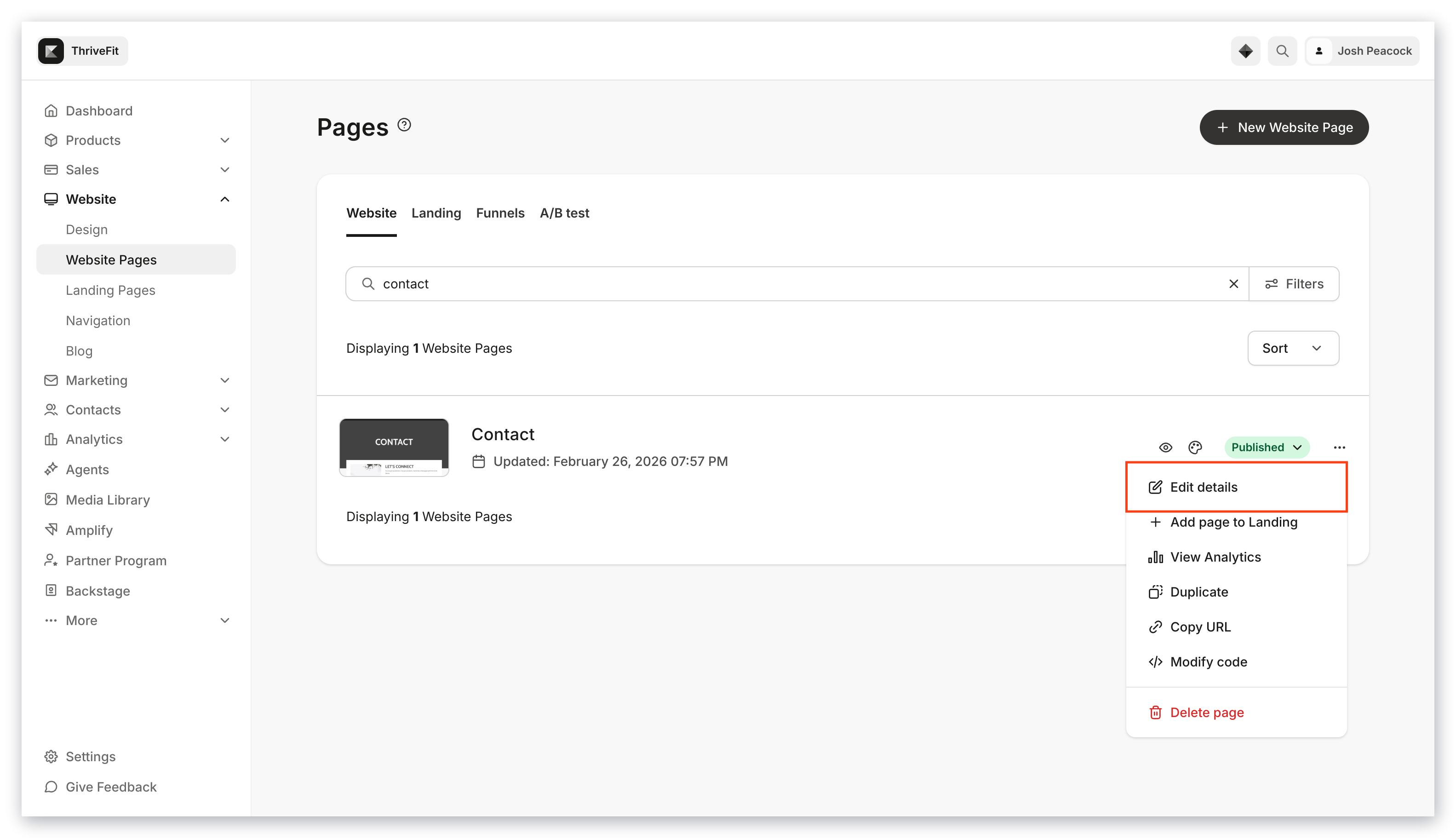
1. Open the **Website** tab from your Dashboard.
2. Select **Website Pages**.
3. Click the **ellipsis `…` menu** to the right of the **Page title** and select **Edit details**.
4. Change the **Page title**, **URL slug**, or edit **SEO and social sharing** settings:
 ### Landing Page details
The title of your Page displays on your viewer's web browser tab. Edit this under **Page title.**
### URL slug
### Landing Page details
The title of your Page displays on your viewer's web browser tab. Edit this under **Page title.**
### URL slug
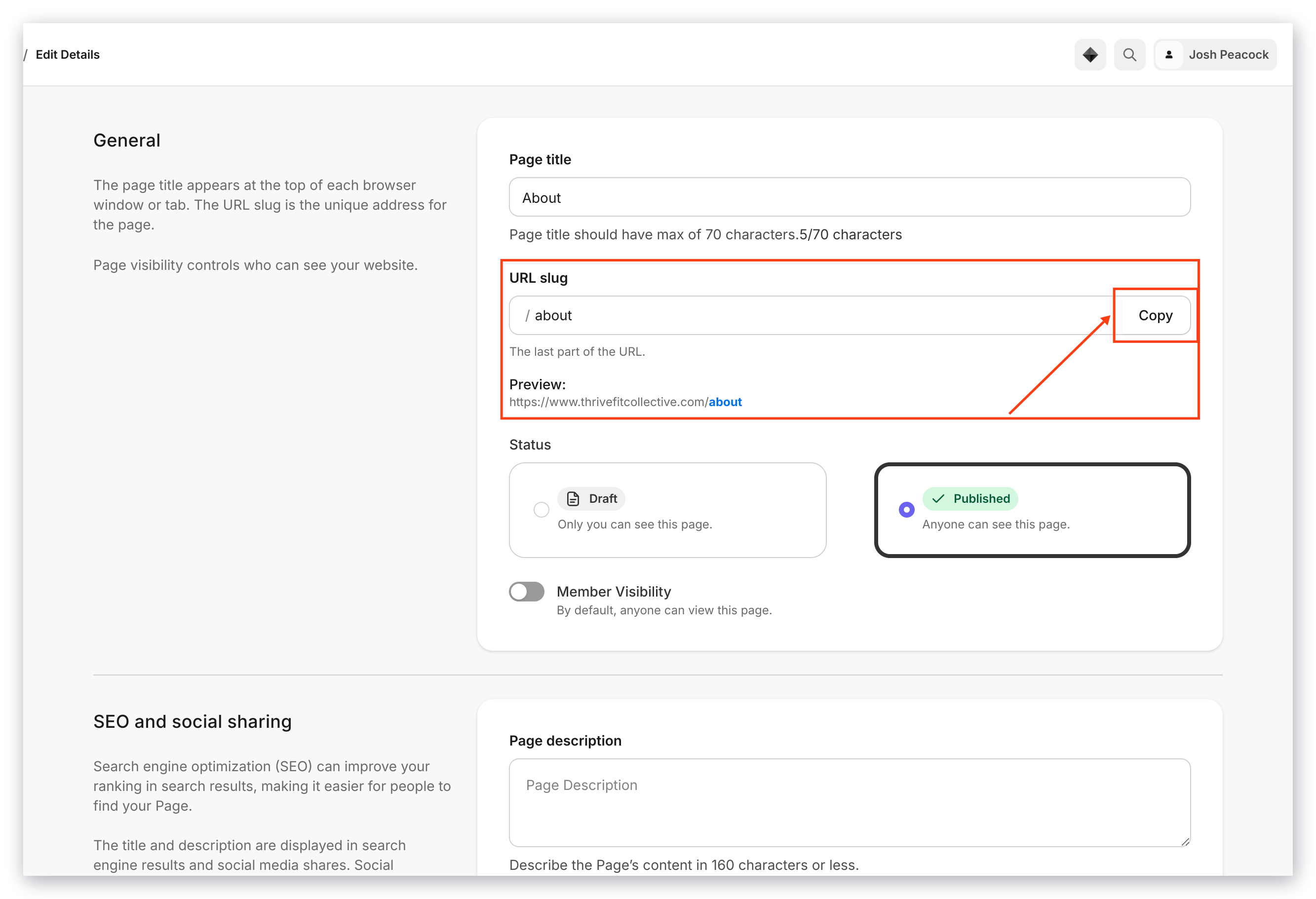 The **URL slug** appears at the end of a Page's URL, and is considered the location of that Page.
For example, on the Kajabi website, our latest product updates are located at kajabi.com\*\*/updates\*\*, so /updates is the URL slug.
If needed, edit your Page's location under **Page details > URL slug**. See how your full URL appears under **Preview**.
Click the **Copy** button next to the URL slug to grab the full URL of the Page.
### Visibility
The **URL slug** appears at the end of a Page's URL, and is considered the location of that Page.
For example, on the Kajabi website, our latest product updates are located at kajabi.com\*\*/updates\*\*, so /updates is the URL slug.
If needed, edit your Page's location under **Page details > URL slug**. See how your full URL appears under **Preview**.
Click the **Copy** button next to the URL slug to grab the full URL of the Page.
### Visibility
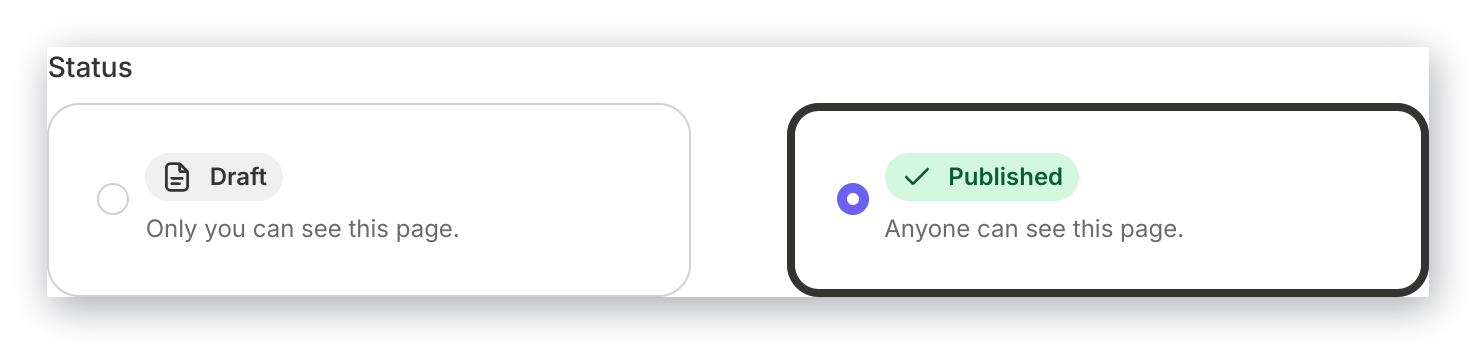 Under **Status**, change the general visibility of your Page to either **Published** or **Draft**.
* **Published** Pages are viewable and accessible to visitors who have the Page URL.
* **Draft** Pages are not accessible to visitors, regardless of whether they have the URL. Use Draft Pages to prepare for your site launch, add Products, and more.
**Member Visibility** further restricts access to the page.
### SEO and sharing
**SEO and social sharing** settings for your Page make it easier for people to find your Page on search engines and social media sites, and improve your ranking in search results. These values may display when your Page URL is shared by text or email.
**Important:**
If you do not enter your SEO and social sharing settings under each Page, they will default to the values you entered under SEO settings in your [**Site details**](../../website/pages/seo-and-sharing#h_916d67e7-770b-4b3e-97ab-6571a5e1c57e).
Under **Status**, change the general visibility of your Page to either **Published** or **Draft**.
* **Published** Pages are viewable and accessible to visitors who have the Page URL.
* **Draft** Pages are not accessible to visitors, regardless of whether they have the URL. Use Draft Pages to prepare for your site launch, add Products, and more.
**Member Visibility** further restricts access to the page.
### SEO and sharing
**SEO and social sharing** settings for your Page make it easier for people to find your Page on search engines and social media sites, and improve your ranking in search results. These values may display when your Page URL is shared by text or email.
**Important:**
If you do not enter your SEO and social sharing settings under each Page, they will default to the values you entered under SEO settings in your [**Site details**](../../website/pages/seo-and-sharing#h_916d67e7-770b-4b3e-97ab-6571a5e1c57e).
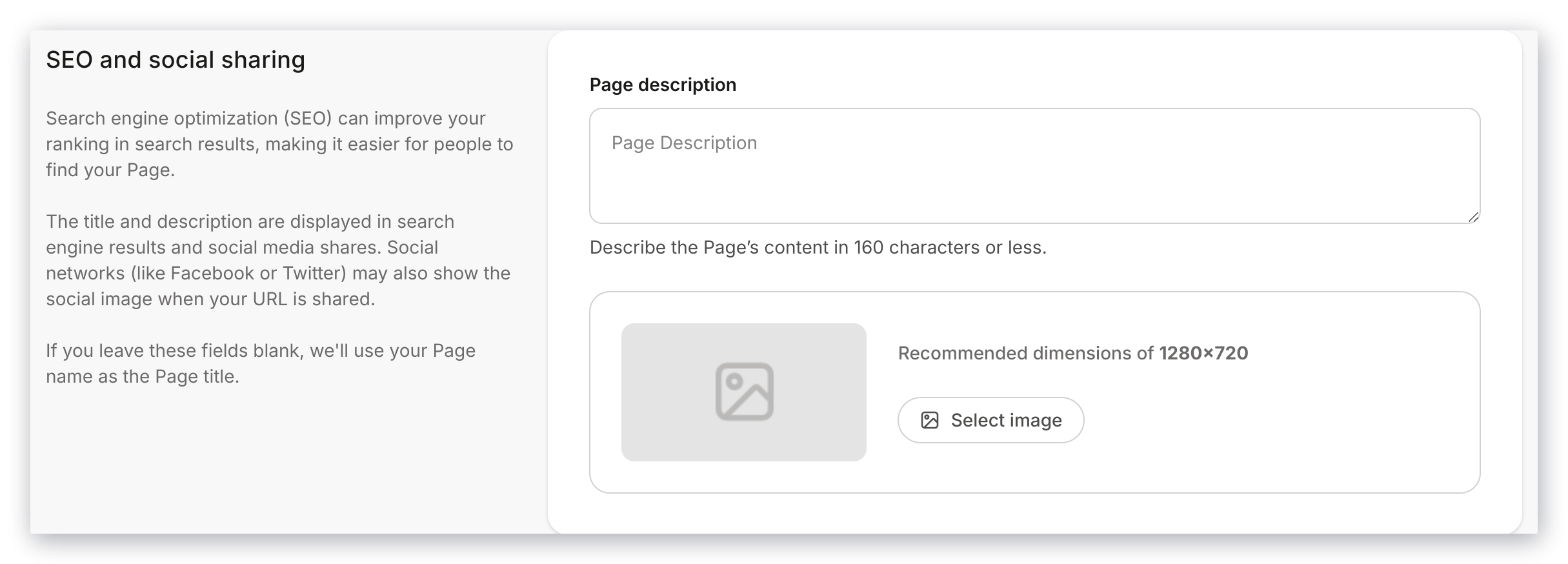 SEO and social sharing settings include:
* **Page title**: Describe your Page content to a max of 70 characters. [Learn how to optimize your Page title](../../resources/business-guides/get-started-with-seo#h_01FTVB6PVT6HCRQ2S23V364HTB).
* **Page description**: Summarize your Page content in 1-2 sentences, up to a max of 300 characters. Set a Page description in the SEO and social sharing section of a Page or Blog post. [Learn how to optimize your Page description](../../resources/business-guides/get-started-with-seo#h_01FTVB6VC1BE8SPC2E9YQXZGZB).
* **Show page in search results**: Toggling this off will prevent search engines from showing the Page in their results or following any links on the Page.
* **Page image**: You can set a social image in the SEO and social sharing section of a Page or Blog post. This may display when your link is shared by text, email, or social media.
SEO and social sharing settings include:
* **Page title**: Describe your Page content to a max of 70 characters. [Learn how to optimize your Page title](../../resources/business-guides/get-started-with-seo#h_01FTVB6PVT6HCRQ2S23V364HTB).
* **Page description**: Summarize your Page content in 1-2 sentences, up to a max of 300 characters. Set a Page description in the SEO and social sharing section of a Page or Blog post. [Learn how to optimize your Page description](../../resources/business-guides/get-started-with-seo#h_01FTVB6VC1BE8SPC2E9YQXZGZB).
* **Show page in search results**: Toggling this off will prevent search engines from showing the Page in their results or following any links on the Page.
* **Page image**: You can set a social image in the SEO and social sharing section of a Page or Blog post. This may display when your link is shared by text, email, or social media.