> ## Documentation Index
> Fetch the complete documentation index at: https://help.kajabi.com/llms.txt
> Use this file to discover all available pages before exploring further.
# Difference between an image gallery and a section gallery
> Learn the difference between setting up an Image Gallery Section and adding Images to your Section Gallery.
## Overview
Understanding the difference between an Image Gallery Section and a Section Gallery helps you create the best visual experience for your page visitors.
***
## Section gallery
The **Section Gallery** is a feature to expand and display your Images when clicked to create a gallery viewing experience for your site visitors.
In an [Image Block](/articles/website/pages/how-to-add-an-image-to-your-page), toggle on **Add to Section Gallery** to enable:
 ***
## Image gallery
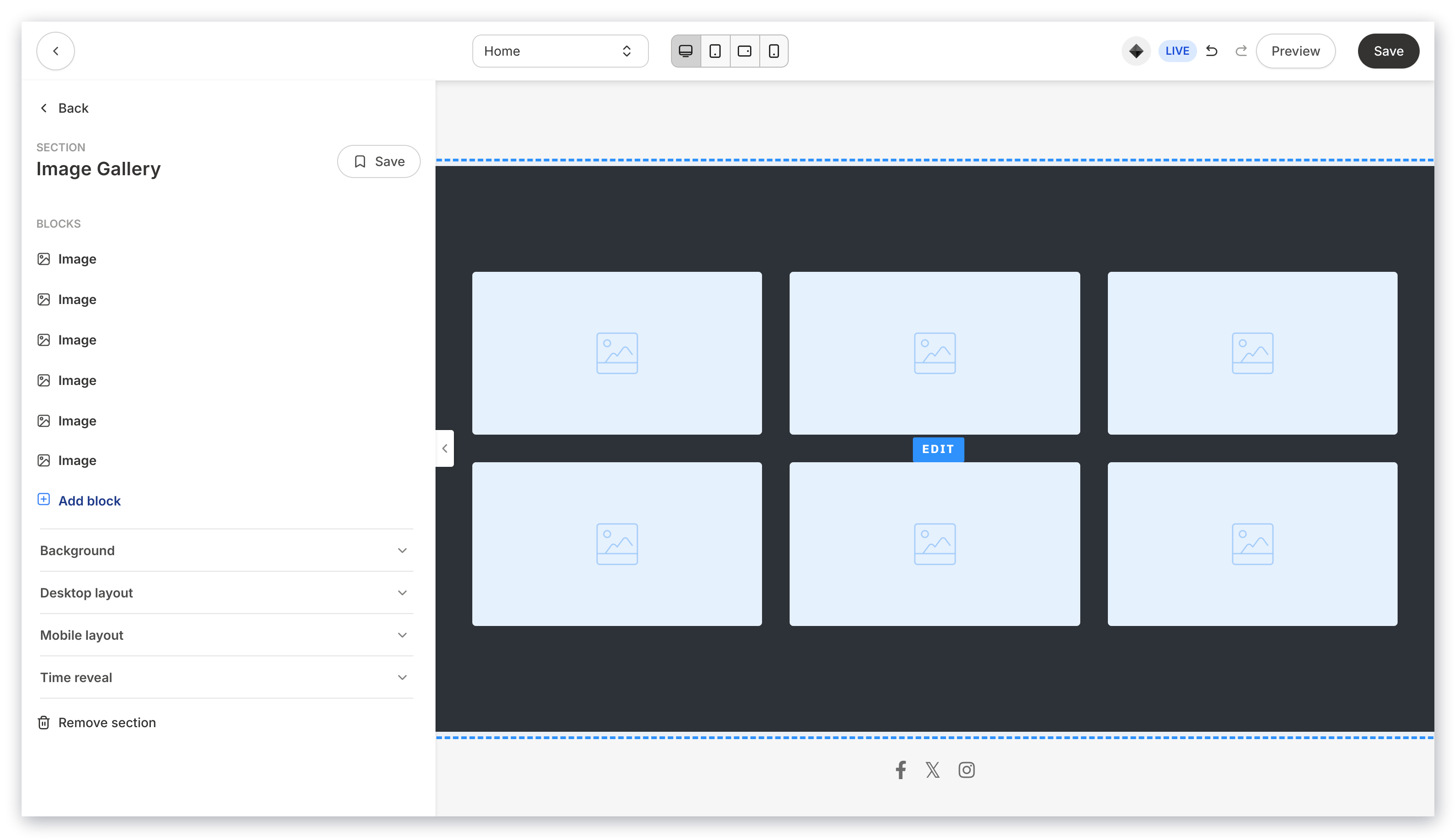
An **Image Gallery** is a Section of a page made up of Image Blocks.
This can be accomplished by adding an [Image Gallery Section](/articles/website/pages/how-to-add-an-image-gallery-to-your-page) to your page that generates six Image Blocks in one Section, or by manually adding [Image Blocks](/articles/website/pages/how-to-add-an-image-to-your-page) to a Section of your Page:
***
## Image gallery
An **Image Gallery** is a Section of a page made up of Image Blocks.
This can be accomplished by adding an [Image Gallery Section](/articles/website/pages/how-to-add-an-image-gallery-to-your-page) to your page that generates six Image Blocks in one Section, or by manually adding [Image Blocks](/articles/website/pages/how-to-add-an-image-to-your-page) to a Section of your Page:
 **Note:** Although different, Images in an Image Gallery can be added to your page's Section Gallery by simply toggling on [Add to Section Gallery](/articles/website/pages/how-to-add-an-image-to-your-page) for each Image in the Section.