> ## Documentation Index
> Fetch the complete documentation index at: https://help.kajabi.com/llms.txt
> Use this file to discover all available pages before exploring further.
# Add a social icon block
> Learn to add links to popular social platforms to encourage your visitors to connect with you on social.
## What is a social icon block?
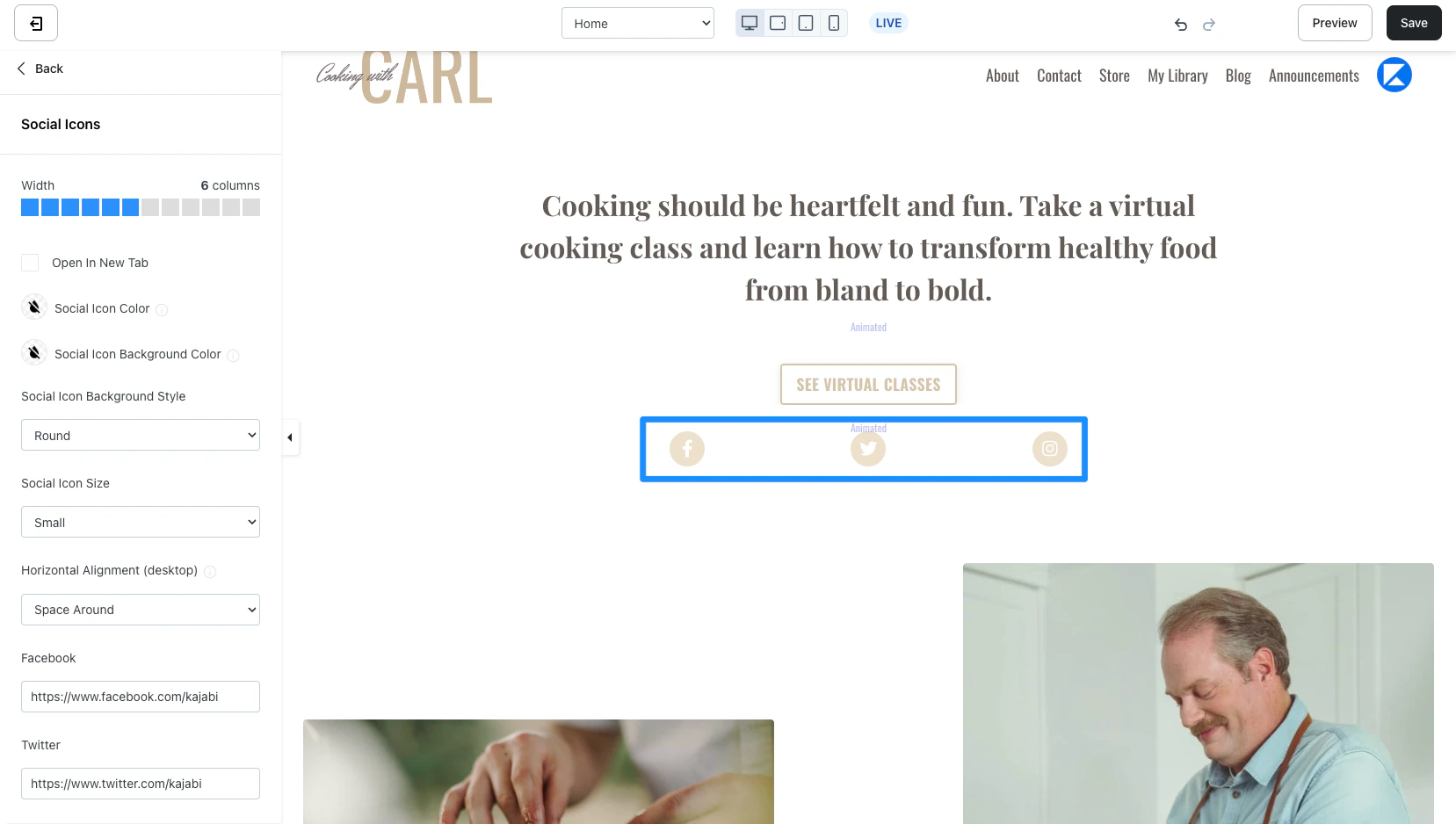
Social icons are a great tool for encouraging your site visitors to stay connected by providing links to your social profiles including Facebook, Twitter, Instagram, YouTube, and more.
 ***
## Adding a social icon block
* Open the **Website** tab from the Dashboard.
* Select either **Website Pages** Or **Landing Pages**.
* Open the page editor for your Page. [Learn more](../../website/pages/how-to-get-to-the-page-editor)
* In the sidebar panel, click the Section you want to edit or [create a new Section](../../website/pages/add-sections-to-your-pages).
* In the sidebar, click **Add Content**.
* From the list, select **Social icon**.
* Your newly created Social Icon Block will generate at the bottom of the Section.
* Click **Save** to keep your changes:
***
## Adding a social icon block
* Open the **Website** tab from the Dashboard.
* Select either **Website Pages** Or **Landing Pages**.
* Open the page editor for your Page. [Learn more](../../website/pages/how-to-get-to-the-page-editor)
* In the sidebar panel, click the Section you want to edit or [create a new Section](../../website/pages/add-sections-to-your-pages).
* In the sidebar, click **Add Content**.
* From the list, select **Social icon**.
* Your newly created Social Icon Block will generate at the bottom of the Section.
* Click **Save** to keep your changes:
***
## Customizing a social icon block
Customize your block by adjusting the [width](../../website/pages/how-to-customize-the-block-width), adding social links, branding your links, and configuring your [Block Settings](../../website/pages/how-to-add-an-accordion-block-to-your-page#block-settings):
 ### Adding social links
#### Step 1. Add your social links
* Copy the links to your social platform pages (e.g., Facebook, Twitter, Instagram, Youtube, etc.). *Note: Be sure to include the complete URL (i.e., [https://facebook.com](https://facebook.com), [https://instagram.com](https://instagram.com))*
* Paste into the Social Icons Block of your Footer.
**Note:** Kajabi currently supports social links for the following:
Facebook, X, Instagram, YouTube,Pinterest, Vimeo, Github, iTunes, LinkedIn, Soundcloud, Yelp, Tumblr, Slack, Flickr, Dribble, TikTok, Medium, Spotify, and Podcasts.
#### Step 2. Brand your social icons
Click the **Social Icon Color**:
* Change the color for the Social Icon containing your Social Links.
* Select a color from your default site color palette or select the color wheel to choose a custom color.
Click the **Social Icon Background Color**:
* Change the background color for the Social Icon containers.
* Select a color from your default site color palette or select the color wheel to choose a custom color.
Select a **Social Icon Background Style**:
Change the background shape of your Social Icon:
* Round
* Square
* None (no background shape for a minimal style)
***
## Block settings
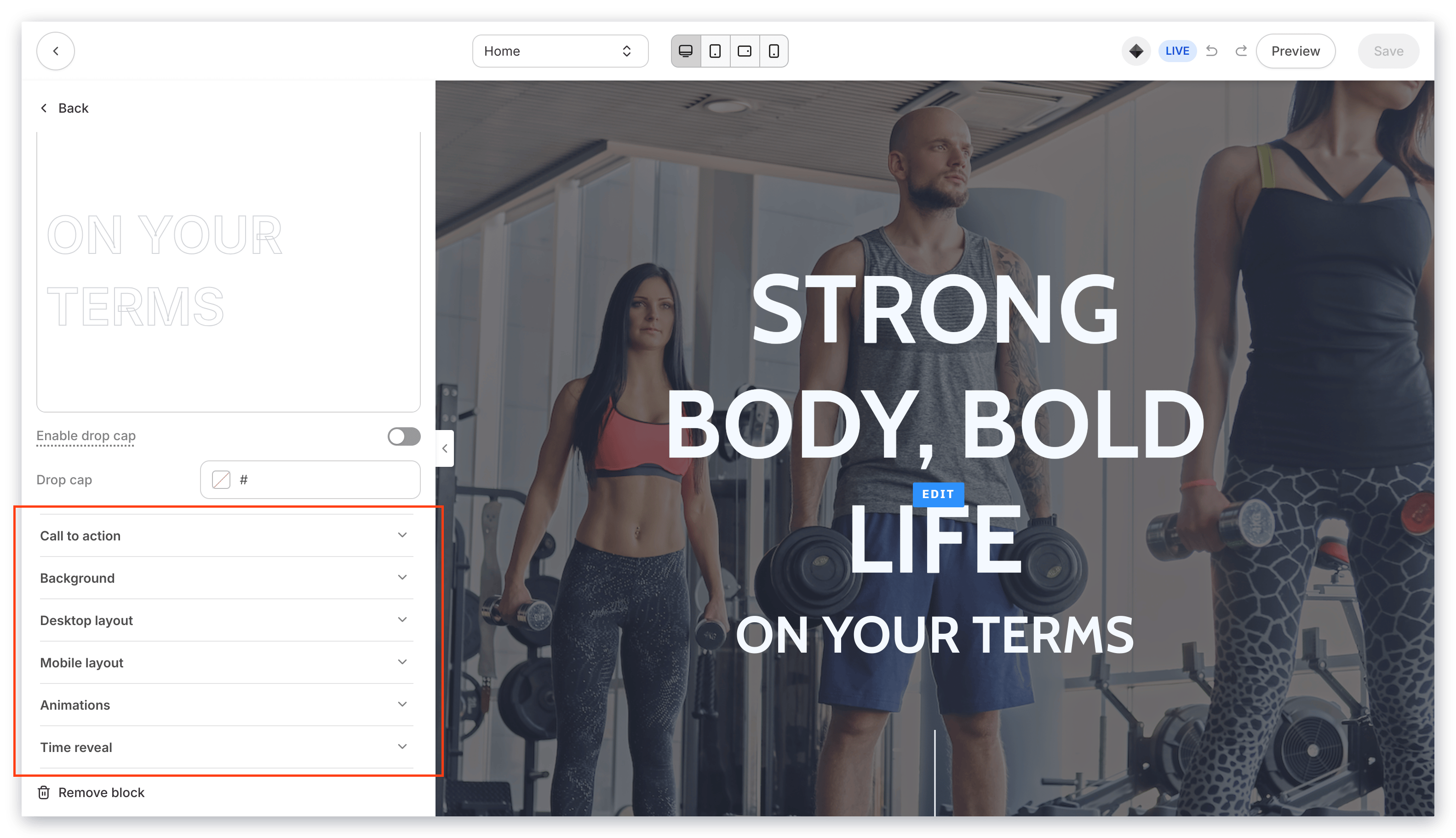
To adjust the look and feel of the Block, configure your Block Settings by customizing:
* [Background](../../website/pages/customizing-block-background-settings)
* [Desktop and Mobile Layout](../../website/pages/customizing-block-layout-settings)
* [Animations](../../website/pages/customizing-block-animations)
* [Time Reveal](../../website/pages/customizing-time-reveal-settings)
### Adding social links
#### Step 1. Add your social links
* Copy the links to your social platform pages (e.g., Facebook, Twitter, Instagram, Youtube, etc.). *Note: Be sure to include the complete URL (i.e., [https://facebook.com](https://facebook.com), [https://instagram.com](https://instagram.com))*
* Paste into the Social Icons Block of your Footer.
**Note:** Kajabi currently supports social links for the following:
Facebook, X, Instagram, YouTube,Pinterest, Vimeo, Github, iTunes, LinkedIn, Soundcloud, Yelp, Tumblr, Slack, Flickr, Dribble, TikTok, Medium, Spotify, and Podcasts.
#### Step 2. Brand your social icons
Click the **Social Icon Color**:
* Change the color for the Social Icon containing your Social Links.
* Select a color from your default site color palette or select the color wheel to choose a custom color.
Click the **Social Icon Background Color**:
* Change the background color for the Social Icon containers.
* Select a color from your default site color palette or select the color wheel to choose a custom color.
Select a **Social Icon Background Style**:
Change the background shape of your Social Icon:
* Round
* Square
* None (no background shape for a minimal style)
***
## Block settings
To adjust the look and feel of the Block, configure your Block Settings by customizing:
* [Background](../../website/pages/customizing-block-background-settings)
* [Desktop and Mobile Layout](../../website/pages/customizing-block-layout-settings)
* [Animations](../../website/pages/customizing-block-animations)
* [Time Reveal](../../website/pages/customizing-time-reveal-settings)