> ## Documentation Index
> Fetch the complete documentation index at: https://help.kajabi.com/llms.txt
> Use this file to discover all available pages before exploring further.
# Add a social section
> Learn to add a Social Section to your website and landing pages built with Kajabi.
## Adding social sections
The Social Section Category can be used to create Sections to display your most recently published Blog Posts and showcase companies that you have worked with on your page.
### How to add a social section:
* Open the **Website** tab from the Dashboard.
* Select the **Website Pages** or **Landing Pages** tab.
* Open the page editor for your Page. [Learn more](../../website/pages/how-to-get-to-the-page-editor)
* Navigate to the sidebar panel.
* Click **Add Section**.
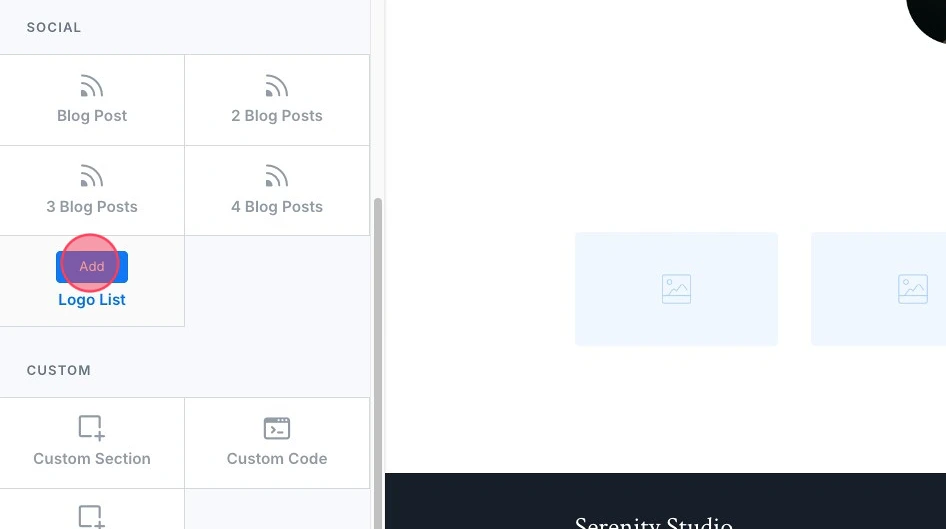
* Select your Section from **Social** to Preview.
* Click **Add** to generate the Preset Section to your page:
 ***
## Preset social sections
Learn about each Social Section:
* Blog Post(s)
* Logo List
### Blog post(s)
Your blog allows you to generate relevant content for your customers to read and share. Create a Blog Post Section on your page to display your most recently published Blog Posts and redirect your visitors to your Blog.
[Learn to create Blog Posts](../../website/blog/how-to-create-a-blog-post).
Adding a Blog Post section will add your specified number of Blog Post Blocks (1-4) in an organized layout:
***
## Preset social sections
Learn about each Social Section:
* Blog Post(s)
* Logo List
### Blog post(s)
Your blog allows you to generate relevant content for your customers to read and share. Create a Blog Post Section on your page to display your most recently published Blog Posts and redirect your visitors to your Blog.
[Learn to create Blog Posts](../../website/blog/how-to-create-a-blog-post).
Adding a Blog Post section will add your specified number of Blog Post Blocks (1-4) in an organized layout:
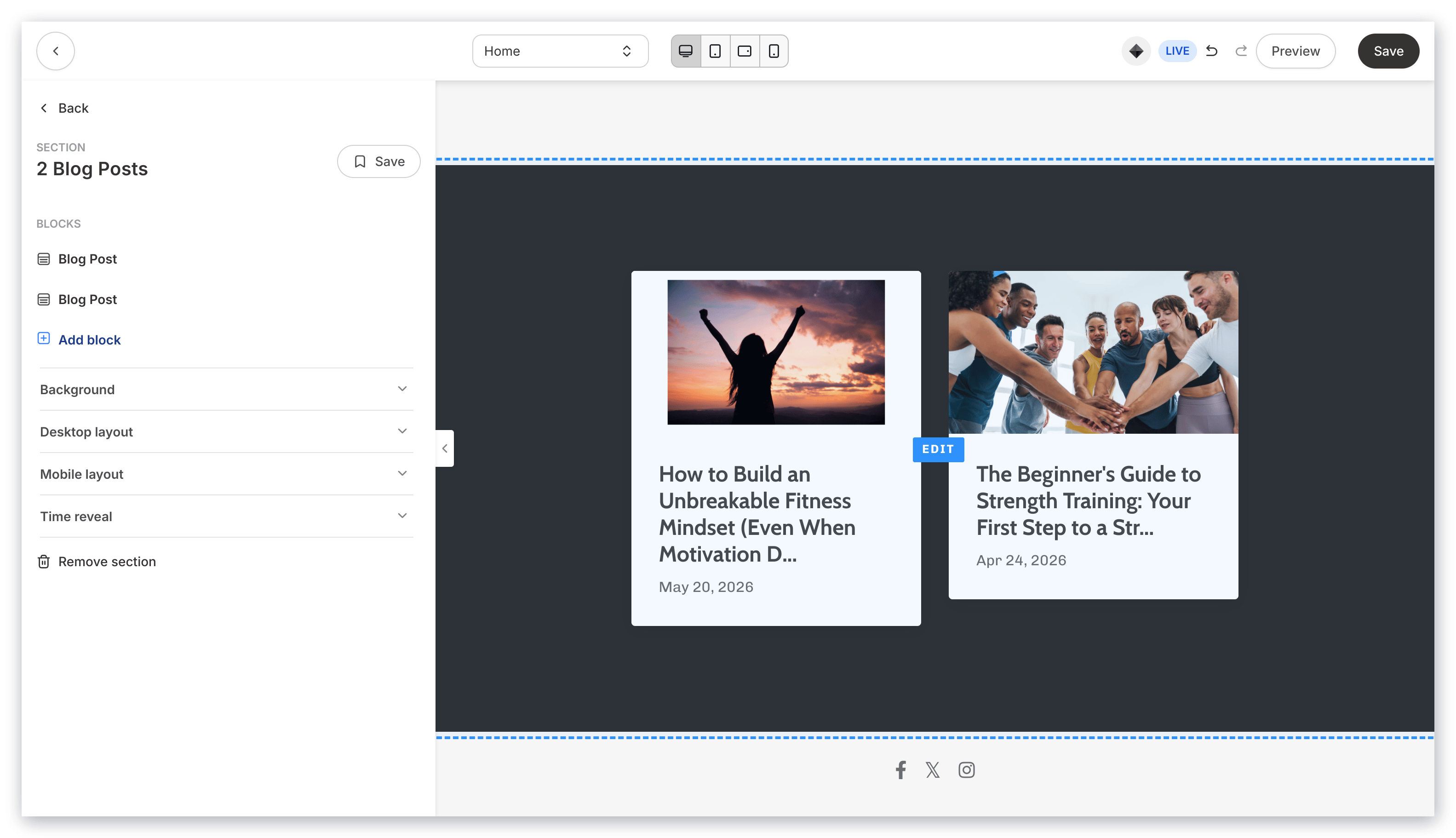 Customize your Blog Post Section on your page by editing the [Blog Post Block(s)](../../website/pages/how-to-add-a-blog-post-to-your-page#customize-your-blog-block) and Section Settings to change the appearance, behavior, and content.
**Section Settings:**
* [Background](../../website/pages/how-to-customize-your-section-background-settings)
* [Section Layout](../../website/pages/customizing-section-layout-settings)
* [Time Reveal](../../website/pages/customizing-time-reveal-settings)
### Logo list
The Logo List lends credibility to your site by showcasing the Logos of companies you have worked with.
Adding a Logo List Section generates six Image blocks, each of which can be used to link the image of a company logo to their website by configuring the Image Action to go to a URL:
Customize your Blog Post Section on your page by editing the [Blog Post Block(s)](../../website/pages/how-to-add-a-blog-post-to-your-page#customize-your-blog-block) and Section Settings to change the appearance, behavior, and content.
**Section Settings:**
* [Background](../../website/pages/how-to-customize-your-section-background-settings)
* [Section Layout](../../website/pages/customizing-section-layout-settings)
* [Time Reveal](../../website/pages/customizing-time-reveal-settings)
### Logo list
The Logo List lends credibility to your site by showcasing the Logos of companies you have worked with.
Adding a Logo List Section generates six Image blocks, each of which can be used to link the image of a company logo to their website by configuring the Image Action to go to a URL:
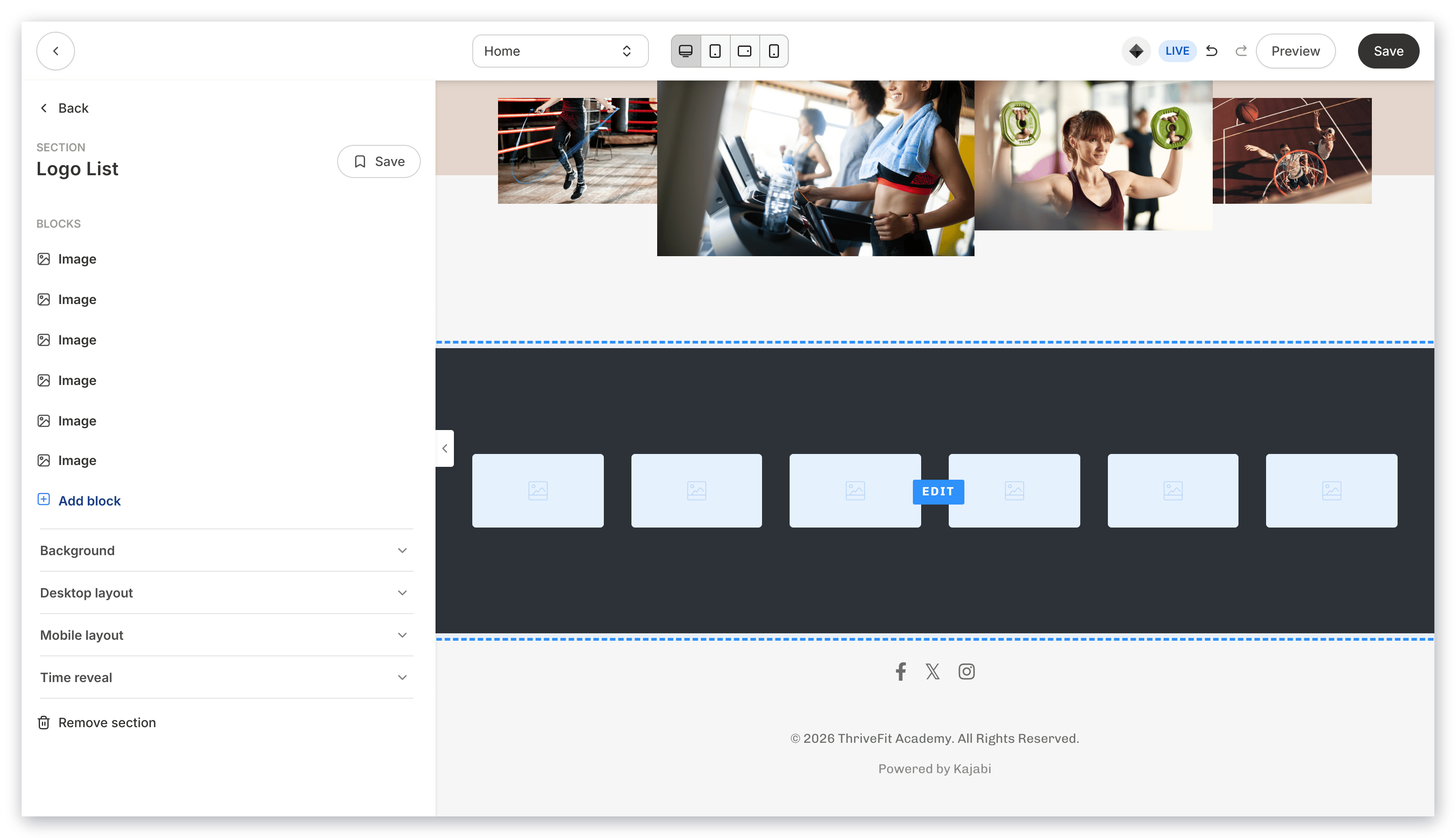 Customize your Blog Post Section by editing the [Image Blocks](../../website/pages/how-to-add-an-image-to-your-page#h_0c60bbb0-c28c-4e69-ad57-ac98c8122238) and Section Settings to change the appearance, behavior, and content.
**Note:**
When using the **Go to a URL** action, be sure to enter a full URL (e.g., [https://kajabi.com/](https://kajabi.com/)).
**Section Settings:**
* [Background](../../website/pages/how-to-customize-your-section-background-settings)
* [Section Layout](../../website/pages/customizing-section-layout-settings)
* [Time Reveal](../../website/pages/customizing-time-reveal-settings)
Customize your Blog Post Section by editing the [Image Blocks](../../website/pages/how-to-add-an-image-to-your-page#h_0c60bbb0-c28c-4e69-ad57-ac98c8122238) and Section Settings to change the appearance, behavior, and content.
**Note:**
When using the **Go to a URL** action, be sure to enter a full URL (e.g., [https://kajabi.com/](https://kajabi.com/)).
**Section Settings:**
* [Background](../../website/pages/how-to-customize-your-section-background-settings)
* [Section Layout](../../website/pages/customizing-section-layout-settings)
* [Time Reveal](../../website/pages/customizing-time-reveal-settings)