> ## Documentation Index
> Fetch the complete documentation index at: https://help.kajabi.com/llms.txt
> Use this file to discover all available pages before exploring further.
# Add a testimonials section
> Learn to add Preset Testimonials Sections to your pages when building your site with Kajabi.
This guide refers to the latest page editor available with the Website Builder and Kajabi Pages. If you are using the Premier Legacy Templates, please refer to the guide [here](../../website/pages/how-to-add-testimonials-to-your-page-with-premier).
***
## What is a testimonial?
Testimonials are statements made by customers, companies, and clients testifying to the benefits they have received from the value you offer.
Adding Testimonials to your page increases trust between you and your potential customers. According to BigCommerce.com:
92% of consumers read online reviews and testimonials when considering a purchase. 88% of consumers trust online reviews as much as personal recommendations. 72% of them say positive reviews and testimonials make them trust a business more.
***
## Adding testimonials sections
* Open the **Website** tab from the Dashboard.
* Select either **Website Pages** or **Landing Pages**.
* Open the page editor for your Page. [Learn more](../../website/pages/how-to-get-to-the-page-editor)
* Navigate to the sidebar panel.
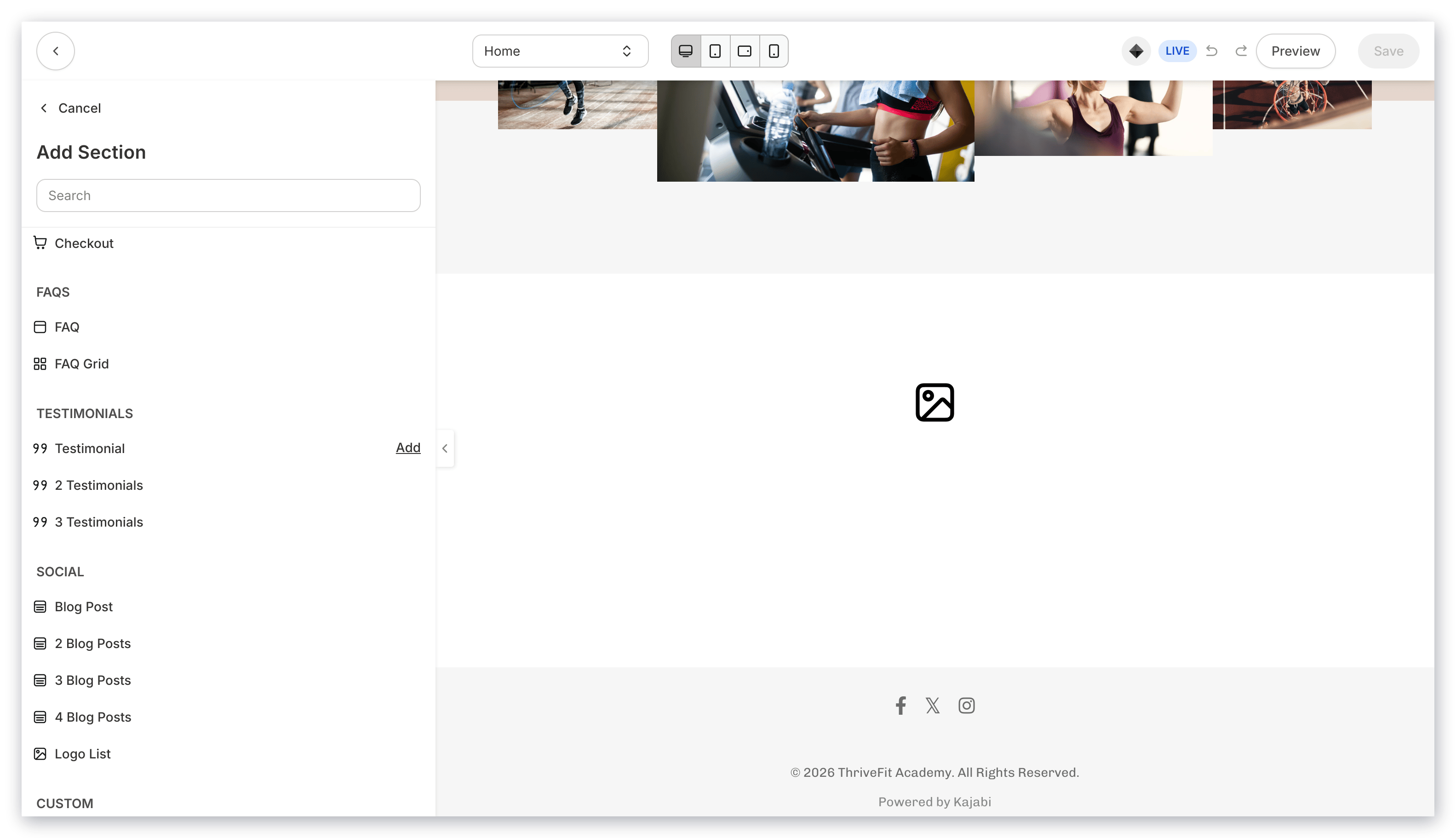
* Click **Add Section**.
* Select your Section from **Testimonials** to Preview.
* Click **Add** to generate the Preset Section to your Page:
***
## Customizing your testimonials section
Customize your Testimonials Section by editing the [Feature Block(s)](../../website/pages/how-to-add-a-feature-block-to-your-page) and Section Settings to change the appearance, behavior, and content.
**Section Settings:**
* [Background](../../website/pages/how-to-customize-your-section-background-settings)
* [Section Layout](../../website/pages/customizing-section-layout-settings)
* [Time Reveal](../../website/pages/customizing-time-reveal-settings)
***
## Preset testimonials sections
Adding a Testimonials Section generates Feature Block(s) to input your testimonials. Depending on the number of Testimonials you select (1-3), Kajabi generates preset widths to create an organized layout for your selected Testimonials Section:
* Testimonial
* 2 Testimonials
* 3 Testimonials
**Tip:**
Although Kajabi generates preset Testimonials Sections, include [additional Blocks](../../website/pages/add-blocks-to-your-page) to create a unique Section that best fits your business.
### Testimonial
Adding a Testimonial Section generates a single Feature Block with a Width of 8 columns:
 ### 2 Testimonials
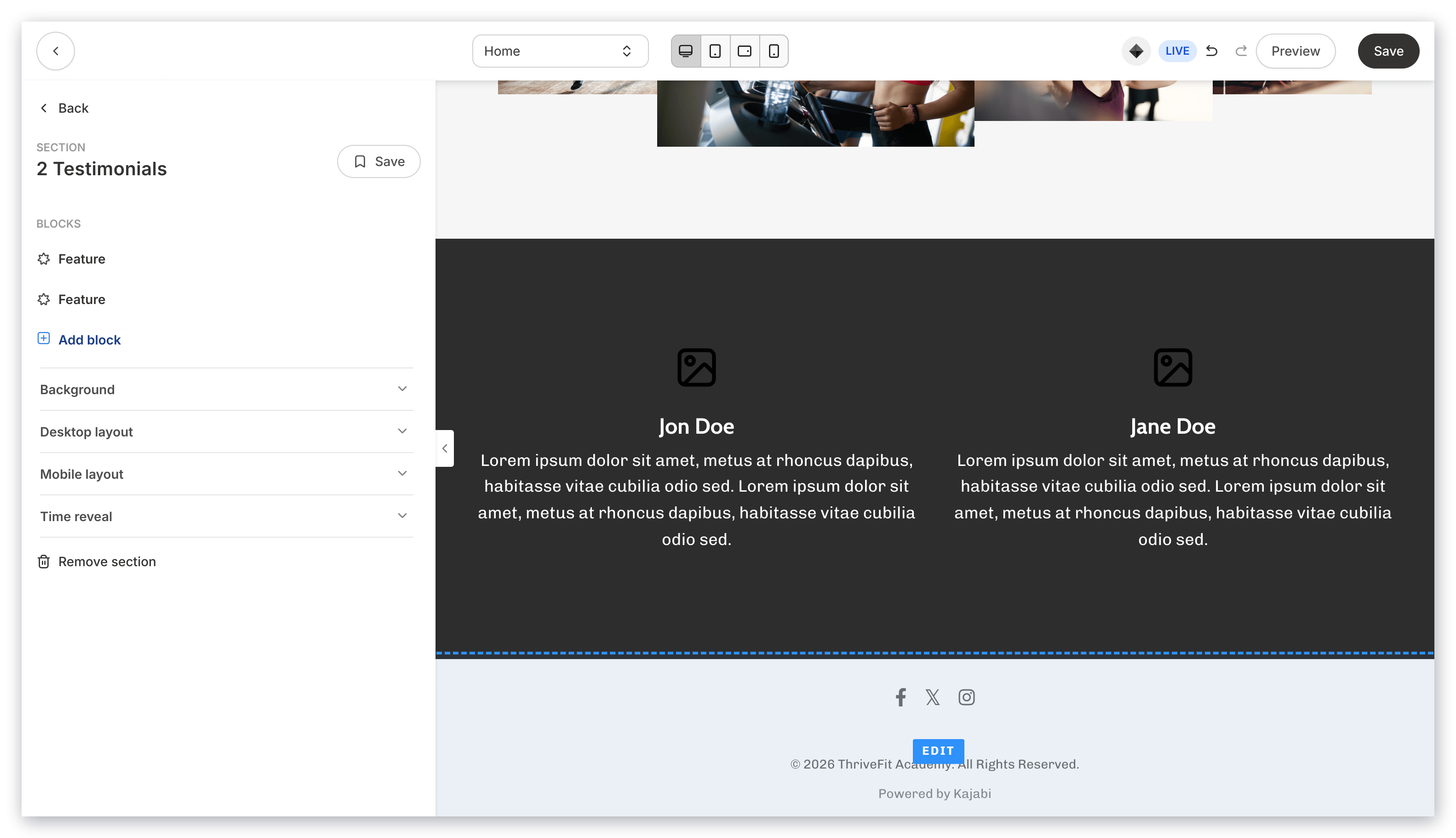
Adding the 2 Testimonials Section generates 2 Feature Blocks with the Width of 6 columns each:
### 2 Testimonials
Adding the 2 Testimonials Section generates 2 Feature Blocks with the Width of 6 columns each:
 ### 3 Testimonials
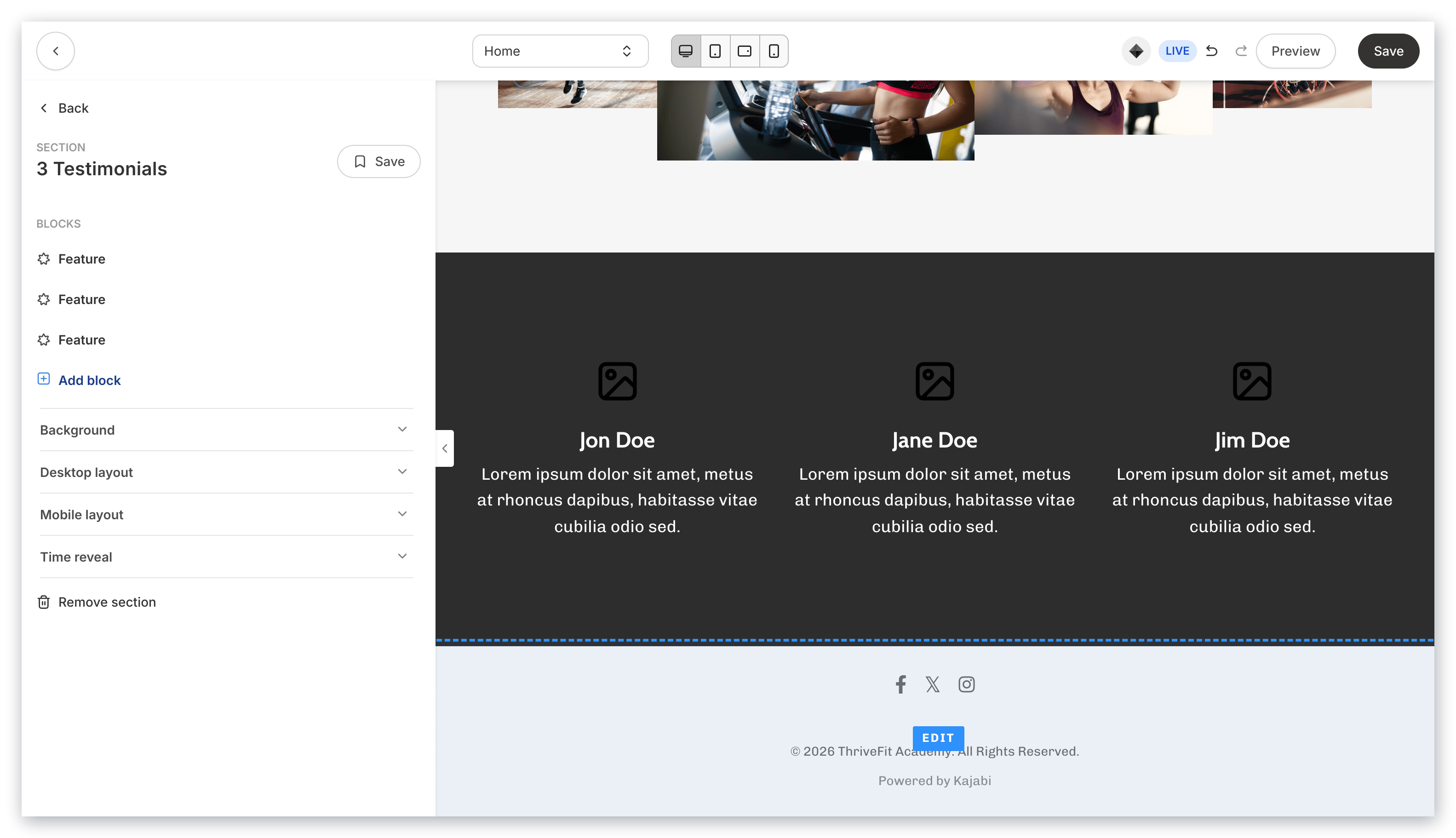
Adding the 3 Testimonials Section generates 3 Feature Blocks with the Width of 4 columns each:
### 3 Testimonials
Adding the 3 Testimonials Section generates 3 Feature Blocks with the Width of 4 columns each: