> ## Documentation Index
> Fetch the complete documentation index at: https://help.kajabi.com/llms.txt
> Use this file to discover all available pages before exploring further.
# Add an age verification popup to Kajabi site pages
> Although Kajabi doesn't have a native feature to verify age, there are third-party applications that can be added to your site to display an age verification popup.
## Create an age verification popup with an embed code
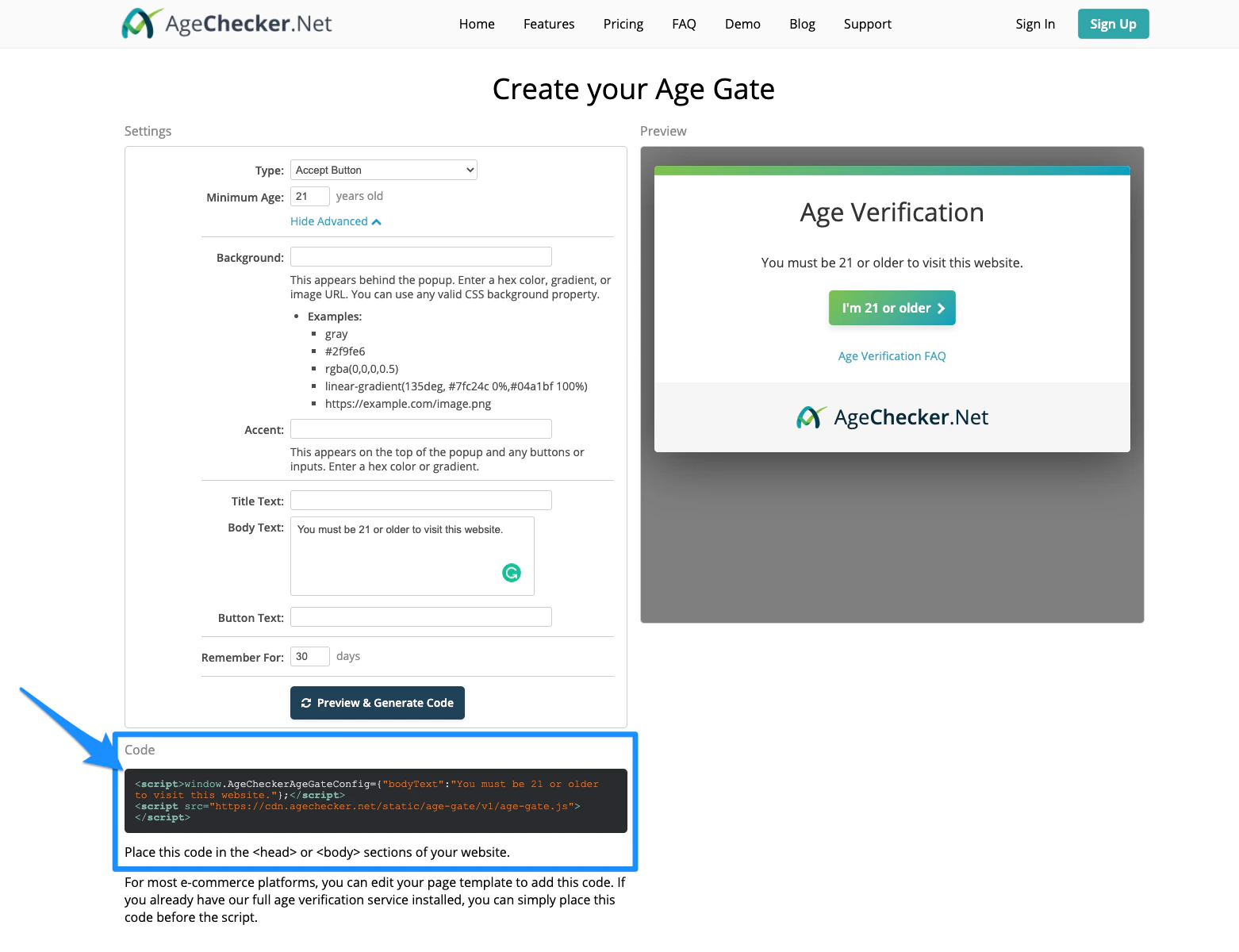
Start by using a third-party application like [AgeChecker.net's Age Gate](https://agechecker.net/age-gate) to create your own age verification popup and custom embed code.
After you've created your popup, copy your embed code.
### Example embed code:
 **Note:**
[AgeChecker.net's Age Gate](https://agechecker.net/age-gate) is one third-party application option, however, there are many others. Be sure to research pricing information before deciding on a third-party application and ensure that your application can provide an embed code.
**Note:**
[AgeChecker.net's Age Gate](https://agechecker.net/age-gate) is one third-party application option, however, there are many others. Be sure to research pricing information before deciding on a third-party application and ensure that your application can provide an embed code.