> ## Documentation Index
> Fetch the complete documentation index at: https://help.kajabi.com/llms.txt
> Use this file to discover all available pages before exploring further.
# Add offers & pricing sections
> Showcase your Offers and Pricing options with an Offers Block, Offer Storefront, Pricing Cards Block, or Pricing Options.
**Note:** This guide refers to the latest page editor available with the Website Builder and Kajabi Pages. If you are using the Premier Legacy Templates, please refer to the guide [here](/articles/website/pages/how-to-add-pricing-options-to-your-page-with-premier).
***
## Adding an offers & pricing section
* Open the **Website** tab from the Dashboard.
* Select the **Website Pages** tab or the **Landing Pages** tab.
* Open the page editor for your Page. [Learn more](/articles/website/pages/how-to-get-to-the-page-editor)
* Navigate to the sidebar panel.
* Click **Add Section**.
* Select your Section from **Offers & Pricing** to Preview.
* Click **Add** to generate the Preset Section to your Page:
***
## Preset offers & pricing section
Learn about each Preset Offers & Pricing Section:
* Offer
* Offer Storefront
* Pricing Cards
* Pricing Option
* Coaching Scheduling Widget
**Tip:** Adding a Preset Offers & Pricing Section generates preset Blocks. Include [additional Blocks](/articles/website/pages/add-blocks-to-your-page) in your Preset Sections to best fit your business!
### Offer
Showcase a single Offer in a Section of your Page with an Offer Section.
Adding an Offer Section to your Page will generate a Text Block and an Offer Block to display and describe your Offer:
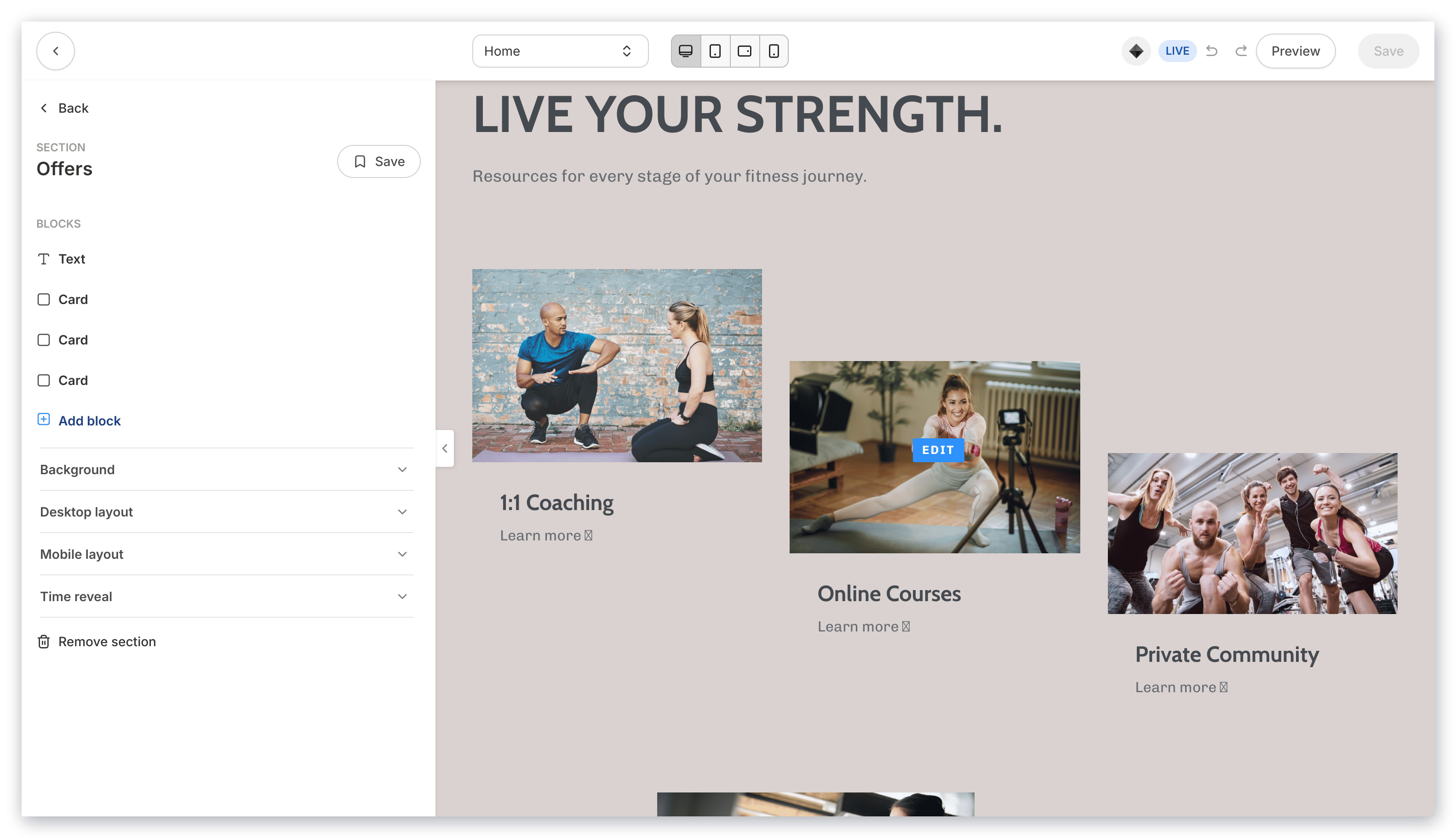 Customize your Offer Section by editing the [Offer Block](/articles/website/pages/add-an-offer-to-a-page#customize-an-offer-block), [Text Block](/articles/website/pages/how-to-add-a-text-block-to-your-page#customizing-your-text-block), and Section Settings to change the appearance, behavior, and content.
**Section Settings:**
* [Background](/articles/website/pages/how-to-customize-your-section-background-settings)
* [Section Layout](/articles/website/pages/customizing-section-layout-settings)
* [Time Reveal](/articles/website/pages/customizing-time-reveal-settings)
### Offer storefront
The Offer Storefront is a great tool to display your Offers in a Storefront layout.
Adding an Offer Storefront Section to your Page will generate a single Text Block and three Offer Blocks to display multiple Offers in the Section:
Customize your Offer Section by editing the [Offer Block](/articles/website/pages/add-an-offer-to-a-page#customize-an-offer-block), [Text Block](/articles/website/pages/how-to-add-a-text-block-to-your-page#customizing-your-text-block), and Section Settings to change the appearance, behavior, and content.
**Section Settings:**
* [Background](/articles/website/pages/how-to-customize-your-section-background-settings)
* [Section Layout](/articles/website/pages/customizing-section-layout-settings)
* [Time Reveal](/articles/website/pages/customizing-time-reveal-settings)
### Offer storefront
The Offer Storefront is a great tool to display your Offers in a Storefront layout.
Adding an Offer Storefront Section to your Page will generate a single Text Block and three Offer Blocks to display multiple Offers in the Section:
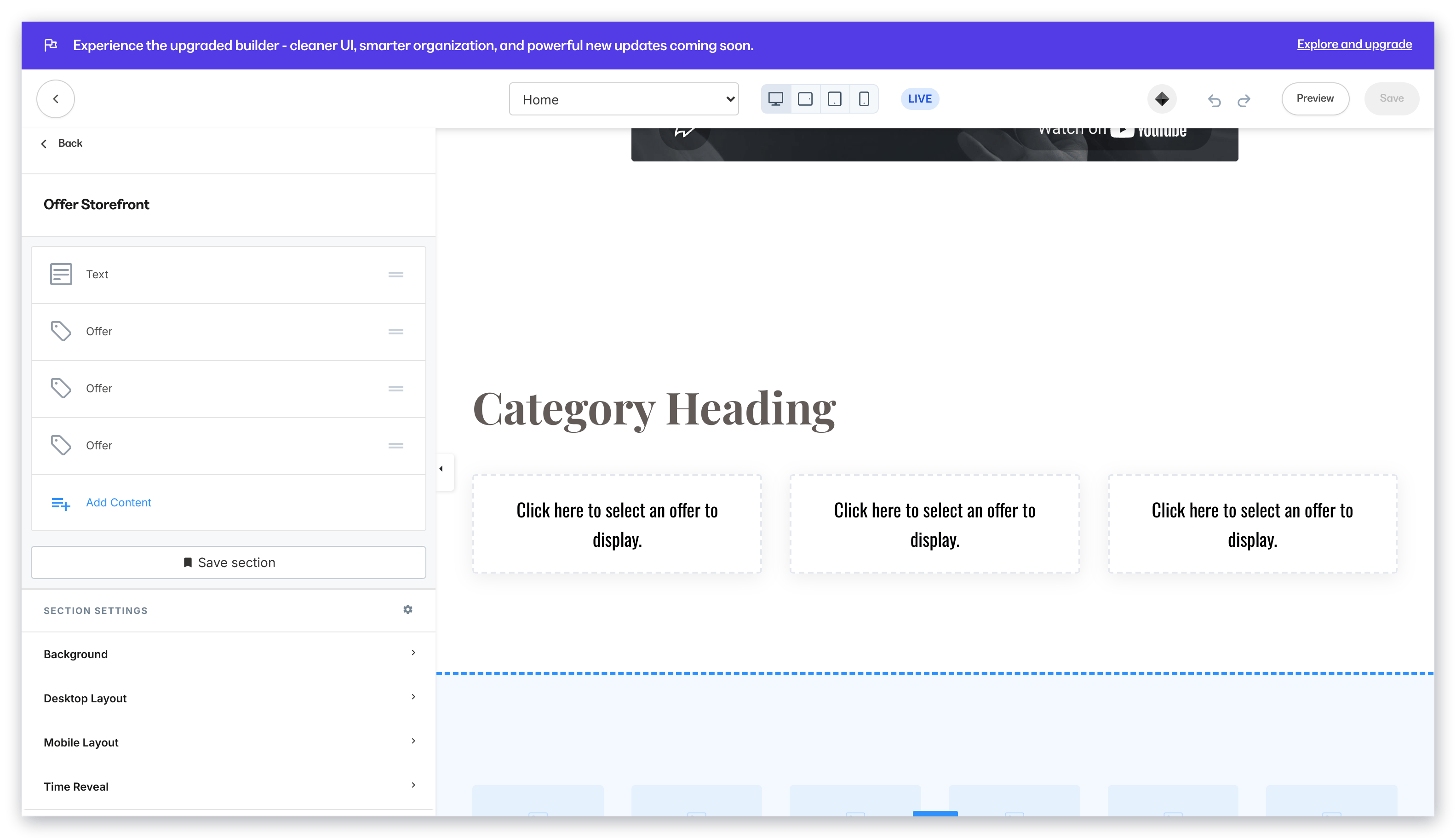 Customize your Offer Storefront Section by editing the [Text Block](/articles/website/pages/how-to-add-a-text-block-to-your-page#customizing-your-text-block), [Offer Blocks](/articles/website/pages/add-an-offer-to-a-page#customize-an-offer-block), and Section Settings to change the appearance, behavior, and content.
**Section Settings:**
* [Background](/articles/website/pages/how-to-customize-your-section-background-settings)
* [Section Layout](/articles/website/pages/customizing-section-layout-settings)
* [Time Reveal](/articles/website/pages/customizing-time-reveal-settings)
### Pricing cards
Pricing Cards are an excellent way to provide your visitors with a beautifully designed, easily consumable chart displaying your Offers and their highlighted features.
Additionally, Pricing Cards enable the Call to Action button in each Pricing Card Block to lead your visitors to the Checkout Page of the Offer to purchase.
Adding a Pricing Cards Section generates three Pricing Card Blocks to showcase multiple Offers or Pricing Options:
Customize your Offer Storefront Section by editing the [Text Block](/articles/website/pages/how-to-add-a-text-block-to-your-page#customizing-your-text-block), [Offer Blocks](/articles/website/pages/add-an-offer-to-a-page#customize-an-offer-block), and Section Settings to change the appearance, behavior, and content.
**Section Settings:**
* [Background](/articles/website/pages/how-to-customize-your-section-background-settings)
* [Section Layout](/articles/website/pages/customizing-section-layout-settings)
* [Time Reveal](/articles/website/pages/customizing-time-reveal-settings)
### Pricing cards
Pricing Cards are an excellent way to provide your visitors with a beautifully designed, easily consumable chart displaying your Offers and their highlighted features.
Additionally, Pricing Cards enable the Call to Action button in each Pricing Card Block to lead your visitors to the Checkout Page of the Offer to purchase.
Adding a Pricing Cards Section generates three Pricing Card Blocks to showcase multiple Offers or Pricing Options:
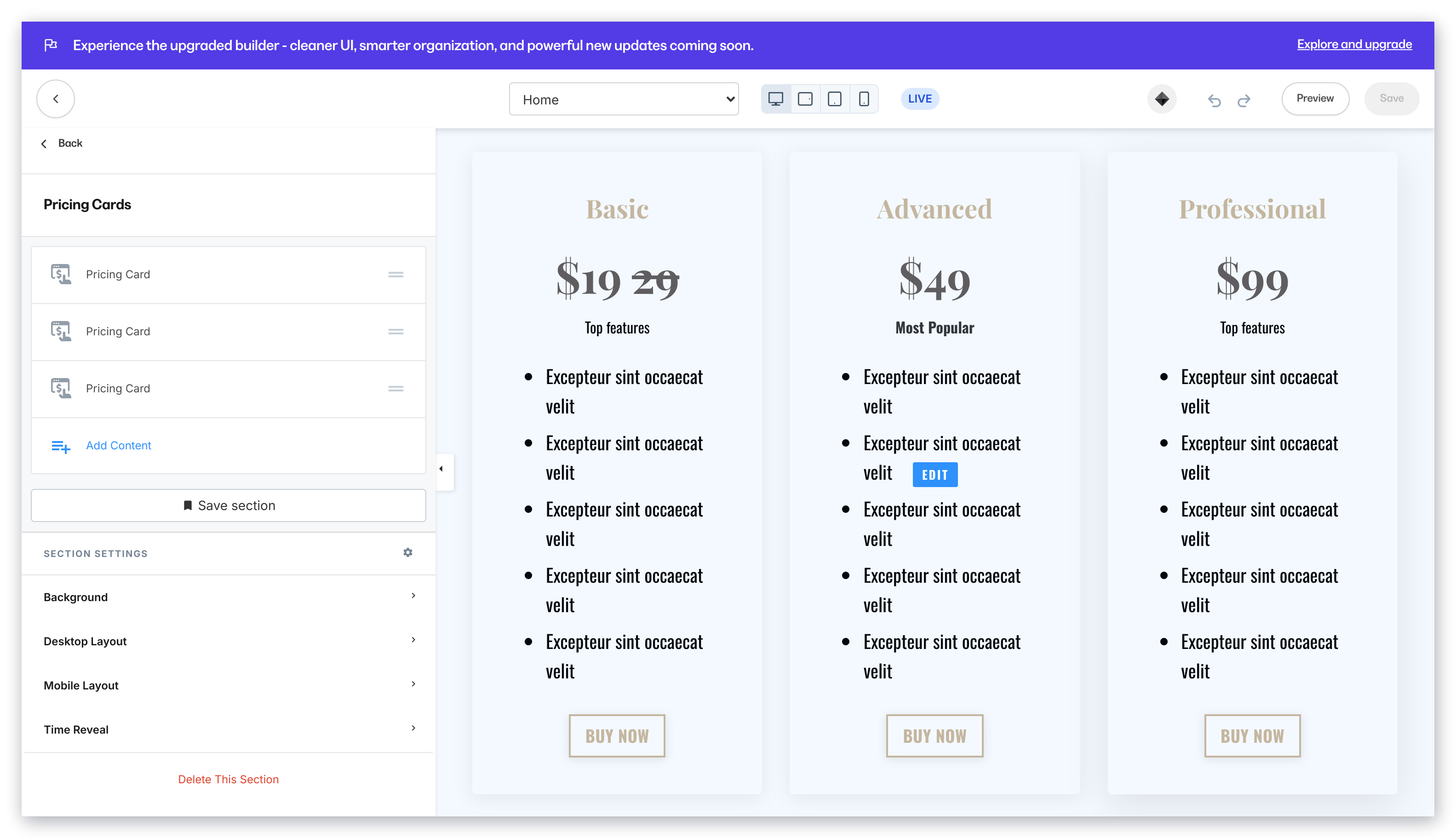 Customize your Pricing Cards Section by editing the [Pricing Card Blocks](/articles/website/pages/how-to-add-pricing-cards-to-your-page#customizing-your-pricing-card-block) and Section Settings to change the appearance, behavior, and content.
**Section Settings:**
* [Background](/articles/website/pages/how-to-customize-your-section-background-settings)
* [Section Layout](/articles/website/pages/customizing-section-layout-settings)
* [Time Reveal](/articles/website/pages/customizing-time-reveal-settings)
### Pricing option
The Pricing Option Section generates a single Pricing Card and Text Block to highlight a specific Offer and its features:
Customize your Pricing Cards Section by editing the [Pricing Card Blocks](/articles/website/pages/how-to-add-pricing-cards-to-your-page#customizing-your-pricing-card-block) and Section Settings to change the appearance, behavior, and content.
**Section Settings:**
* [Background](/articles/website/pages/how-to-customize-your-section-background-settings)
* [Section Layout](/articles/website/pages/customizing-section-layout-settings)
* [Time Reveal](/articles/website/pages/customizing-time-reveal-settings)
### Pricing option
The Pricing Option Section generates a single Pricing Card and Text Block to highlight a specific Offer and its features:
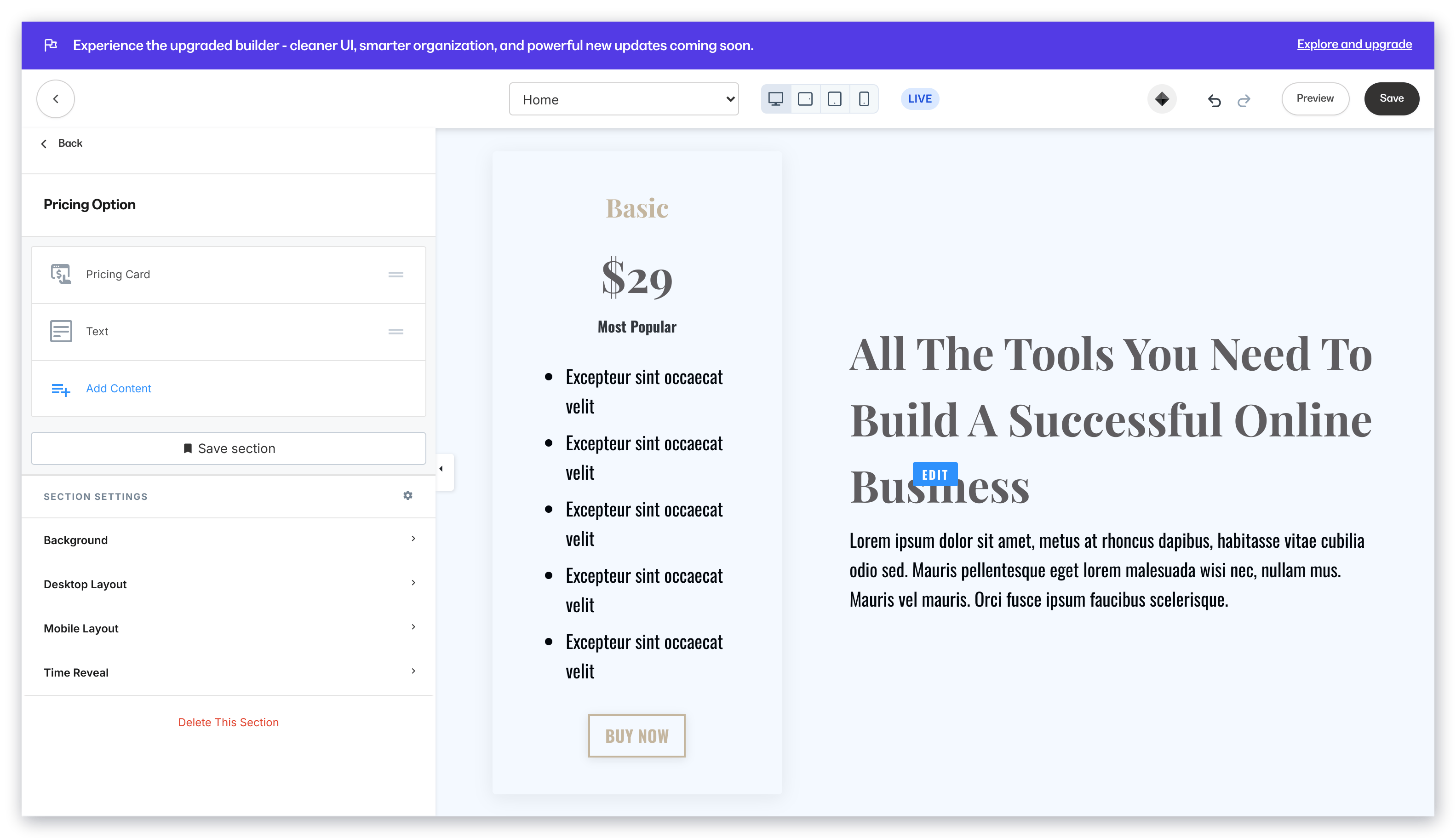 Customize your Pricing Option Section by editing the [Text Block](/articles/website/pages/how-to-add-a-text-block-to-your-page#customizing-your-text-block), [Pricing Card Block](/articles/website/pages/how-to-add-pricing-cards-to-your-page#customizing-your-pricing-card-block), and Section Settings to change the appearance, behavior, and content.
**Section Settings:**
* [Background](/articles/website/pages/how-to-customize-your-section-background-settings)
* [Section Layout](/articles/website/pages/customizing-section-layout-settings)
* [Time Reveal](/articles/website/pages/customizing-time-reveal-settings)
### Coaching scheduling widget
The Coaching Scheduling Widget generates a [Coaching Scheduling Widget Block](/articles/website/pages/how-to-build-pages-with-saved-sections) that features the Coaching Thumbnail, Coaching Program Name, Coaching Length of Time, Offer Price, and the Coaching Description. Along with the Coaching details, the block contains a Call to Action that opens the scheduling pop-up and then the Pop-Up Checkout.
Customize your Pricing Option Section by editing the [Text Block](/articles/website/pages/how-to-add-a-text-block-to-your-page#customizing-your-text-block), [Pricing Card Block](/articles/website/pages/how-to-add-pricing-cards-to-your-page#customizing-your-pricing-card-block), and Section Settings to change the appearance, behavior, and content.
**Section Settings:**
* [Background](/articles/website/pages/how-to-customize-your-section-background-settings)
* [Section Layout](/articles/website/pages/customizing-section-layout-settings)
* [Time Reveal](/articles/website/pages/customizing-time-reveal-settings)
### Coaching scheduling widget
The Coaching Scheduling Widget generates a [Coaching Scheduling Widget Block](/articles/website/pages/how-to-build-pages-with-saved-sections) that features the Coaching Thumbnail, Coaching Program Name, Coaching Length of Time, Offer Price, and the Coaching Description. Along with the Coaching details, the block contains a Call to Action that opens the scheduling pop-up and then the Pop-Up Checkout.
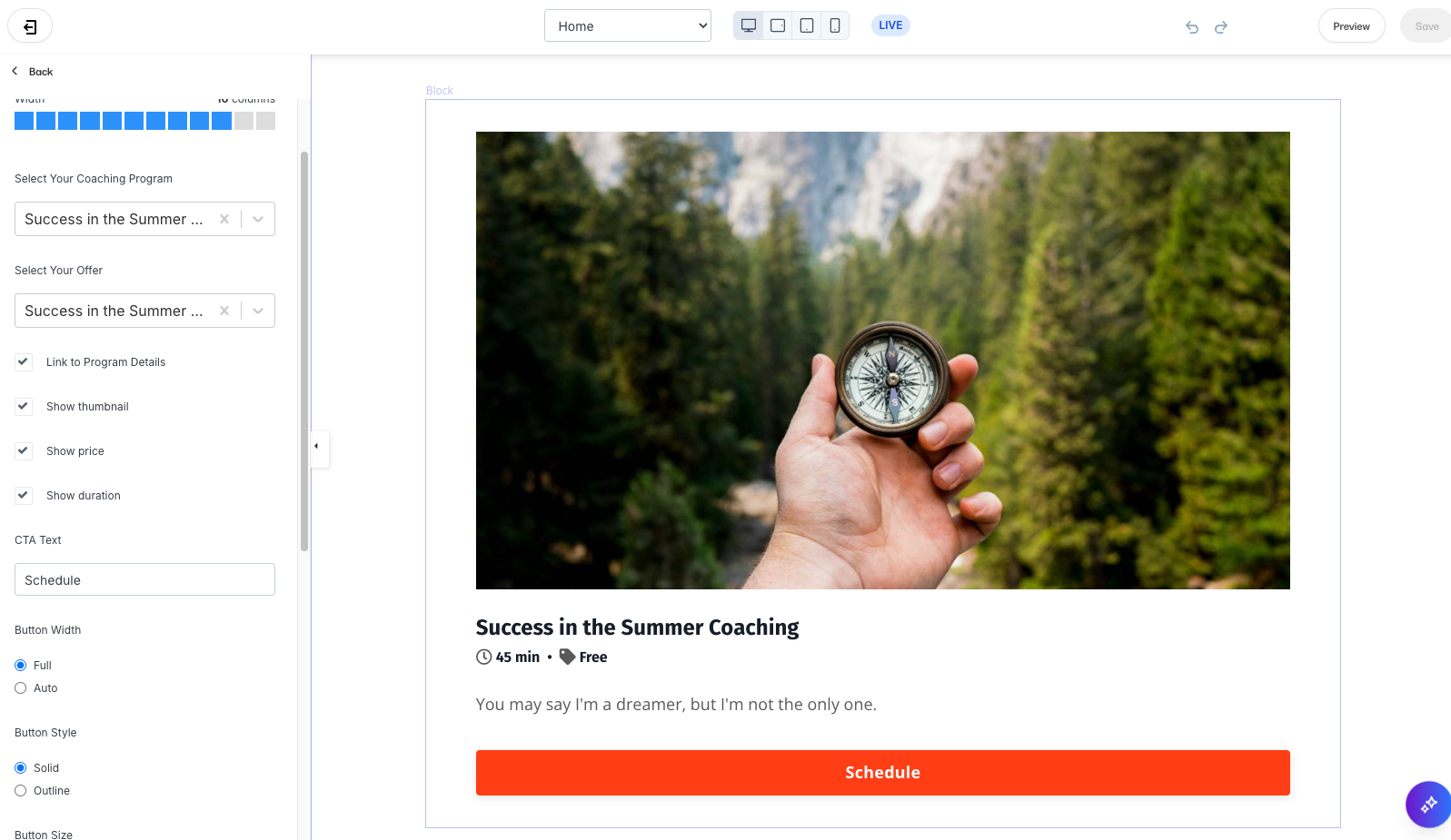 Customize your Coaching Scheduling Widget Section by editing the coaching Scheduling Widget Block, and Section Settings to change the appearance, behavior, and content.
**Section Settings:**
* [Background](/articles/website/pages/how-to-customize-your-section-background-settings)
* [Section Layout](/articles/website/pages/customizing-section-layout-settings)
* [Time Reveal](/articles/website/pages/customizing-time-reveal-settings)
Customize your Coaching Scheduling Widget Section by editing the coaching Scheduling Widget Block, and Section Settings to change the appearance, behavior, and content.
**Section Settings:**
* [Background](/articles/website/pages/how-to-customize-your-section-background-settings)
* [Section Layout](/articles/website/pages/customizing-section-layout-settings)
* [Time Reveal](/articles/website/pages/customizing-time-reveal-settings)