> ## Documentation Index
> Fetch the complete documentation index at: https://help.kajabi.com/llms.txt
> Use this file to discover all available pages before exploring further.
# Build a custom homepage
> Learn to customize your default Homepage with the Website Builder.
Learn to customize your default [Homepage](/articles/website/pages/what-is-the-template-home) with the Website Builder.
**Note:** This article refers to creating a custom homepage with the website builder. Not using the website builder? [Learn how to install it to your site](/articles/website/pages/how-to-make-the-switch-to-the-new-website-builder). If you wish to direct your root domain to a Login Page or your Store instead of your default home page, please refer to [How to Change Your Homepage](/articles/website/pages/change-your-homepage).
***
## Customizing your homepage with the website builder
Design a homepage custom-tailored to represent your brand and online presence. When visitors enter your URL this is the page that will appear unless you have [changed your settings](/articles/website/pages/change-your-homepage) in your Site Details.
With the website builder create a homepage that is uniquely yours.
### How to access the home editor:
* Open the **Website** tab.
* Click the **Pages** tab.
* Locate the **Home** page in your list of Website pages.
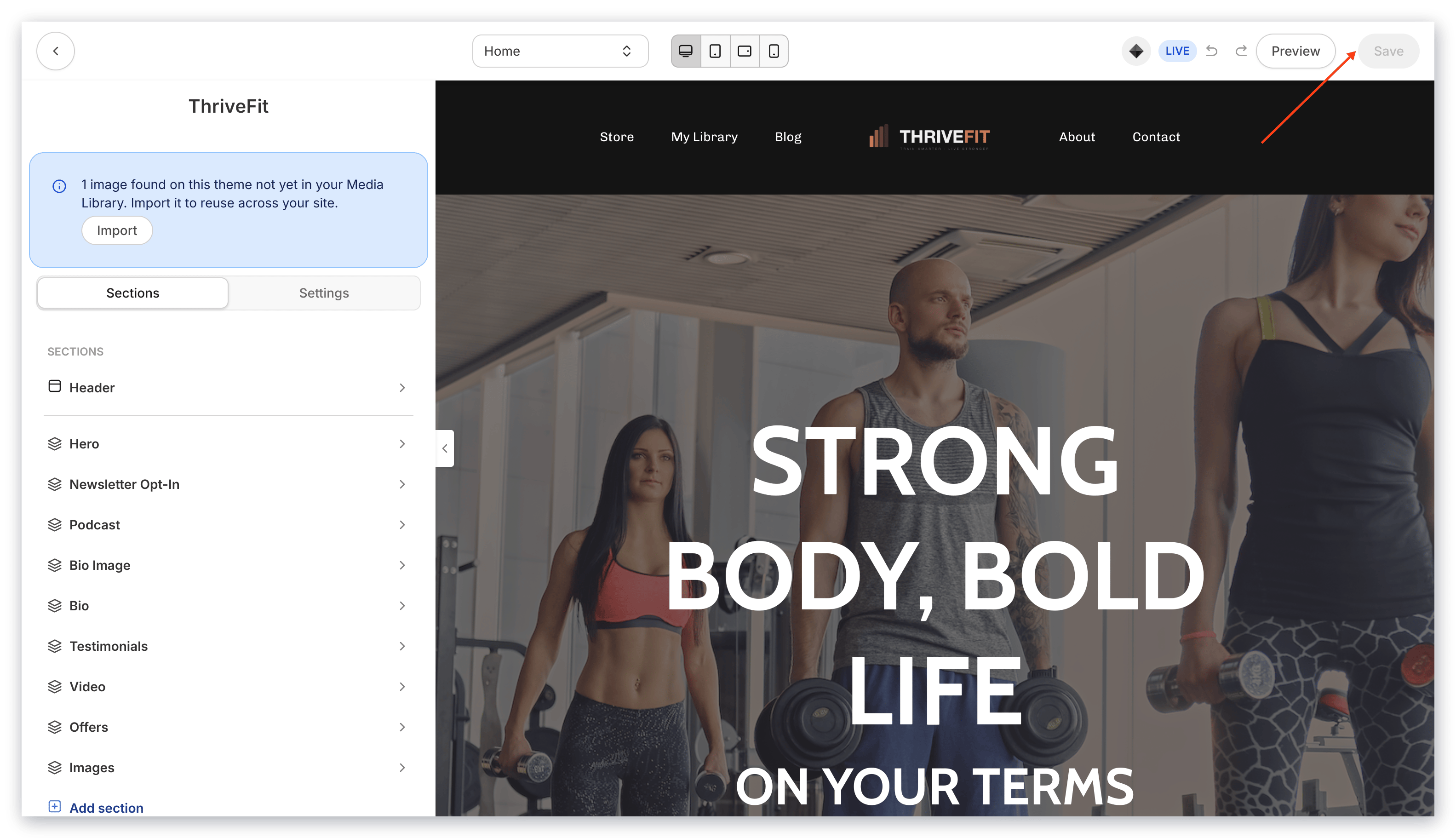
* Select the **Home** page to begin customizing:
***
## Building your page with the website builder
Build your custom homepage by customizing your:
* **Website Pages Global Settings**: Global settings help you streamline the design process for your standard website pages so you can focus on the design aspects that matter to you. [Learn more](/articles/website/pages/how-to-use-your-style-settings-with-the-website-builder)
* **Header**: Choose to hide or display your Header and customize the Menu links, your logo, and include hello bar banners to share any announcements directly from the Library. [Learn more](/articles/website/pages/customizing-your-header)
* **Add Sections & Blocks** to design a unique library experience that best fits your brand and business. [Learn more about Sections](/articles/website/pages/add-sections-to-your-pages) & [Learn about Blocks](/articles/website/pages/add-blocks-to-your-page)
* **Footer**: Choose to hide or display your Footer and customize its visual appearance to change the copyright, add your own social media links, and adjust the color of the Footer background. [Learn more](/articles/website/pages/customizing-your-footer)
* **Exit Popup**: Include an exit popup to display a message upon your customers attempt to exit the page. [Learn more about exit popups](/articles/website/pages/add-an-exit-popup-to-a-page)
* **Two Step Optin**: Add a two step optin to your Library page to capture opt-ins directly from your homepage.
When you're finished customizing your homepage, click the **Save** button at the top right of the editor to save and apply your changes: