> ## Documentation Index
> Fetch the complete documentation index at: https://help.kajabi.com/llms.txt
> Use this file to discover all available pages before exploring further.
# Create a section with videos in a page
> Learn to add Preset Video Sections to include engaging and informative video content in your pages built with Kajabi.
## Overview
Add Preset Video Sections to include engaging and informative video content in your pages built with Kajabi.
**Note:** This guide refers to the latest page editor available with the Website Builder and Kajabi Pages. If you are using the Premier Legacy Templates, please refer to the guide [here](./how-to-add-a-video-to-your-page-with-premier).
***
## Adding a videos section
Create an engaging video experience for your page visitors by selecting a Video Section to add to your page.
### To add a video section to your page
* Open the **Website** tab from the Dashboard.
* Select the **Pages** tab.
* Open the page editor for your Page. [Learn more](./how-to-get-to-the-page-editor)
* Navigate to the sidebar panel.
* Click **Add Section**.
* Select your Section from **Videos**. Your newly created Video section will generate at the bottom of your page.
* Click **Save** to keep your changes:
***
## Preset video sections
Click the following sections to learn more:
* Video
* Text & Video
* Video Gallery
* Video Embed
### Video
Adding a Video Section to your page is an entertaining and impactful way to engage with your audience.
Add the Video Section to generate a single Video Block to your Section:
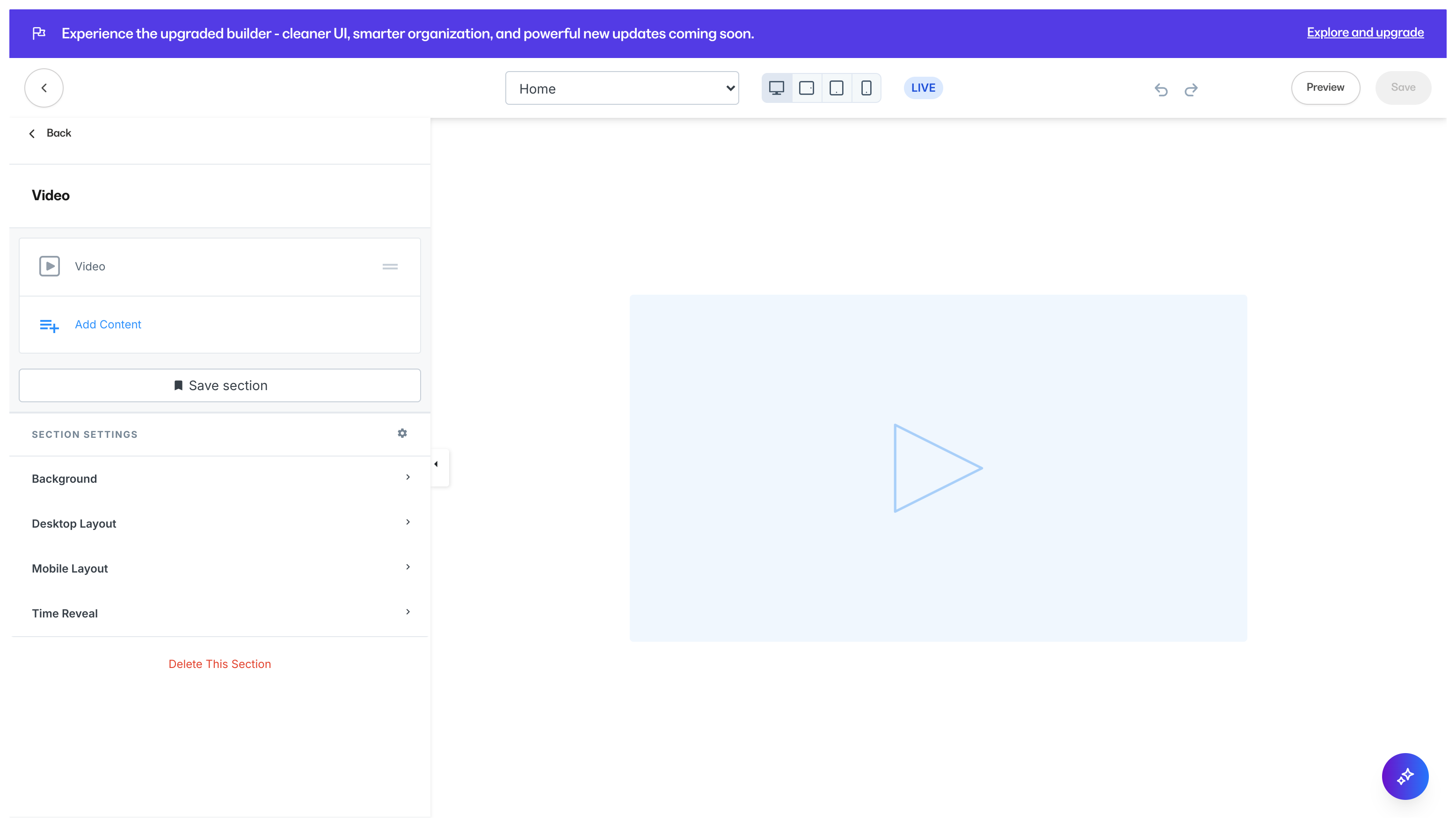 Customize your Video Section by editing the [Video Block](./how-to-add-a-video-block-to-your-pages#customize-your-video-block) and Section Settings to change the appearance, behavior, and content.
**Section Settings:**
* [Background](./how-to-customize-your-section-background-settings)
* [Section Layout](./customizing-section-layout-settings)
* [Time Reveal](./customizing-time-reveal-settings)
### Text & Video
Text and Video Blocks used together are a natural combination to show and tell your page visitors information about you, your brand, and your product.
Add a Text & Video Section to generate a single Text Block and a single Video Block:
Customize your Video Section by editing the [Video Block](./how-to-add-a-video-block-to-your-pages#customize-your-video-block) and Section Settings to change the appearance, behavior, and content.
**Section Settings:**
* [Background](./how-to-customize-your-section-background-settings)
* [Section Layout](./customizing-section-layout-settings)
* [Time Reveal](./customizing-time-reveal-settings)
### Text & Video
Text and Video Blocks used together are a natural combination to show and tell your page visitors information about you, your brand, and your product.
Add a Text & Video Section to generate a single Text Block and a single Video Block:
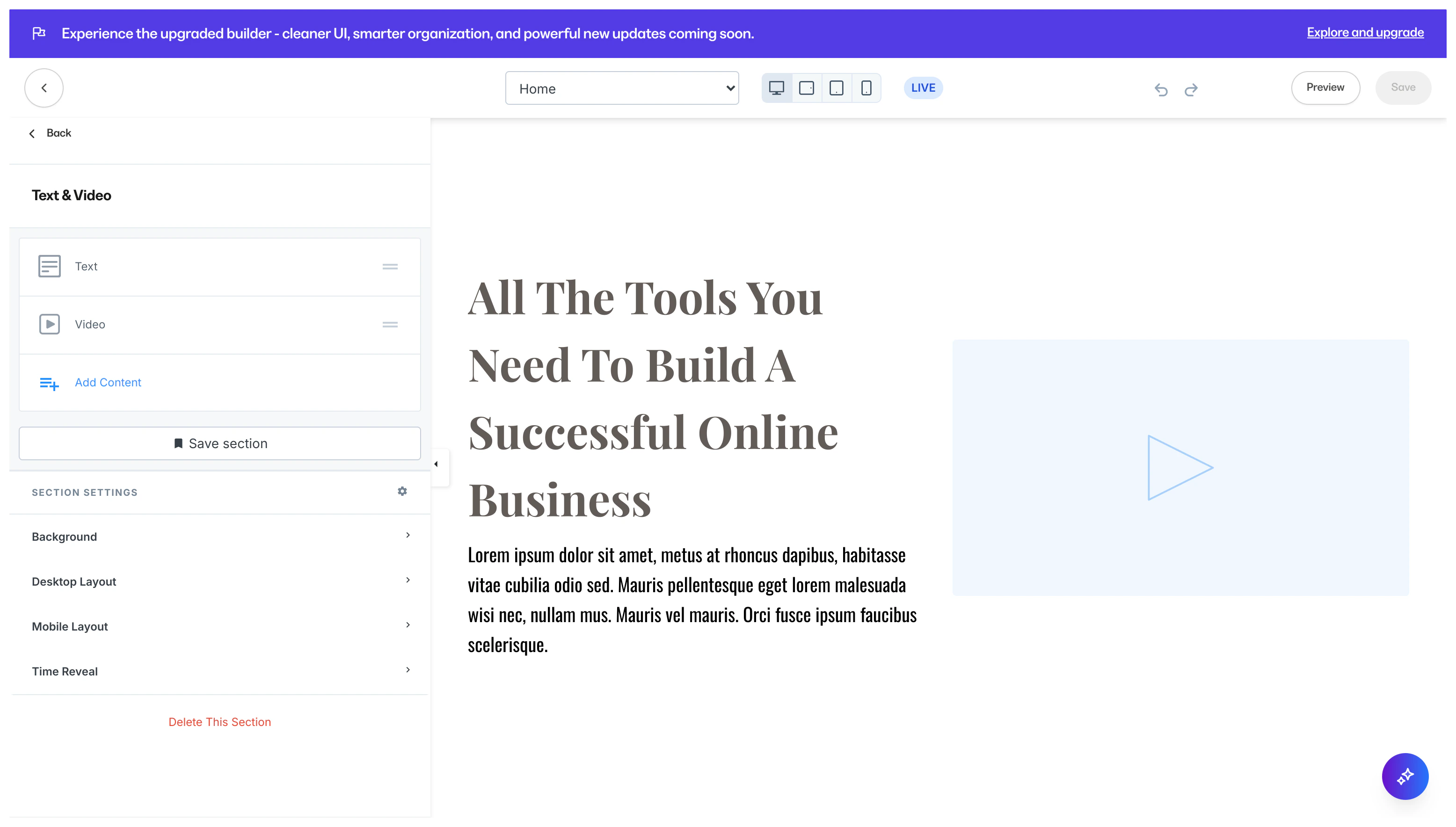 Customize your Text & Video Section by editing the [Text Block](./how-to-add-a-text-block-to-your-page#cus), [Video Block](./how-to-add-a-video-block-to-your-pages#customize-your-video-block), and Section Settings to change the appearance, behavior, and content.
**Section Settings:**
* [Background](./how-to-customize-your-section-background-settings)
* [Section Layout](./customizing-section-layout-settings)
* [Time Reveal](./customizing-time-reveal-settings)
### Video Gallery
Similar to the [Image Gallery](./how-to-add-an-image-gallery-to-your-page), adding a Video Gallery to your page helps organize groups of videos in a single Section.
Adding a Video Gallery Section generates four Video Blocks:
Customize your Text & Video Section by editing the [Text Block](./how-to-add-a-text-block-to-your-page#cus), [Video Block](./how-to-add-a-video-block-to-your-pages#customize-your-video-block), and Section Settings to change the appearance, behavior, and content.
**Section Settings:**
* [Background](./how-to-customize-your-section-background-settings)
* [Section Layout](./customizing-section-layout-settings)
* [Time Reveal](./customizing-time-reveal-settings)
### Video Gallery
Similar to the [Image Gallery](./how-to-add-an-image-gallery-to-your-page), adding a Video Gallery to your page helps organize groups of videos in a single Section.
Adding a Video Gallery Section generates four Video Blocks:
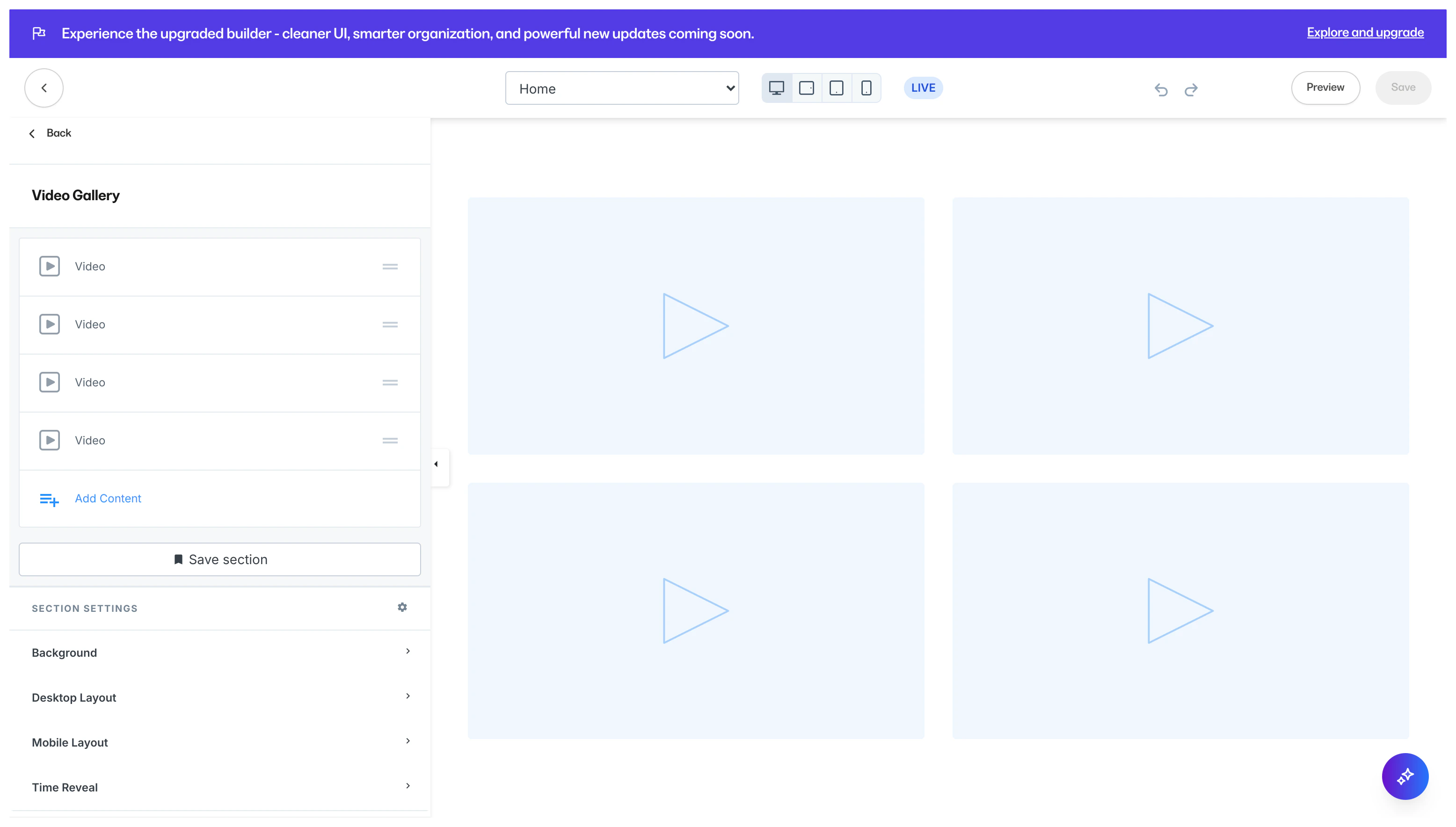 Customize your Video Gallery Section by editing the [Video Block](./how-to-add-a-video-block-to-your-pages#customize-your-video-block) and Section Settings to change the appearance, behavior, and content.
**Section Settings:**
* [Background](./how-to-customize-your-section-background-settings)
* [Section Layout](./customizing-section-layout-settings)
* [Time Reveal](./customizing-time-reveal-settings)
**Tip:** Want to add more videos? Add additional Video Blocks to your Video Gallery to add more videos. [Learn more](./how-to-add-a-video-block-to-your-pages)
### Video Embed
Embedded videos are videos that are hosted by a provider such as Wistia, YouTube, or Vimeo and linked onto another site.
Use Embedded videos when you do not have a downloaded copy of the video, but have permission to share the video on your page.
Adding a Video Embed Section generates a single Video Embed Block:
Customize your Video Gallery Section by editing the [Video Block](./how-to-add-a-video-block-to-your-pages#customize-your-video-block) and Section Settings to change the appearance, behavior, and content.
**Section Settings:**
* [Background](./how-to-customize-your-section-background-settings)
* [Section Layout](./customizing-section-layout-settings)
* [Time Reveal](./customizing-time-reveal-settings)
**Tip:** Want to add more videos? Add additional Video Blocks to your Video Gallery to add more videos. [Learn more](./how-to-add-a-video-block-to-your-pages)
### Video Embed
Embedded videos are videos that are hosted by a provider such as Wistia, YouTube, or Vimeo and linked onto another site.
Use Embedded videos when you do not have a downloaded copy of the video, but have permission to share the video on your page.
Adding a Video Embed Section generates a single Video Embed Block:
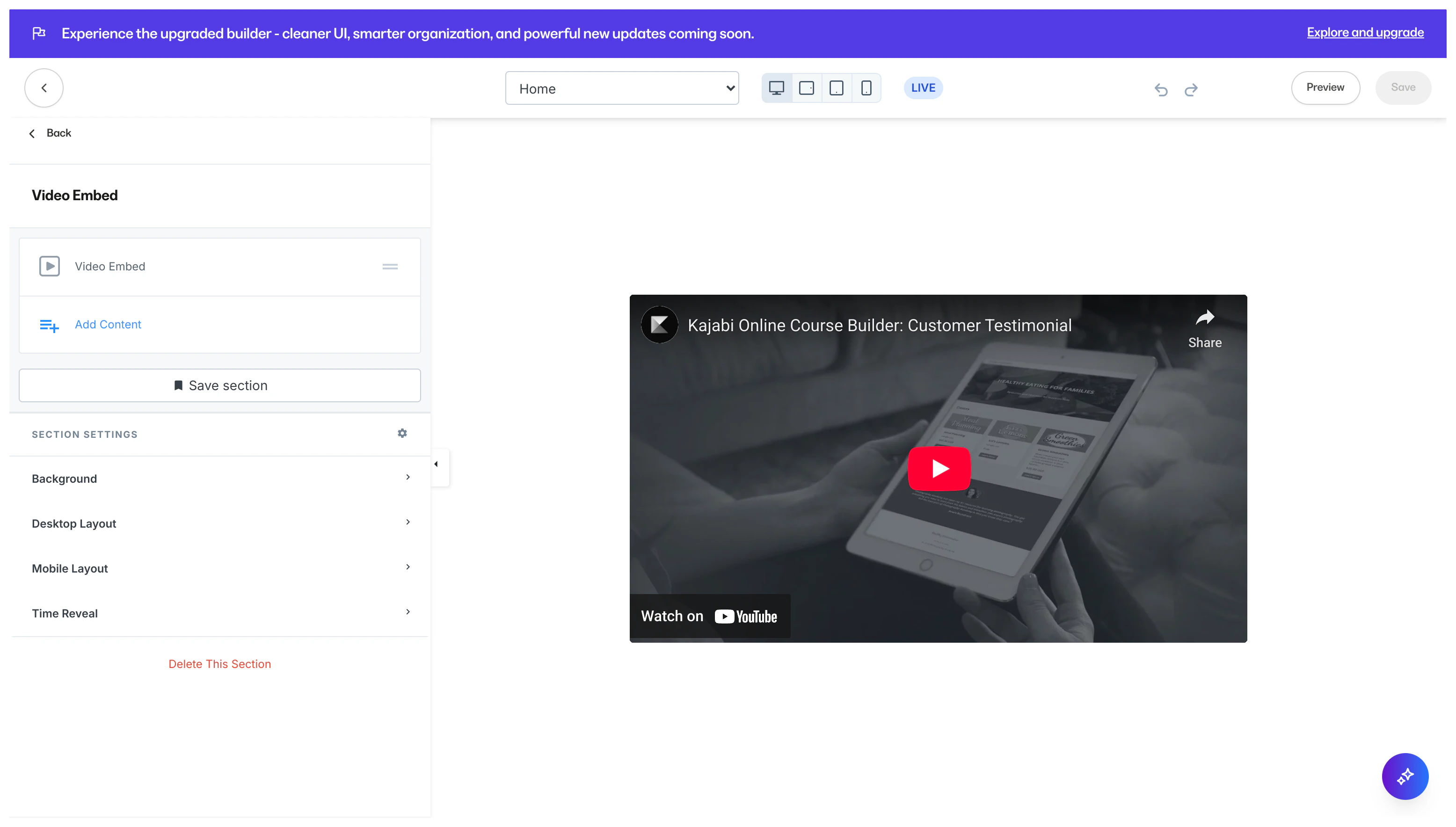 Customize your Video Embed Section by editing the [Video Embed Block](./how-to-add-a-video-embed-block#customize-your-video-embed-block) and Section Settings to change the appearance, behavior, and content.
**Section Settings:**
* [Background](./how-to-customize-your-section-background-settings)
* [Section Layout](./customizing-section-layout-settings)
* [Time Reveal](./customizing-time-reveal-settings)
Customize your Video Embed Section by editing the [Video Embed Block](./how-to-add-a-video-embed-block#customize-your-video-embed-block) and Section Settings to change the appearance, behavior, and content.
**Section Settings:**
* [Background](./how-to-customize-your-section-background-settings)
* [Section Layout](./customizing-section-layout-settings)
* [Time Reveal](./customizing-time-reveal-settings)