> ## Documentation Index
> Fetch the complete documentation index at: https://help.kajabi.com/llms.txt
> Use this file to discover all available pages before exploring further.
# Design a blog homepage
> Learn to customize the look and feel of your Blog homepage with the newest editing capabilities available with Kajabi's Website Builder.
## Overview
Customize the look and feel of your Blog homepage with the editing capabilities available with [Kajabi's Website Builder](./how-to-make-the-switch-to-the-new-website-builder).
***
## Building your blog
Before we get started, you are going to need to build your Blog. If you haven't built your blog yet, [click here to get started](./creating-your-website#learnabout).
Blog Posts are the basic building blocks of your Blog on Kajabi. [Learn more](../blog/how-to-create-a-blog-post#h_6ea6cc1c-941b-43d4-9f91-4925e38f5e94) about how to create Blog Posts to build your blog.
Blogging in Kajabi offers you a way to connect with your audience, showcase credibility and, deliver additional value through your website. Learn to design your Blog Homepage.
***
## Customize the design of your blog
With the Website Builder, design the look and feel of your blog homepage to represent your brand. [Learn more about the Website Builder](./customizing-your-website-pages-with-the-website-builder)
**To begin customizing your blog design:**
* Open the **Website** tab from your Dashboard.
* Select the **Pages** tab.
* Locate **Blog** from your list of Website pages.
* Click **Customize**:
Don't see any content? Create and publish blog posts to display in your Blog Homepage. [Learn more](../blog/how-to-create-a-blog-post)
**Note:** To add your blog to your main navigation menu follow the instructions [here](https://help.kajabi.com/hc/en-us/articles/360037080193) and use the "Link" option to link to your blog.
Customize your Blog with a [Header](./customizing-your-header) & [Footer](./customizing-your-footer) and design a custom page with [Blocks](./add-blocks-to-your-page) and [Sections](./add-sections-to-your-pages).
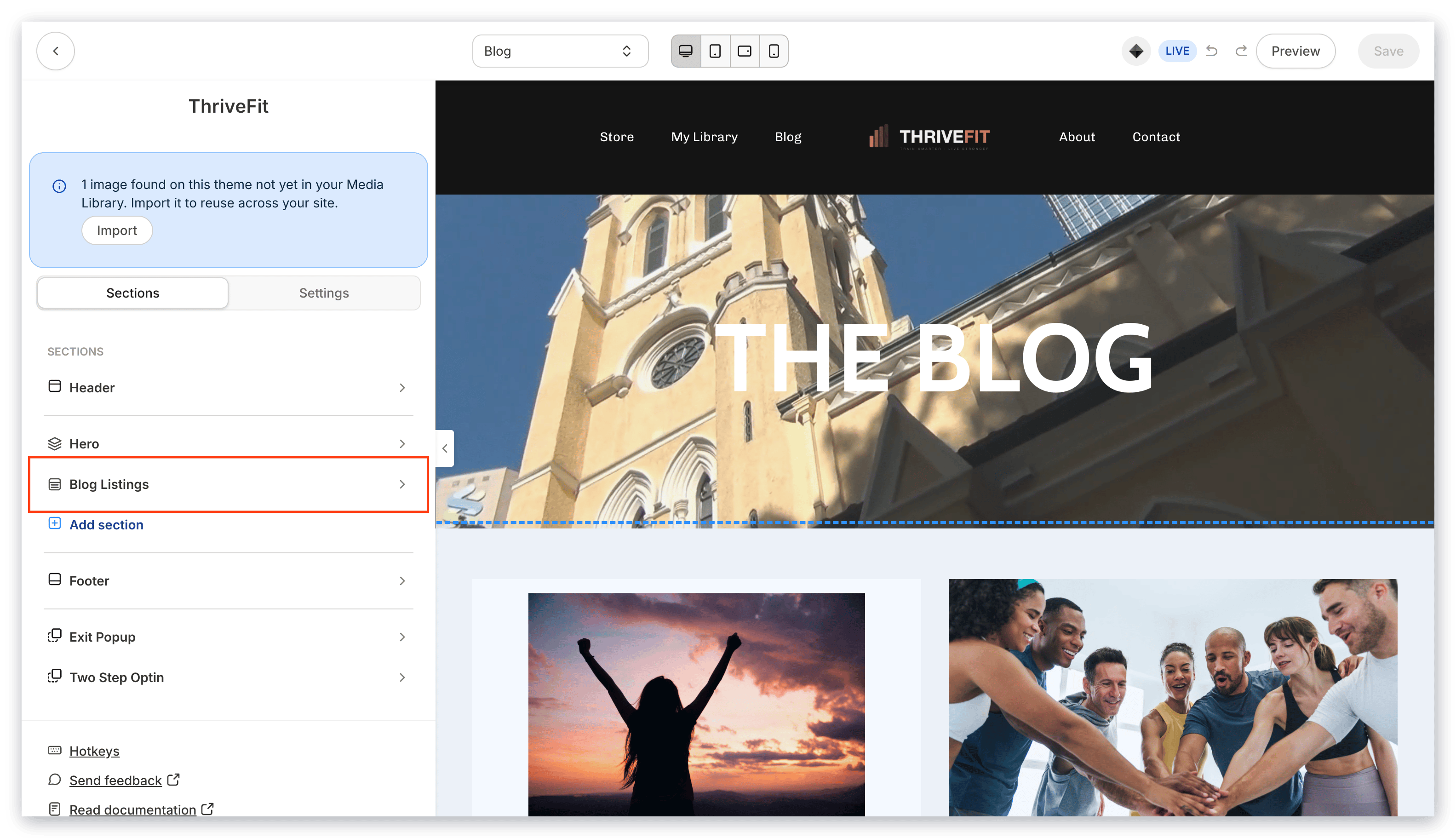
Your blog homepage includes a Section unique to the blog builder, the Blog Listings Section:
 ***
## Customizing the blog listings section
The Blog Listings Section is unique to the blog builder to customize the overall look and feel of your Blog.
The Blog Listings Section allows you to customize:
* How your blog posts are displayed
* The blocks included in your blog sidebar
* And the background and layout of the section as a whole
To edit the Blog Listings section, open the [page editor](./how-to-get-to-the-page-editor) for your Blog and click the section from your sidebar.
### Blog listings settings
In your Blog Listings Section, customize the:
* Blog Listings Block
* Pagination Appearance
* Sidebar
* Section Settings
#### Blog listings block
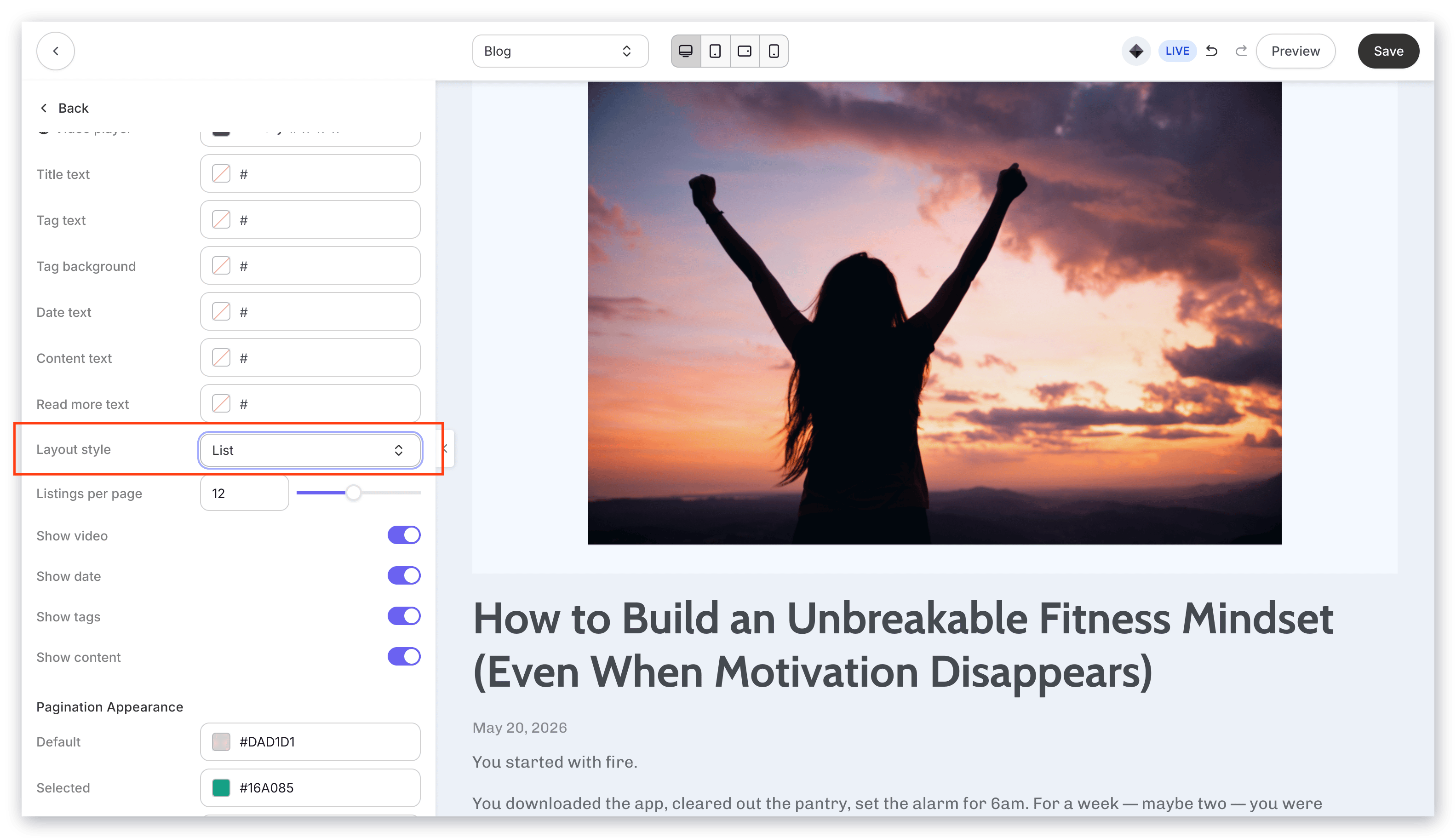
**Layout Style** - Select your desired layout style to customize the layout of your blog posts on your blog homepage:
* List layout:
***
## Customizing the blog listings section
The Blog Listings Section is unique to the blog builder to customize the overall look and feel of your Blog.
The Blog Listings Section allows you to customize:
* How your blog posts are displayed
* The blocks included in your blog sidebar
* And the background and layout of the section as a whole
To edit the Blog Listings section, open the [page editor](./how-to-get-to-the-page-editor) for your Blog and click the section from your sidebar.
### Blog listings settings
In your Blog Listings Section, customize the:
* Blog Listings Block
* Pagination Appearance
* Sidebar
* Section Settings
#### Blog listings block
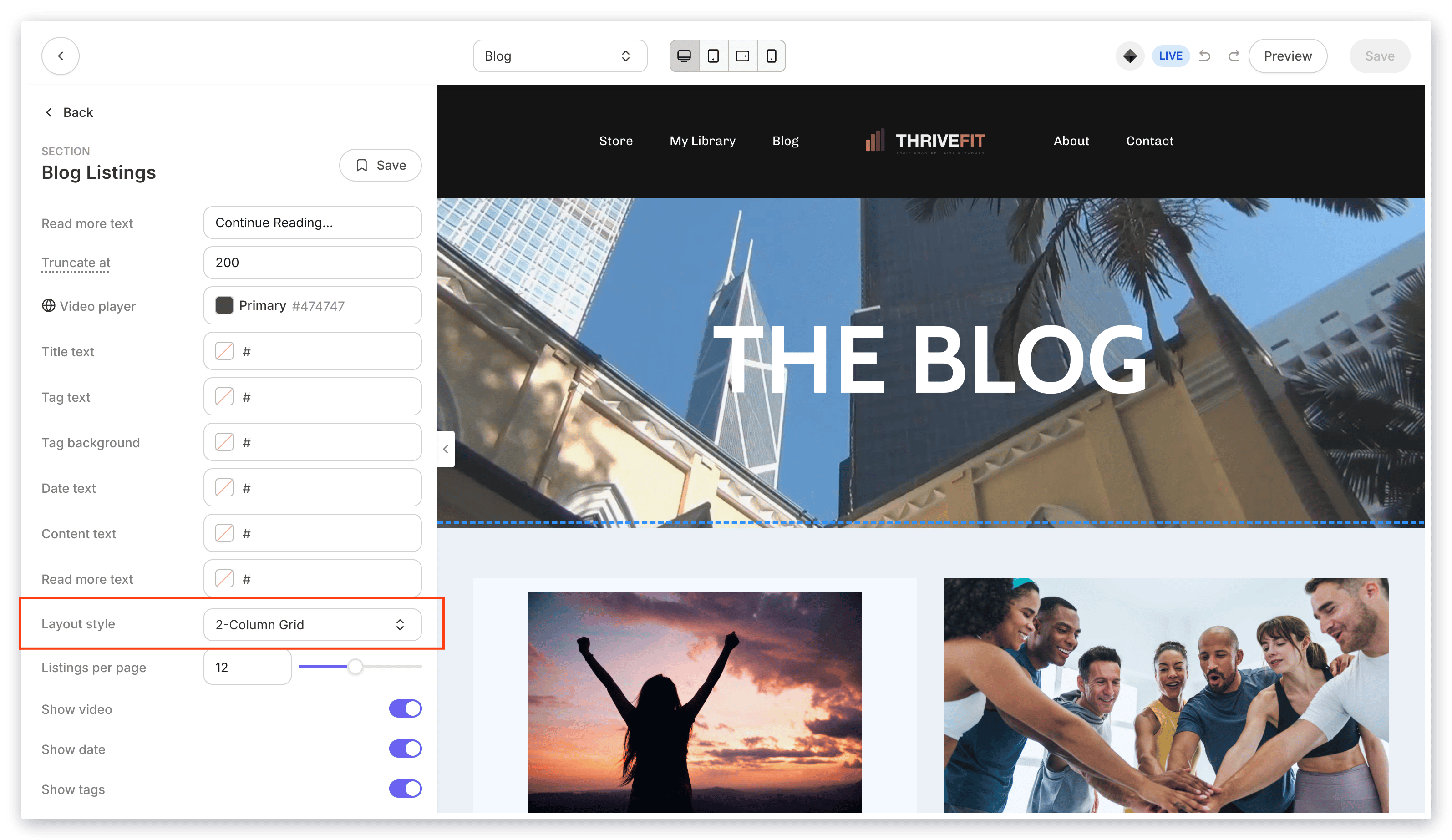
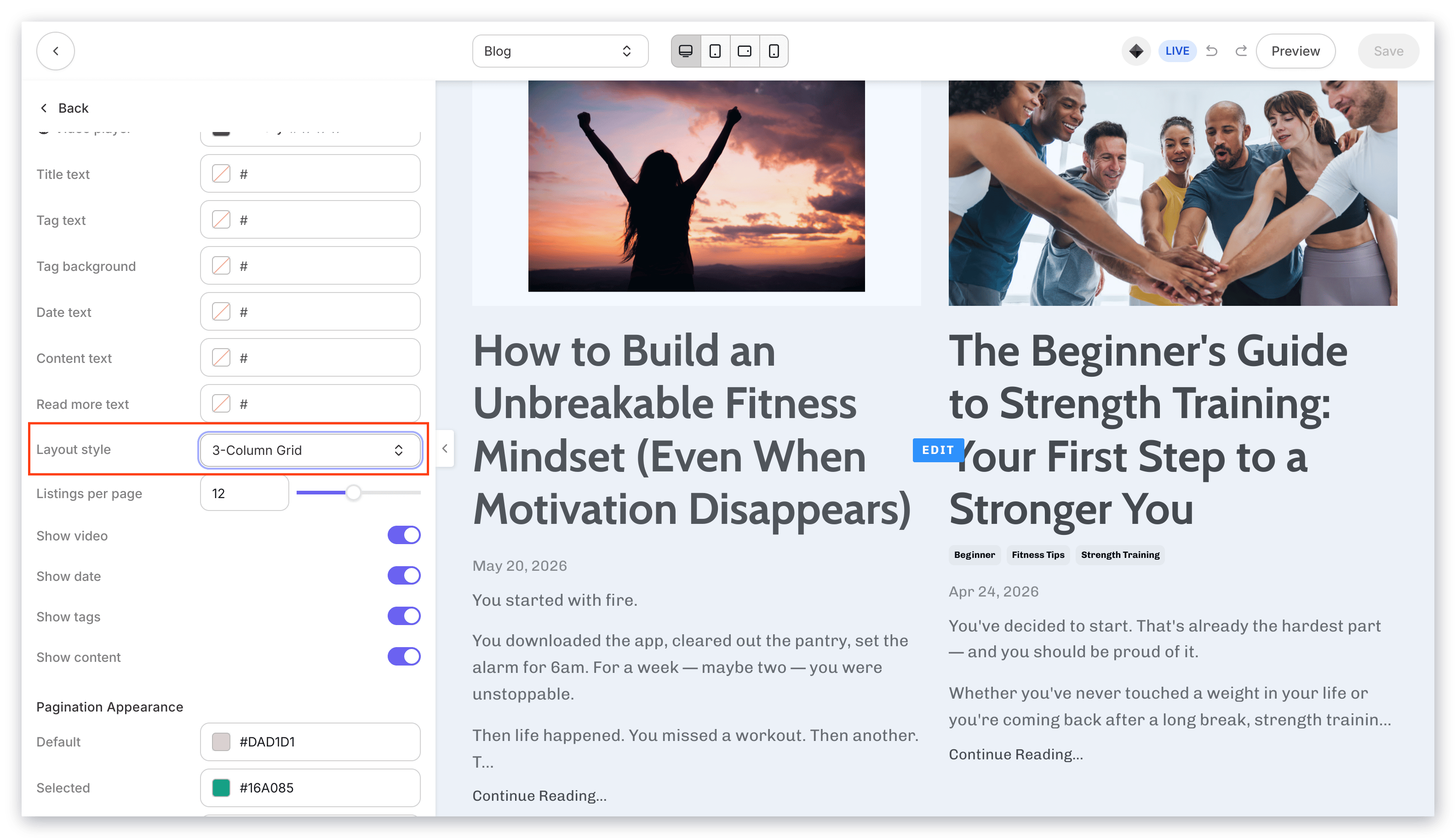
**Layout Style** - Select your desired layout style to customize the layout of your blog posts on your blog homepage:
* List layout:
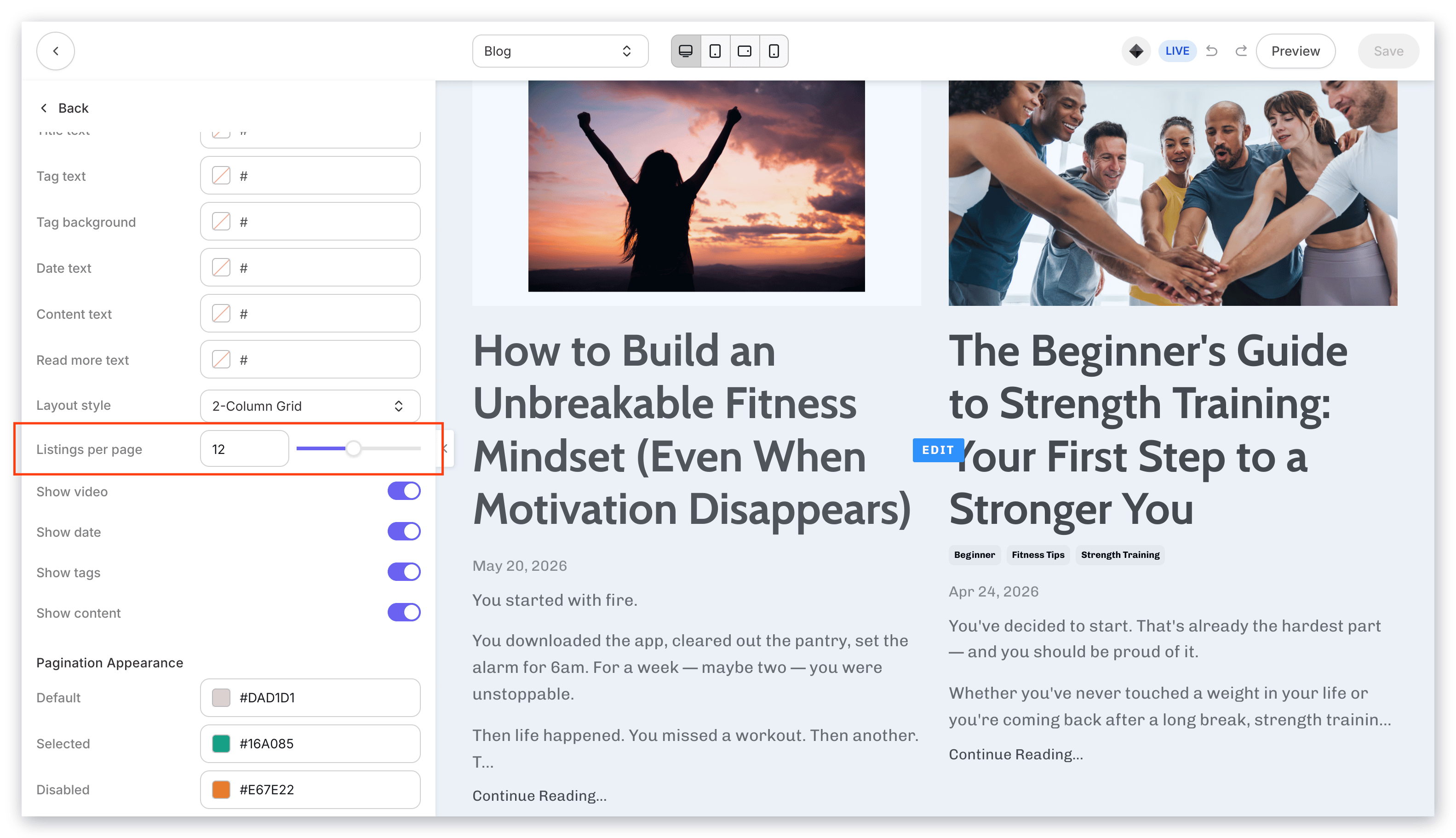
 * 2-column grid layout:
 * 3-column grid layout:
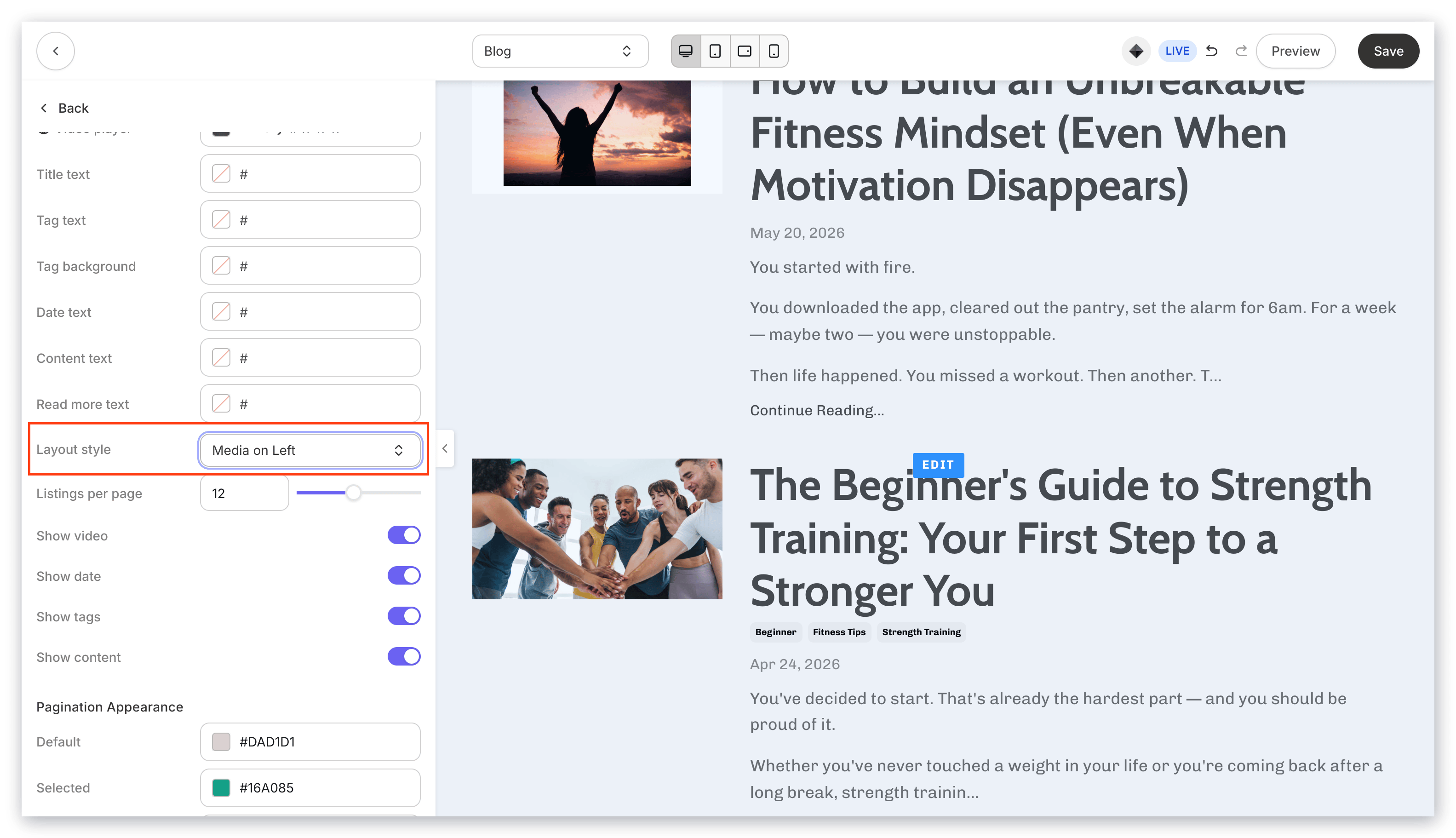
 * Media on Left layout:
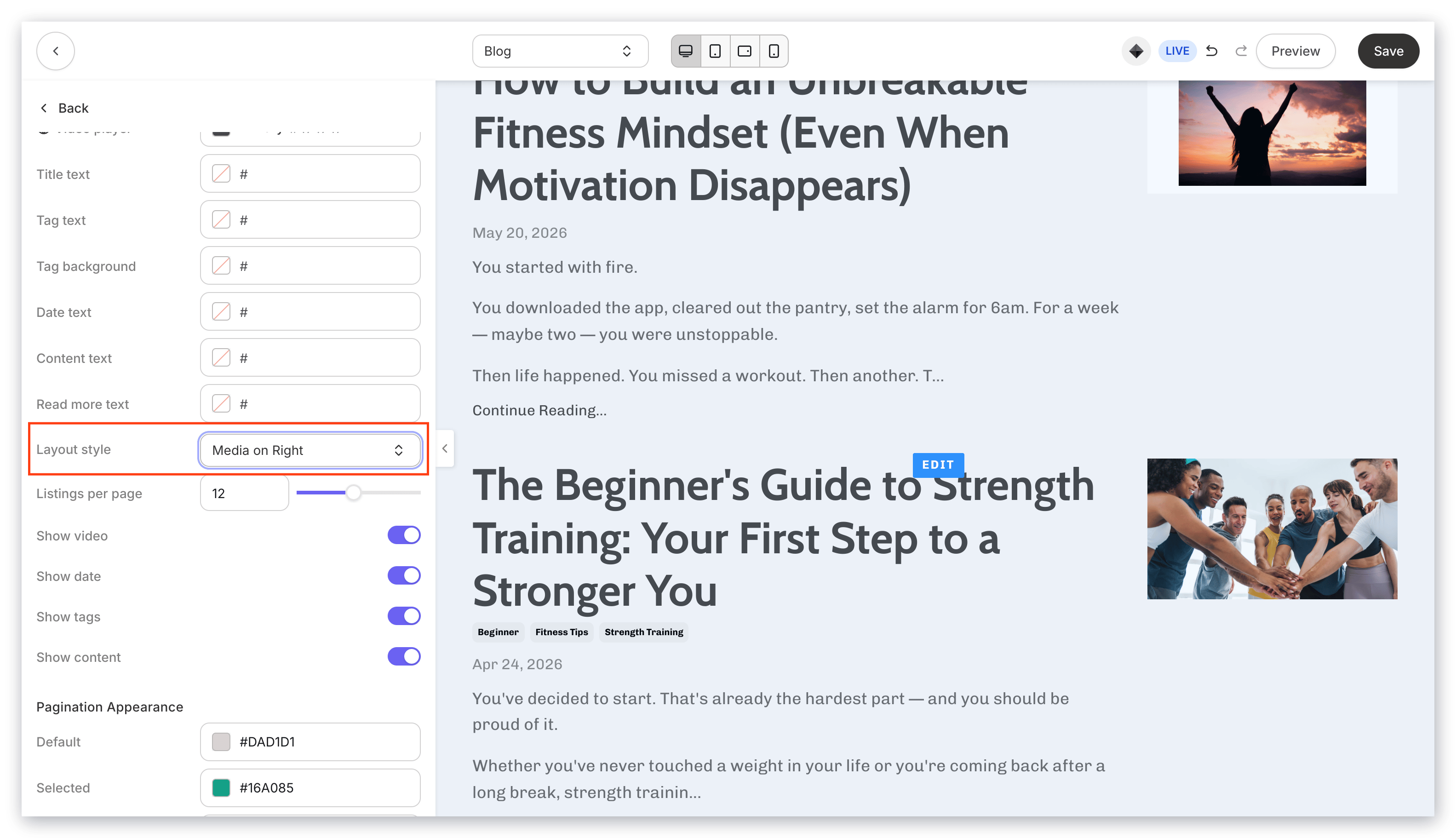
 * Media on Right layout:
 If you prefer to use a custom color, click the color wheel and then either enter your RGB color code or use the sliders to choose your color.
* The **vertical bar** allows you to select the hue.
* The **square box** allows you to select the brightness and saturation.
* The **horizontal bar** allows you to select the opacity of your color.
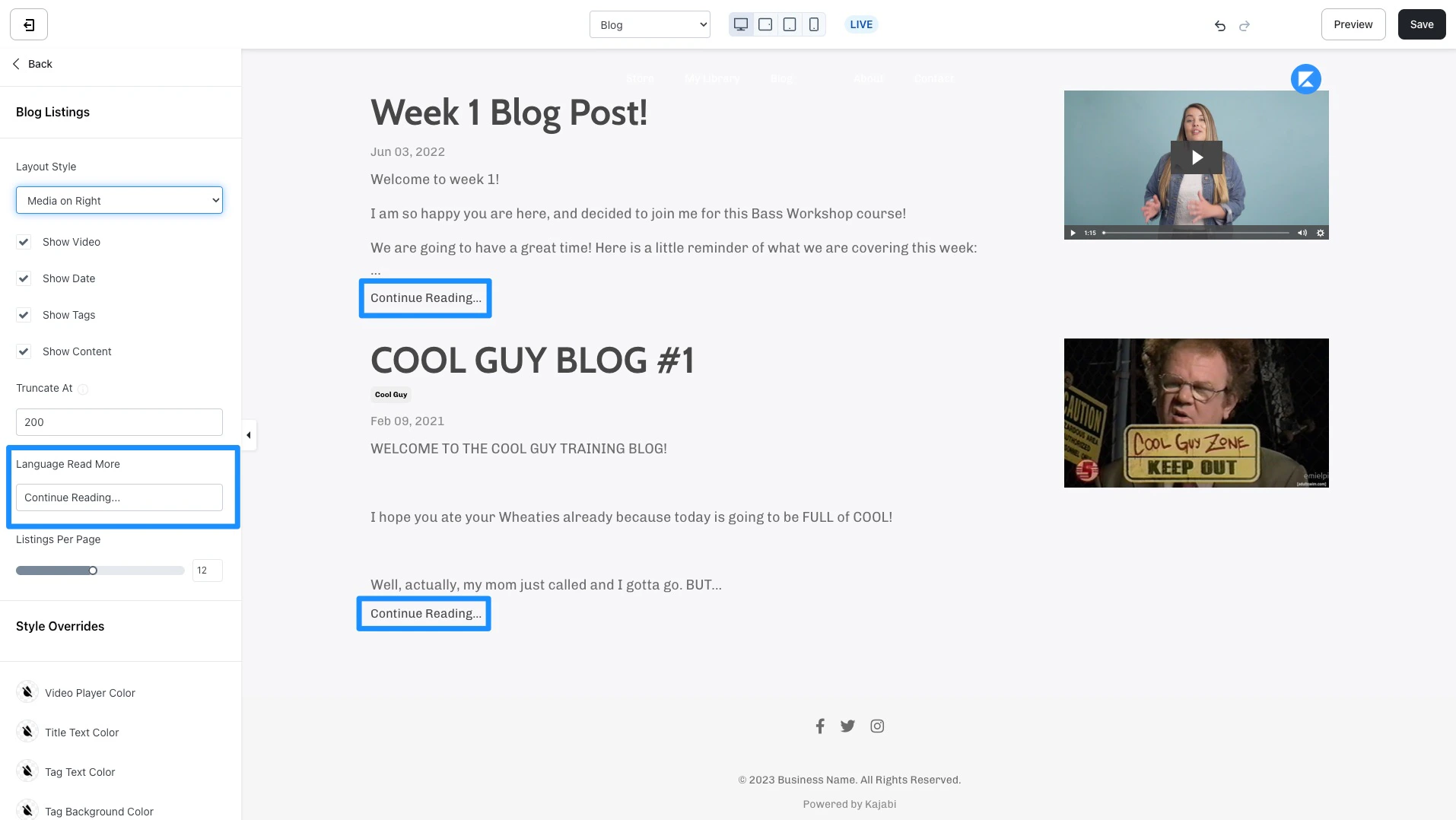
**Truncate At** - Insert a custom number to override the default 300 character truncation. This setting applies to the body text content for your blog posts.
**Language Read More** - Customize the language used to display the message encouraging your blog visitors to continue reading. By default, the text displays "Continue Reading..."
If you prefer to use a custom color, click the color wheel and then either enter your RGB color code or use the sliders to choose your color.
* The **vertical bar** allows you to select the hue.
* The **square box** allows you to select the brightness and saturation.
* The **horizontal bar** allows you to select the opacity of your color.
**Truncate At** - Insert a custom number to override the default 300 character truncation. This setting applies to the body text content for your blog posts.
**Language Read More** - Customize the language used to display the message encouraging your blog visitors to continue reading. By default, the text displays "Continue Reading..."
 **Listings Per Page** - Use the slider or the number field to adjust the number of blog posts listed on a page of your blog homepage.
 #### Pagination appearance
Customize the color of your pagination buttons if your blog post listings take up multiple pages:
#### Pagination appearance
Customize the color of your pagination buttons if your blog post listings take up multiple pages:
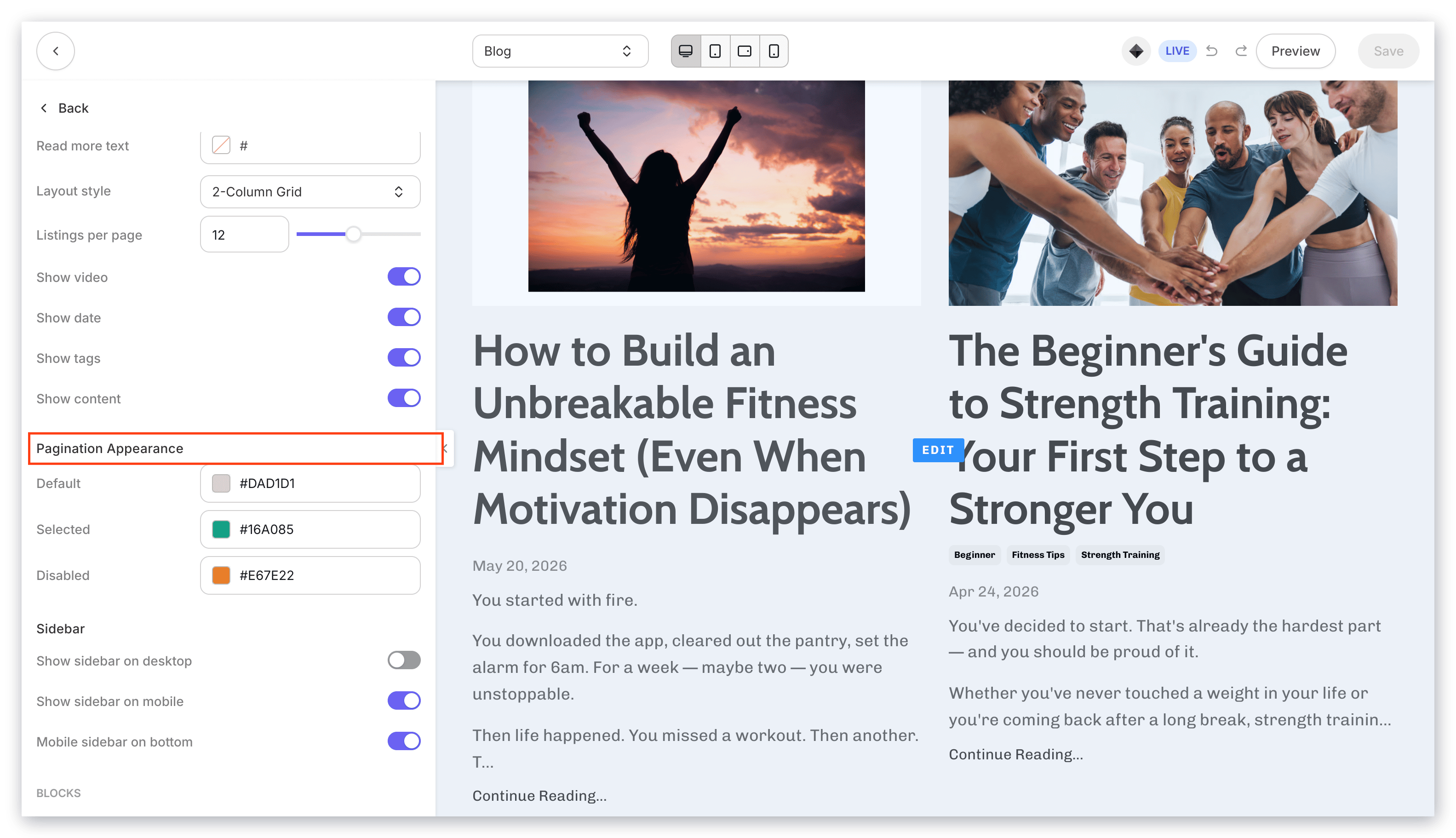 Click the color icon next to each pagination appearance setting to customize the color.
If you prefer to use a custom color, click the color wheel and then either enter your RGB color code or use the sliders to choose your color.
* The **vertical bar** allows you to select the hue.
* The **square box** allows you to select the brightness and saturation.
* The **horizontal bar** allows you to select the opacity of your color.
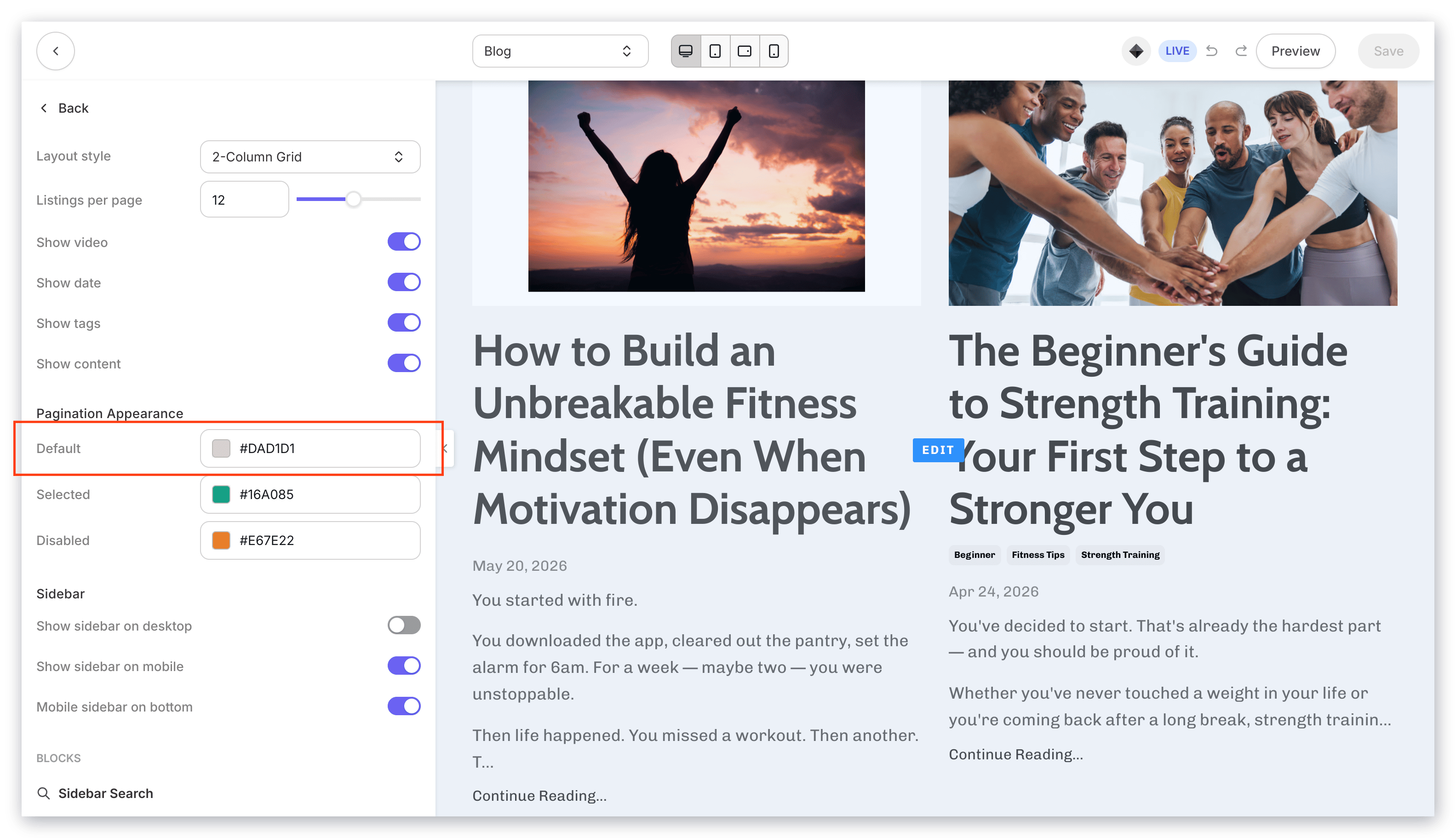
**Pagination Default Color** - Select a color to override all default colors for your pagination appearance:
Click the color icon next to each pagination appearance setting to customize the color.
If you prefer to use a custom color, click the color wheel and then either enter your RGB color code or use the sliders to choose your color.
* The **vertical bar** allows you to select the hue.
* The **square box** allows you to select the brightness and saturation.
* The **horizontal bar** allows you to select the opacity of your color.
**Pagination Default Color** - Select a color to override all default colors for your pagination appearance:
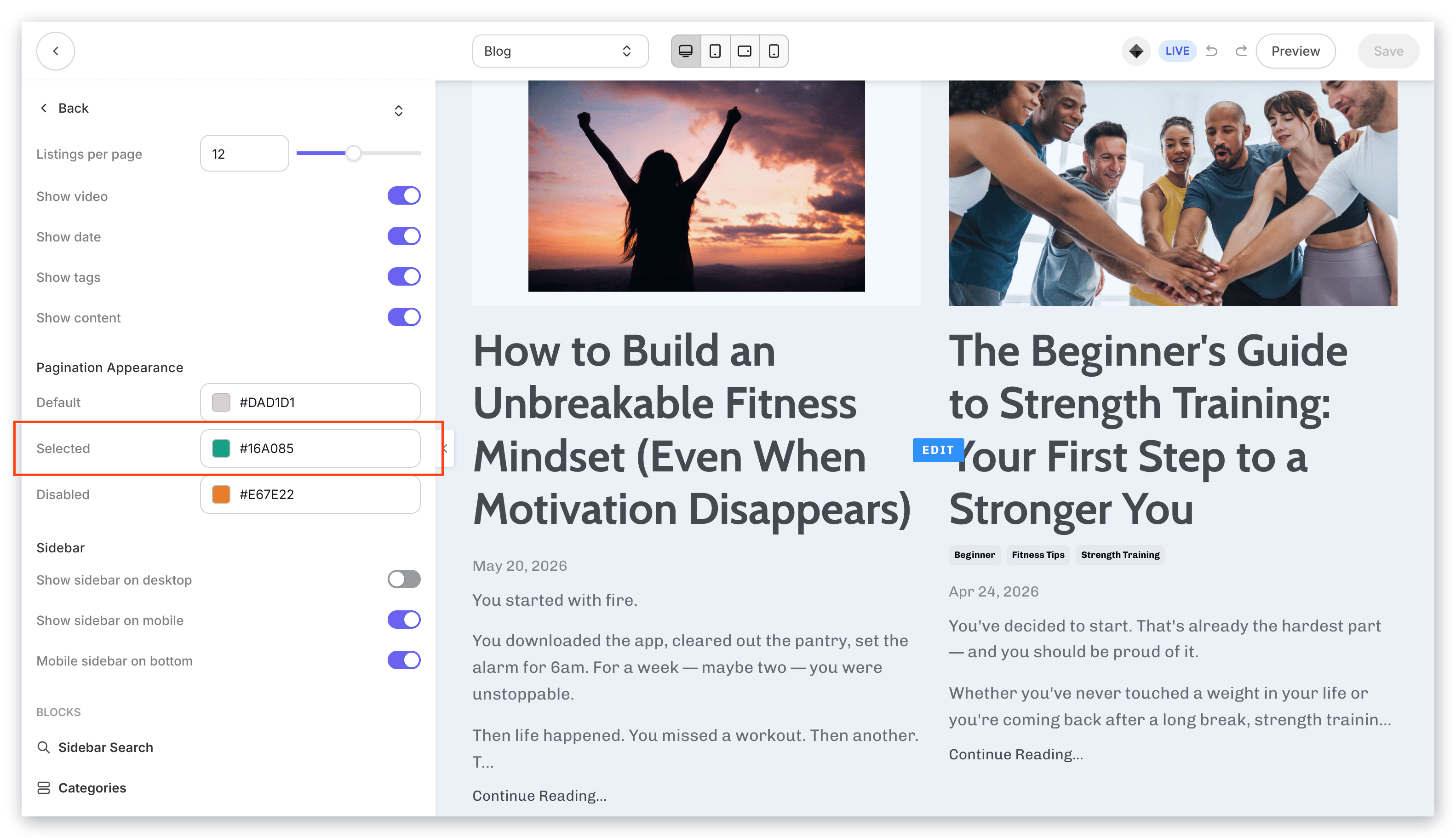
 **Pagination Selected Color** - The "pagination selected" uses color to signal to your visitors the page number they are viewing. Select a color to change the color for the "pagination selected":
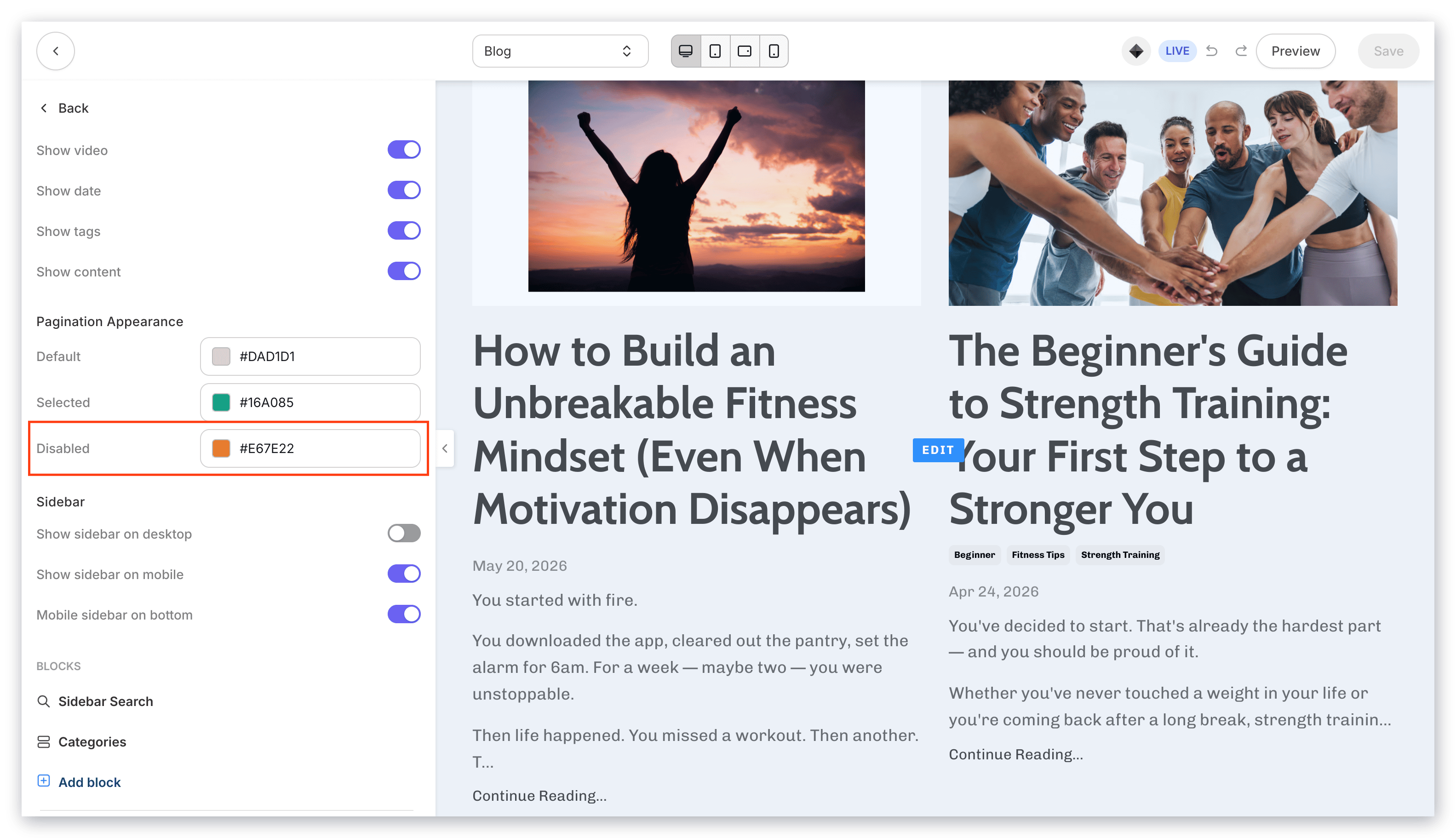
 **Pagination Disabled Color** - The "pagination disabled" uses color to signal to your visitors that the number of pages for your blog posts do not continue. This changes the arrow color for going backward or forward depending on the page your visitor is viewing:
 #### Sidebar
Design a space for your blog visitors to easily navigate through your blog with the blog sidebar.
Customize your blog sidebar by adding, removing, and arranging sidebar blocks:
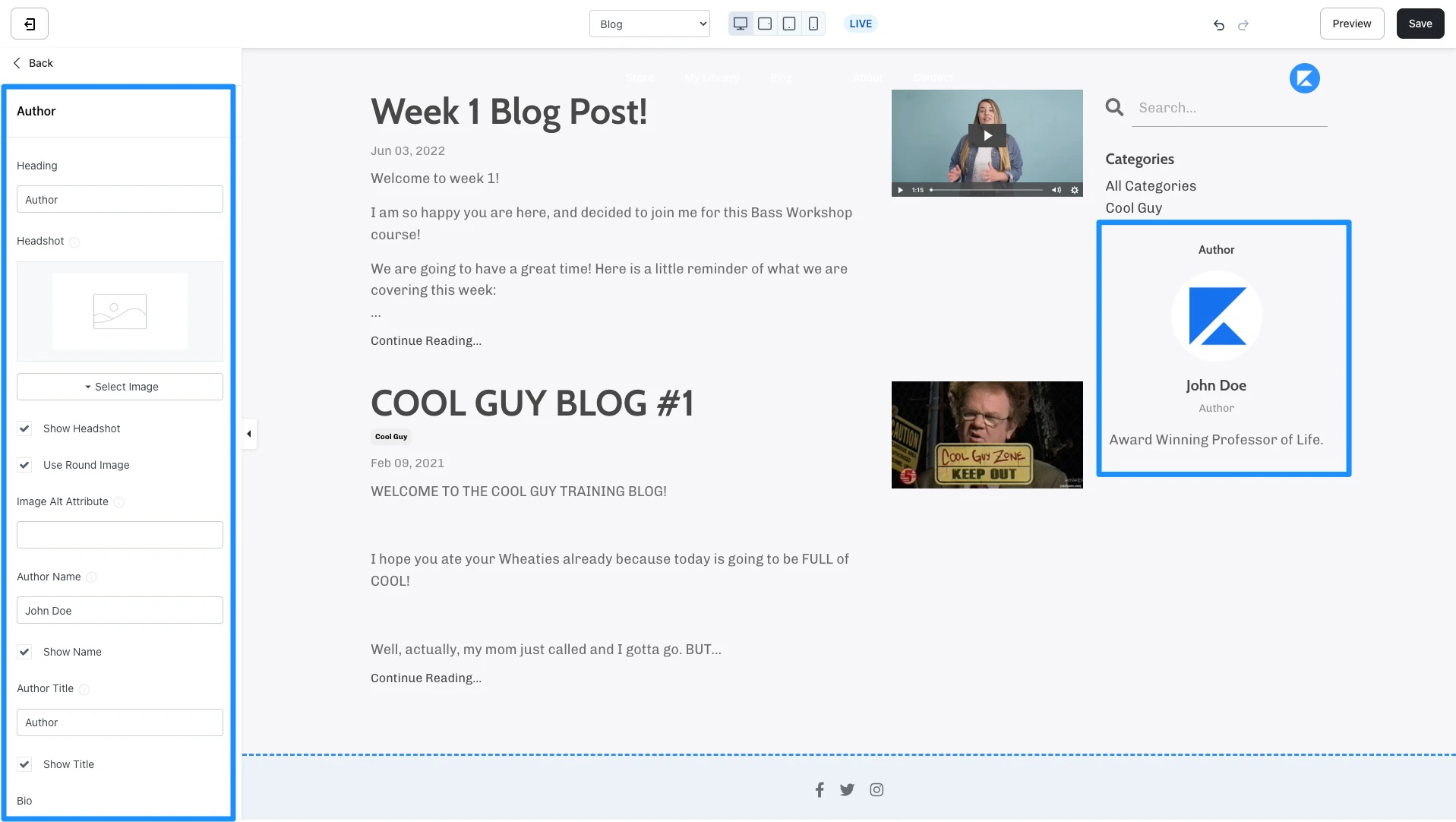
* **Author** - Add and customize your author information to display in the sidebar of your blog homepage:
#### Sidebar
Design a space for your blog visitors to easily navigate through your blog with the blog sidebar.
Customize your blog sidebar by adding, removing, and arranging sidebar blocks:
* **Author** - Add and customize your author information to display in the sidebar of your blog homepage:
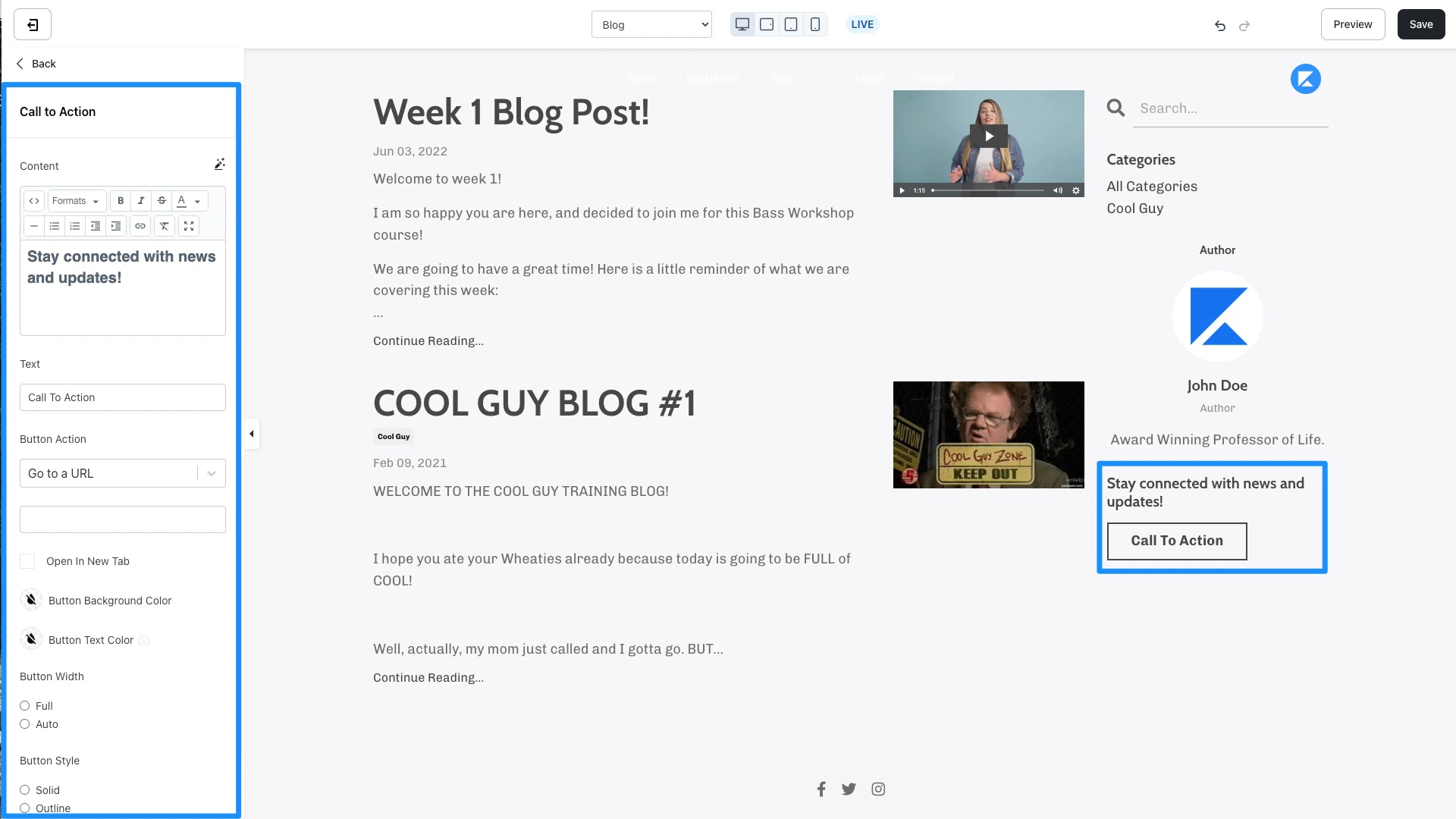
 * **Call to Action** - Encourage an immediate response from your visitors to subscribe to your marketing emails, view a landing page, purchase an Offer, and more. [Learn to use a Call to Action](./how-to-add-a-call-to-action-block-to-your-website-page-and-landing-page)
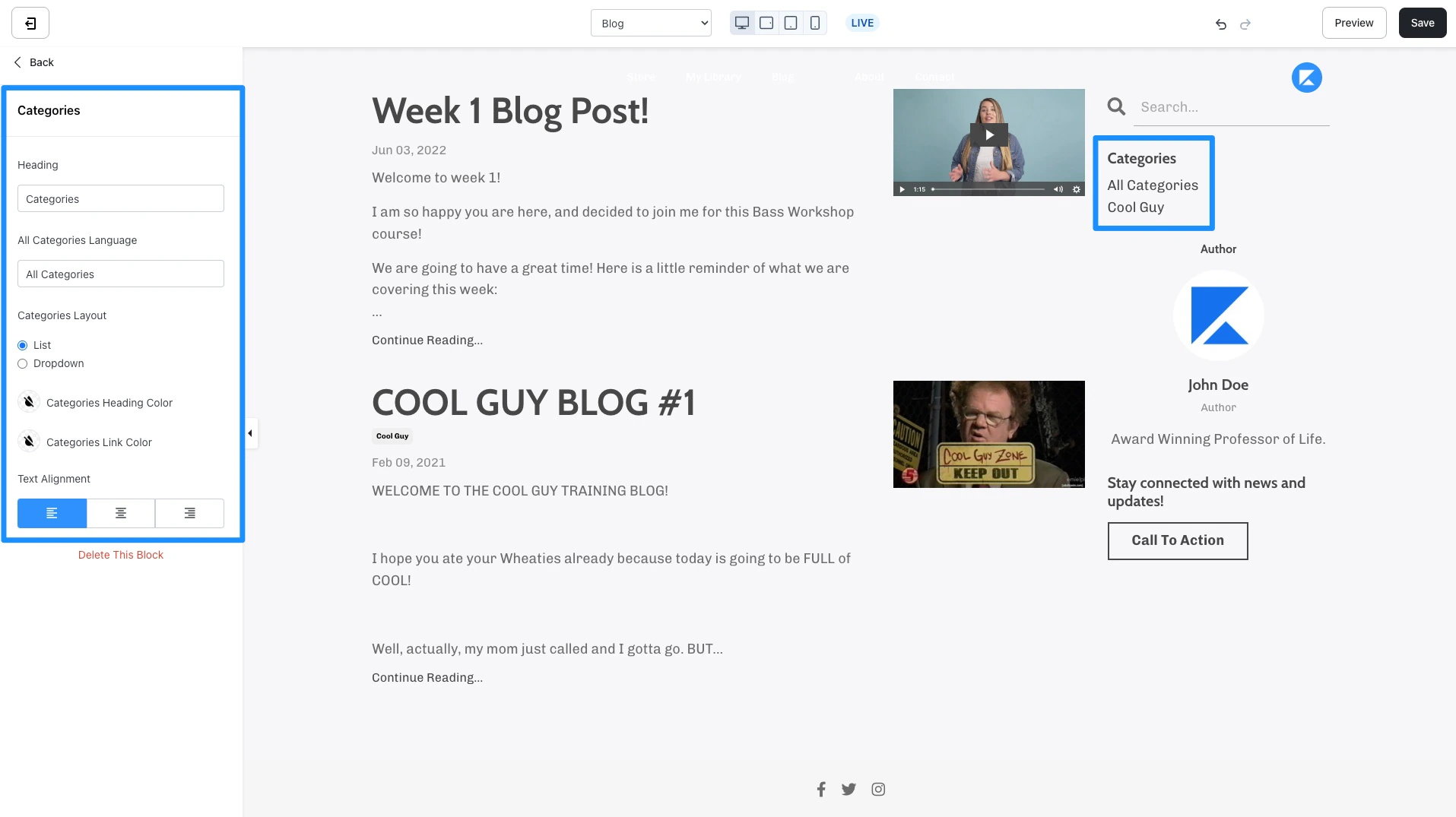
 * **Categories** - Use Categories to easily filter through your Blog Posts when visitors view your Blog. Customize the language and appearance for your Categories block in the blog homepage sidebar. Read [How to Categorize your Blog Posts](../blog/how-to-categorize-your-blog-posts) for more details.
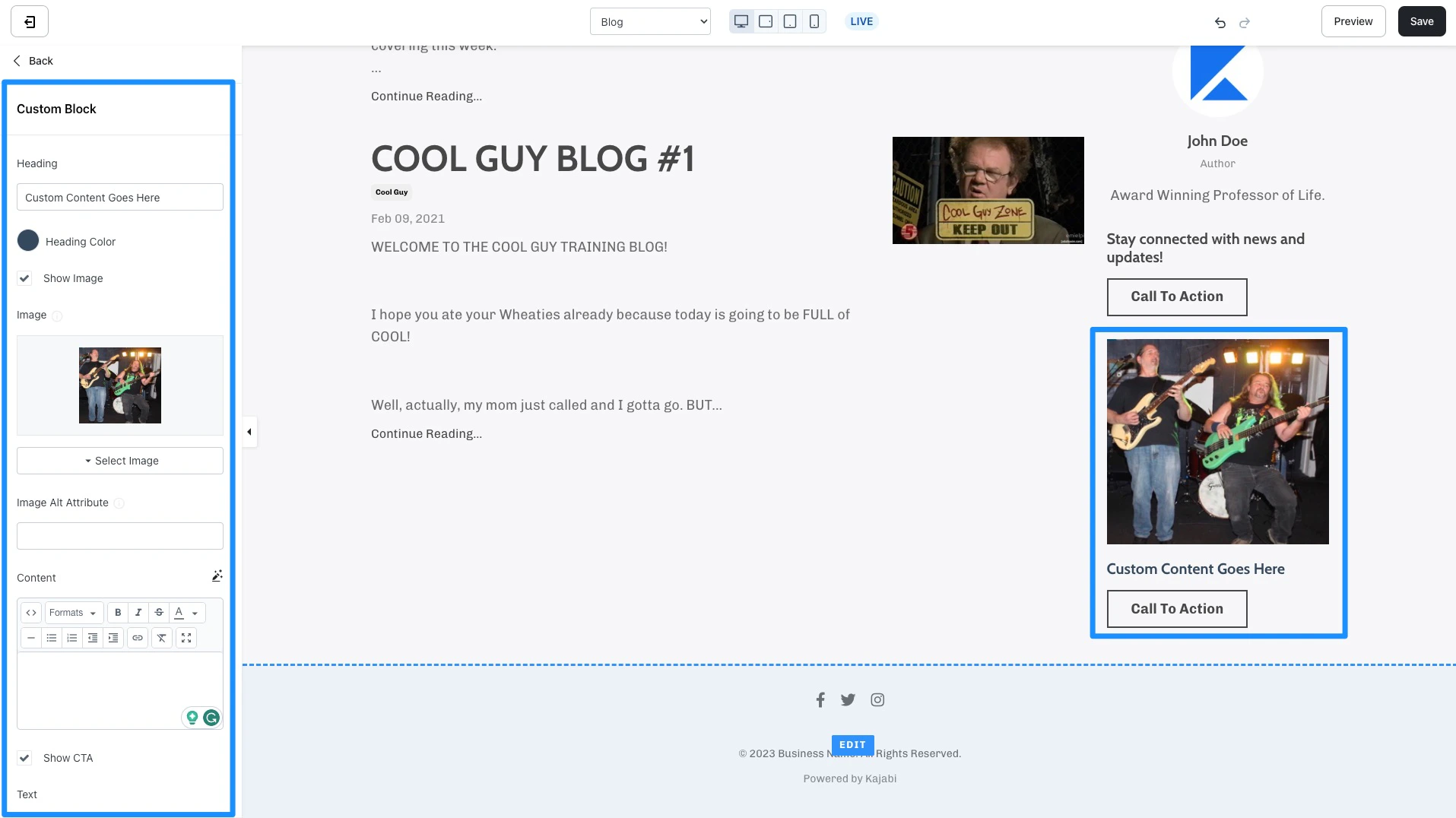
 * **Custom Block** - Create Custom blocks in your Blog Sidebar to include Images, a [Call to Action](./how-to-add-a-call-to-action-block-to-your-website-page-and-landing-page) (CTA), and additional text content. For example, advertise your own Offer from your blog sidebar:
 ***
## Section Settings
### Blog post container
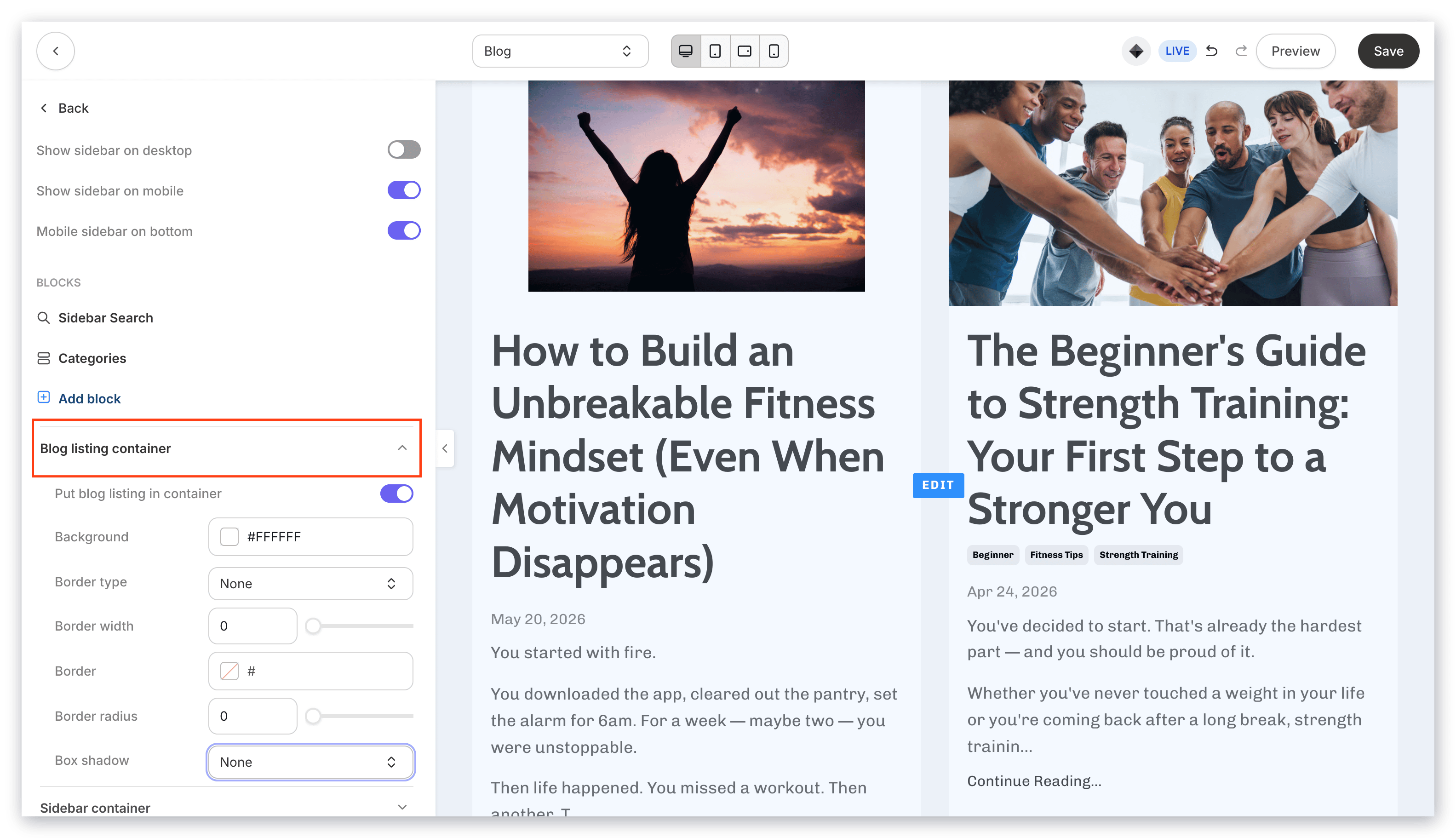
Put your Blog Post into a container to visually separate your post from other sections on your Blog Post. In this section, you can customize the container background color, border type, border width, border, and container box shadow.
***
## Section Settings
### Blog post container
Put your Blog Post into a container to visually separate your post from other sections on your Blog Post. In this section, you can customize the container background color, border type, border width, border, and container box shadow.
 ### Blog sidebar container
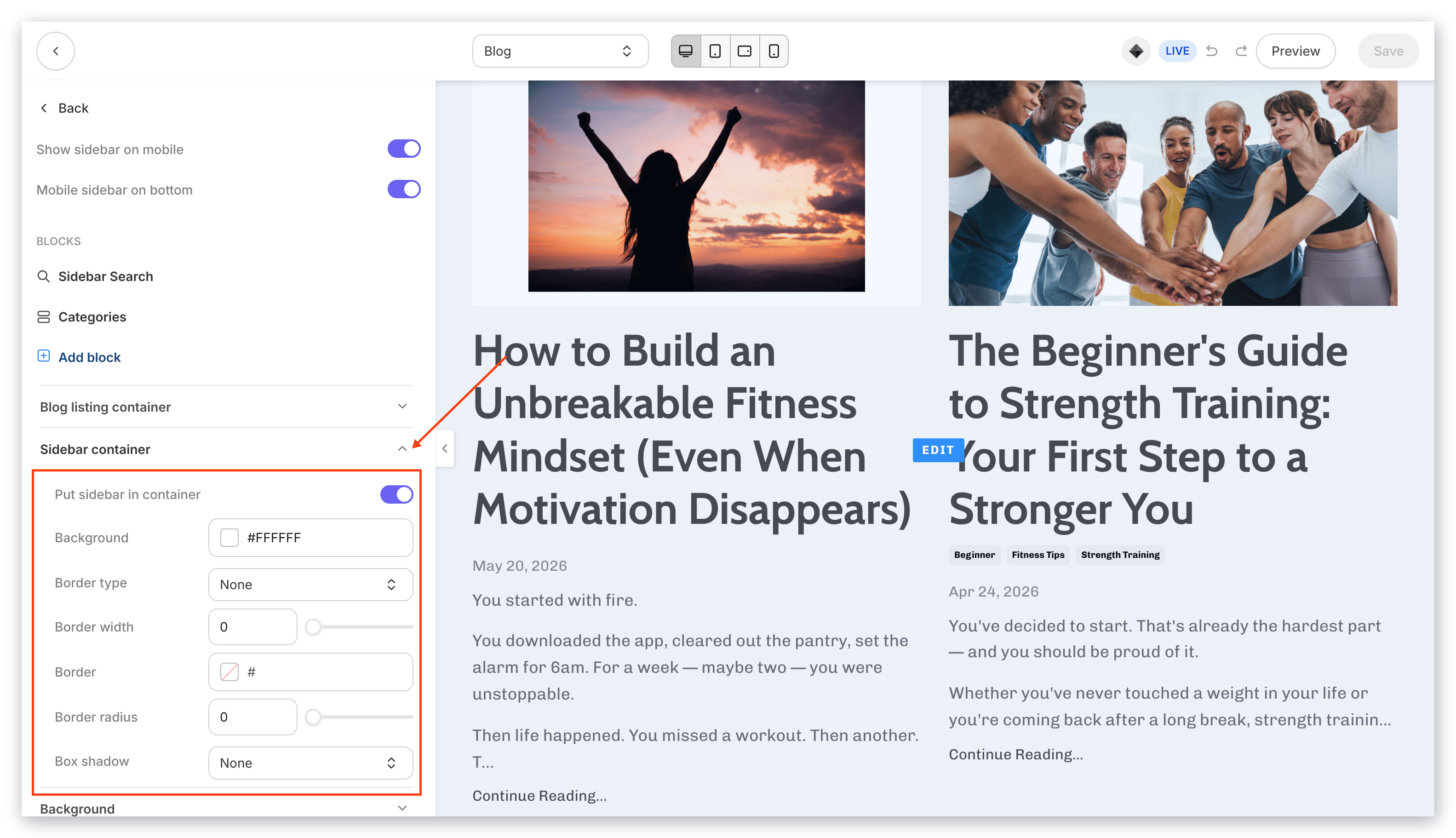
Put your Blog Sidebar into a container to visually separate and highlight your sidebar from other sections on your Blog Post. In this section, you can customize the container background color, border type, border width, border, and container box shadow.
### Blog sidebar container
Put your Blog Sidebar into a container to visually separate and highlight your sidebar from other sections on your Blog Post. In this section, you can customize the container background color, border type, border width, border, and container box shadow.
 * [Background](./customizing-block-background-settings)
* [Desktop and Mobile Layout](./customizing-block-layout-settings)
* [Background](./customizing-block-background-settings)
* [Desktop and Mobile Layout](./customizing-block-layout-settings)