> ## Documentation Index
> Fetch the complete documentation index at: https://help.kajabi.com/llms.txt
> Use this file to discover all available pages before exploring further.
# Access the Page Editor
> Customize Website, Landing, and Funnel pages.
Your Kajabi site consists of **Website**, **Landing**, and **Funnel** pages. Each of these page types has its own **Page Editor**, which can be used to customize each of your pages.
[Learn about the differences between Website, Landing, and Funnel pages](/articles/website/pages/pages-overview).
## Access the Page Editor: Website and Landing Pages
1. From the Dashboard, open the **Website** tab.
2. Click **Website Pages** or **Landing Pages**.
3. Locate the page you wish to edit.
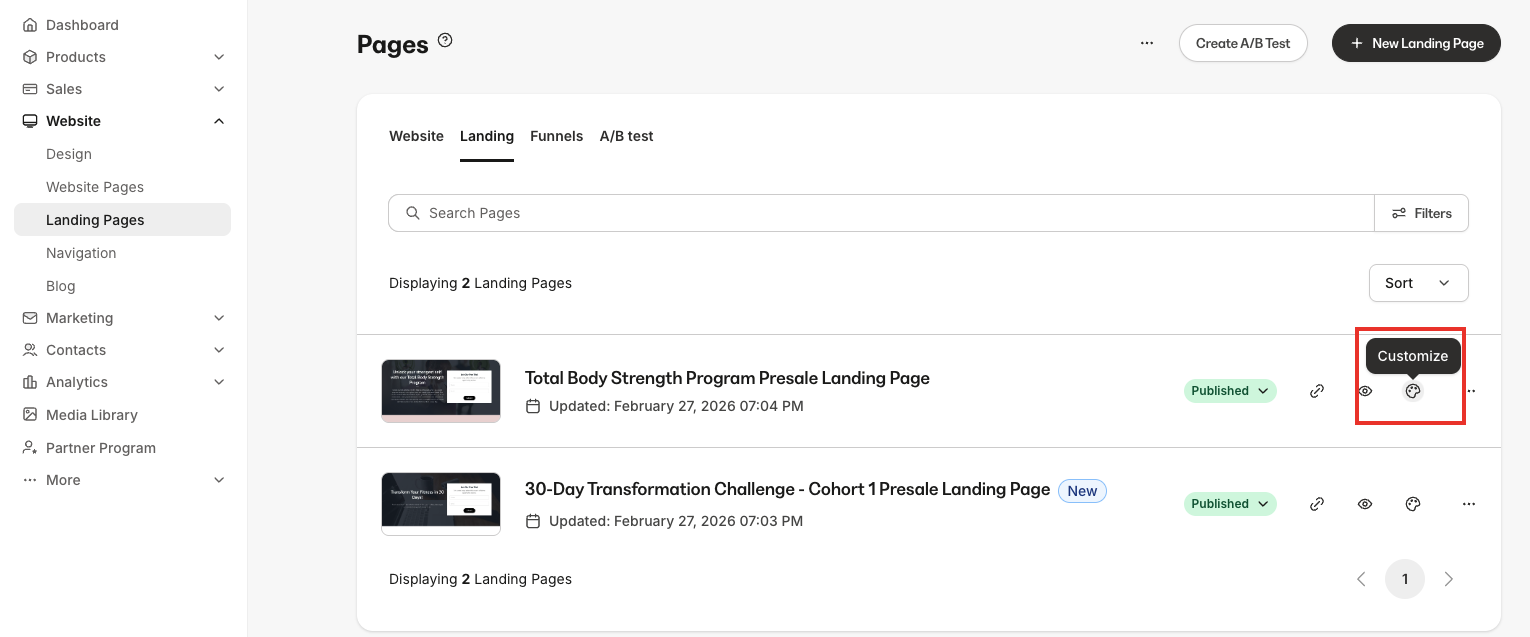
4. Click the **Page Title** or click the **Customize (color palette) icon**:
 ## Access the Funnel Page Editor
1. From the Dashboard, open the **Website** tab.
2. Click **Website Pages**.
3. Click the **Funnels** tab.
4. Locate the Funnel page you wish to edit.
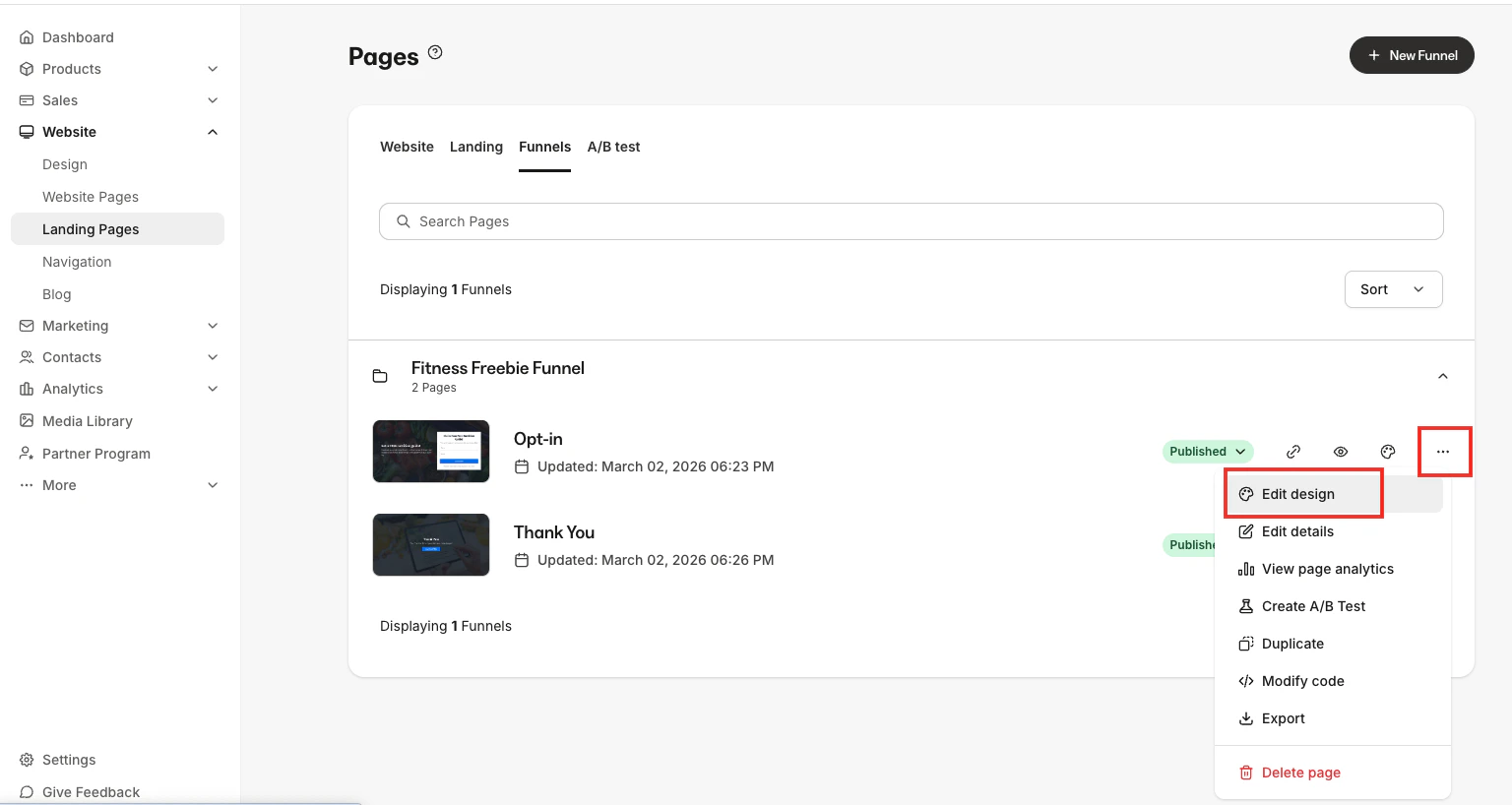
5. Click the **Funnel Title**, click the **Customize icon**, or click the **more options (...) icon** and select **Edit design**.
## Access the Funnel Page Editor
1. From the Dashboard, open the **Website** tab.
2. Click **Website Pages**.
3. Click the **Funnels** tab.
4. Locate the Funnel page you wish to edit.
5. Click the **Funnel Title**, click the **Customize icon**, or click the **more options (...) icon** and select **Edit design**.