> ## Documentation Index
> Fetch the complete documentation index at: https://help.kajabi.com/llms.txt
> Use this file to discover all available pages before exploring further.
# Remove closed captions from a video
> Learn to delete Closed Captions uploaded to your video.
Remove Closed Caption files from your videos when you need to update or replace your captions.
## Overview
Closed caption files can be removed from videos in both the Landing Page Editor and the Product Post Editor. This allows you to update your captions or remove them entirely if they're no longer needed.
***
## Delete closed caption files from your video
1. In the Landing Page Editor or the Product Post Editor, click **Video Actions**.
2. Select **Closed Captions**.
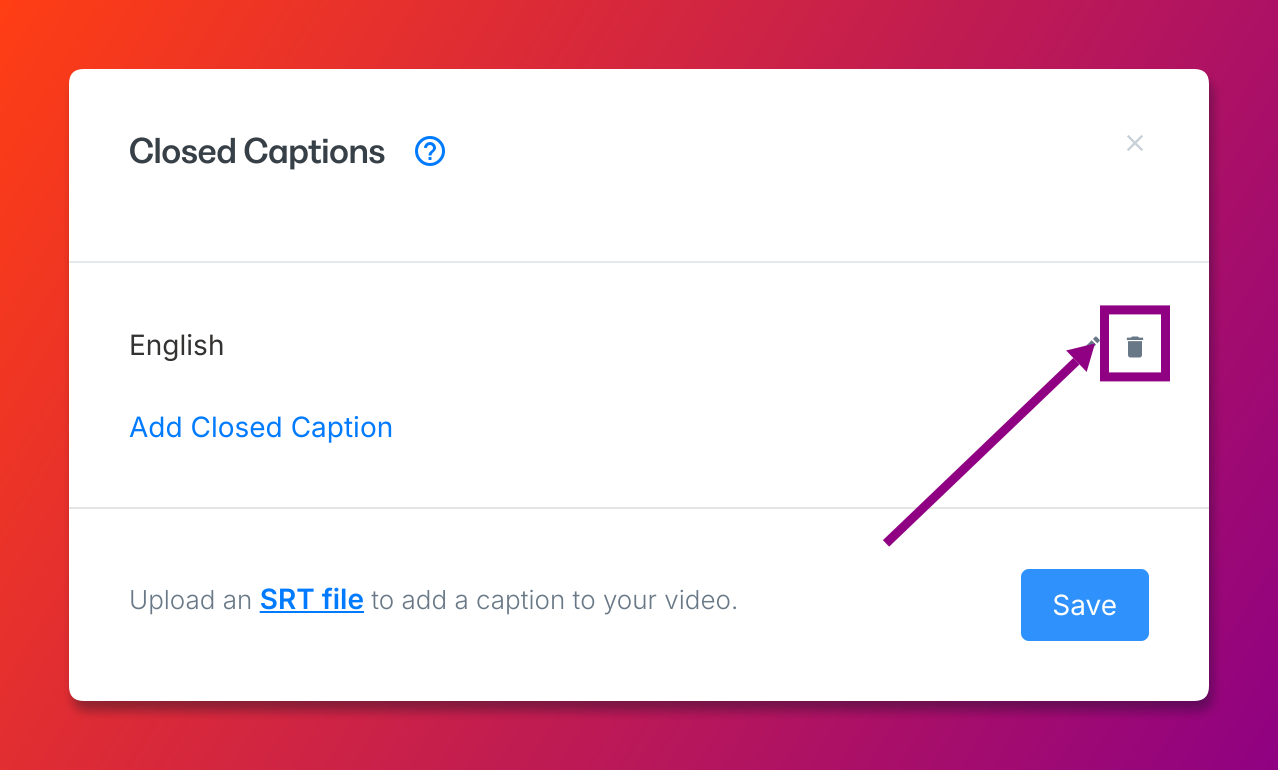
3. Click the **Delete** icon next to the Closed Caption file you wish to remove:
 Not sure how to get to Video Actions? Learn to access your Video Actions for a [Product Post](https://help.kajabi.com/hc/en-us/articles/360037062914#post) or a [Landing Page](https://help.kajabi.com/hc/en-us/articles/360037062914#page).