> ## Documentation Index
> Fetch the complete documentation index at: https://help.kajabi.com/llms.txt
> Use this file to discover all available pages before exploring further.

# Inline Text Editor

> Learn how to use the Inline Text Editor to edit the text on your Kajabi pages easily and efficiently.

The Inline Text Editor makes editing your Kajabi text on the fly easier than ever.

***

## Inline Text Editor

The Inline Text Editor can be used on:

* [Website Pages](/articles/website/pages/customizing-your-website-pages-with-the-website-builder)
* [Landing Pages](/articles/website/pages/how-to-add-pages-to-your-website)
* [Product Pages](https://help.kajabi.com/hc/en-us/articles/360043665393)
* [Emails](../../marketing/email-campaigns/email-visual-editor-overview)

When editing your Page, simply click the Text box you wish to edit to open the Inline Text Editor:

<div className="w-full aspect-video">
  <iframe src="https://fast.wistia.net/embed/iframe/7365qumxsm" allow="autoplay; fullscreen" allowFullScreen className="w-full h-full" />
</div>

From here, you can choose different effects to apply to your text, such as:

* Heading size
* **Bold**
* *Italic*
* Underline
* Strikethrough
* Text color
* Text background color
* Insert/edit link
* Horizontal line
* Text Alignment
* Text indent increase/decrease
* Bullet list
* Number list
* Clear formatting

***

## Uses

The Inline Text editor can be used with:

### Text content block

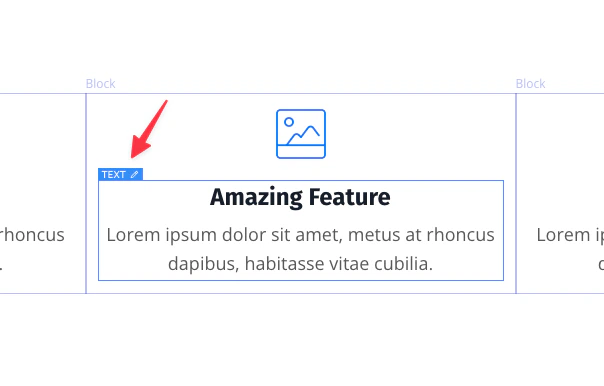
<img src="https://mintcdn.com/kajabi-support/ozJszuNKO84dmc_i/articles/images/45ceb090_29674260494747.png?fit=max&auto=format&n=ozJszuNKO84dmc_i&q=85&s=377360464cdbb610bdeee648c51388f5" alt="Text content block" width="604" height="386" data-path="articles/images/45ceb090_29674260494747.png" />

### Button

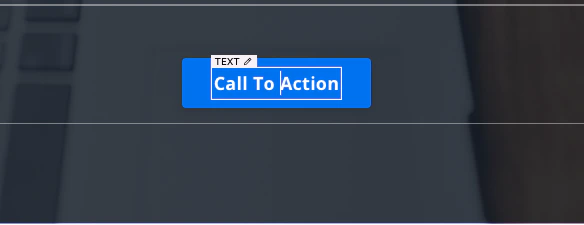
<img src="https://mintcdn.com/kajabi-support/3Y-k0yYjJG6ZJVOo/articles/images/ef2a568d_29674260496539.png?fit=max&auto=format&n=3Y-k0yYjJG6ZJVOo&q=85&s=b50cd7e57ab760cdb6a590de3d141ff3" alt="Button" width="584" height="225" data-path="articles/images/ef2a568d_29674260496539.png" />

If you see the inline text box around the text when you hover your mouse, then inline text editing can be used for that section.

The Inline Text Editor for a [Website](/articles/website/pages/customizing-your-website-pages-with-the-website-builder) or [Landing Page](/articles/website/pages/how-to-add-pages-to-your-website):
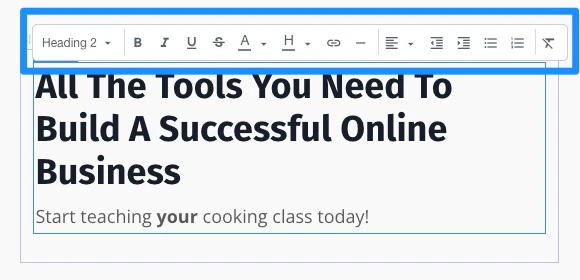
<img src="https://mintcdn.com/kajabi-support/QfVwWqW_aHJr5jdx/articles/images/e031de0d_29674260497819.png?fit=max&auto=format&n=QfVwWqW_aHJr5jdx&q=85&s=528f83a77ea4bcd4a19a2d0e92f1437f" alt="Inline Text Editor for Website or Landing Page" width="580" height="280" data-path="articles/images/e031de0d_29674260497819.png" />

The Inline Text Editor for an [Email campaign](../../marketing/email-campaigns/email-visual-editor-overview) also includes the ability to increase text size:
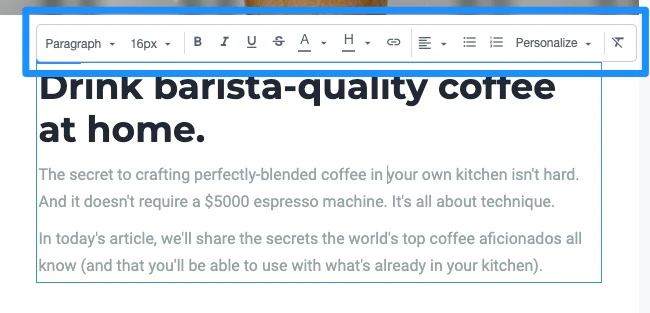
<img src="https://mintcdn.com/kajabi-support/3Y-k0yYjJG6ZJVOo/articles/images/efb77919_29674260498843.png?fit=max&auto=format&n=3Y-k0yYjJG6ZJVOo&q=85&s=0812b5ca9efd947f595d42a7aa683c67" alt="Inline Text Editor for Email" width="650" height="313" data-path="articles/images/efb77919_29674260498843.png" />

<Note>
  **Note:** The Inline Text Editor cannot be used with Custom Code Text blocks.
</Note>