
Overview
Spread your reach, build your list, and gain new subscribers by embedding your forms to virtually any page on the web. Learn how to embed your Kajabi Forms onto your external webpages (i.e., third-party website).
Note:
Although the embed code will work well on most external webpages, we cannot guarantee the embedded Form will function properly on all external pages. There may be code that breaks the embed or disallows the Form from being embedded. This is dependent on the page where you paste the embed and not an issue with Kajabi's embed code.
How to find the embed code
To locate your Form embed code:
Open the Marketing tab.
Select Forms.
Edit an existing Form or create a new one.
Select the Embed tab from the top menu of the Form Editor.
Then, click the copy icon next to Embed your form with one line of javascript:
Paste the embed code
Now you can paste the embed code in the source code of the external page where you want the Kajabi Form to appear:
Paste the embed code into the source code of your external web page.
If you are using the inline style, the location of this embed code will determine where the Form is located on the page.
Save and refresh the page.
Embed Settings
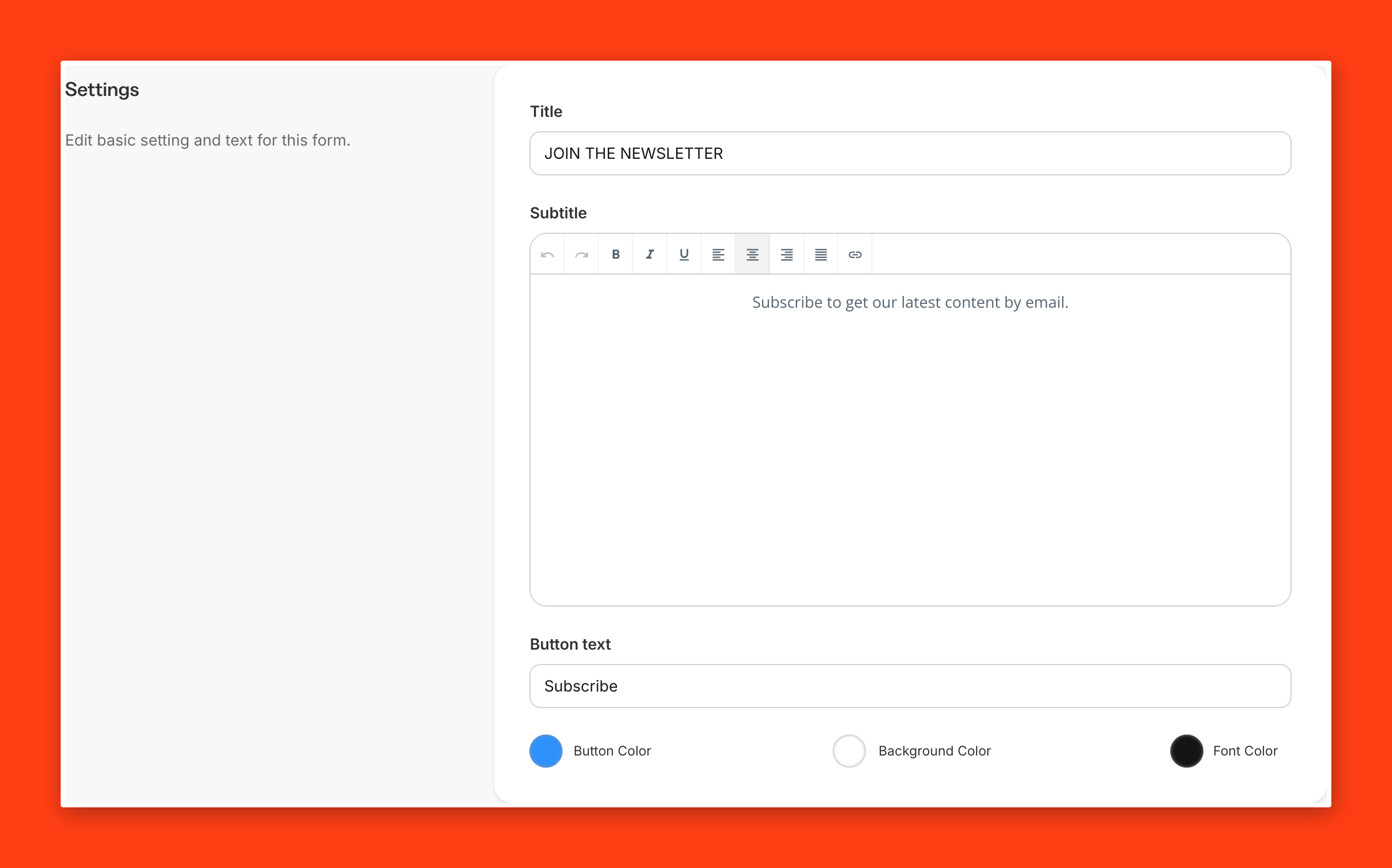
Customize the design and copy for your embedded Form. You can replace the default Title (i.e., Join the Newsletter) and Subtitle for your form when embedding it on an external page:
Edit the Form Title, Subtitle, and Button Text.
Choose the color for the button, background, and text.
Save your changes before copying the embed code:
Embed Style
After customizing the form Settings, you can select the form Style.
Style determines how the embedded form will display on the web page:
Inline embeds display within the web page.
Pop-up forms display as a pop-up on the page:
Pop-up form settings
Customize additional settings for a pop-up style form.
Loading Delay: How many seconds before the pop-up appears.
Frequency: Don't show the pop-up to return visitors for this number of days:
