

With a strong foundation in place, it’s time to experience firsthand what your customers will see. Test the customer journey by purchasing your Offer yourself.Documentation Index
Fetch the complete documentation index at: https://help.kajabi.com/llms.txt
Use this file to discover all available pages before exploring further.
Create a test purchase
Test a purchase in incognito mode
- Open the Sales tab from your Dashboard.
- Click Offers and select the Offer you want to test.
- In the Offer Status card, click Get Link.
- Open an incognito window and paste your link.
- On the checkout page, follow the flow of your customers by going through the process of purchasing your Offer.
Best practices when testing a purchase
Only use the Offer Link (not the Preview link) when testing: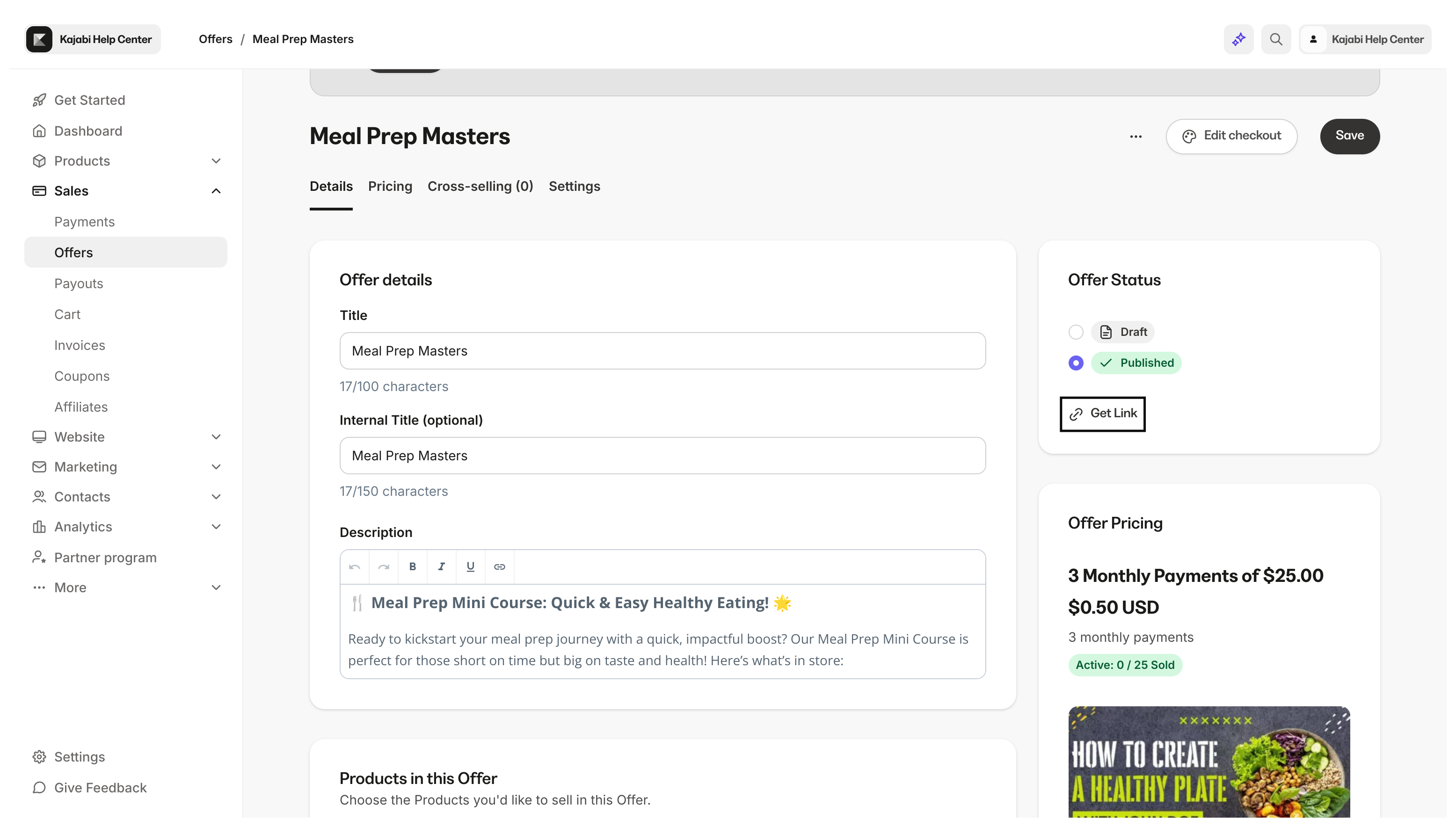
Always use a different browser or incognito/private window
To successfully test a purchase, do not test on the same browser when logged in as an Admin of your Kajabi account.Why can’t I click the purchase button?
Make sure to exit out of preview mode when testing your Checkout Page. Testing a purchase in Preview mode will not allow you to make a purchase. Open a separate window and enter the checkout page URL excluding thepreview=true piece of the URL.
Use a different email address
Create a separate email address specifically for testing purposes. This allows you to use different variations of the same email address for tests you wish to perform on your site. If you are using G-Suite or any Gmail address, insert a ”+” character before the ”@” symbol and insert any verbiage you wish. This will send any applicable emails connected with your test to your Gmail inbox with a unique identifier. Example:kajabihelpcenter+purchasetest1-date@gmail.com