

What’s a cohort?
A cohort is a time-bound group of students enrolled in a Cohort Course. Each cohort has its own start date, content release schedule, and live session calendar. You can create multiple cohorts within a single Course to run the same curriculum for different student groups — for example, a January cohort and a March cohort of the same course.Note: Cohort Courses require Growth or Pro Plans.
View Course cohorts
To view the cohort groups inside a Cohort Course:- Select Products from the Dashboard.
- Then, select Courses.
- Click a Cohort Course Title to open the Cohorts page.
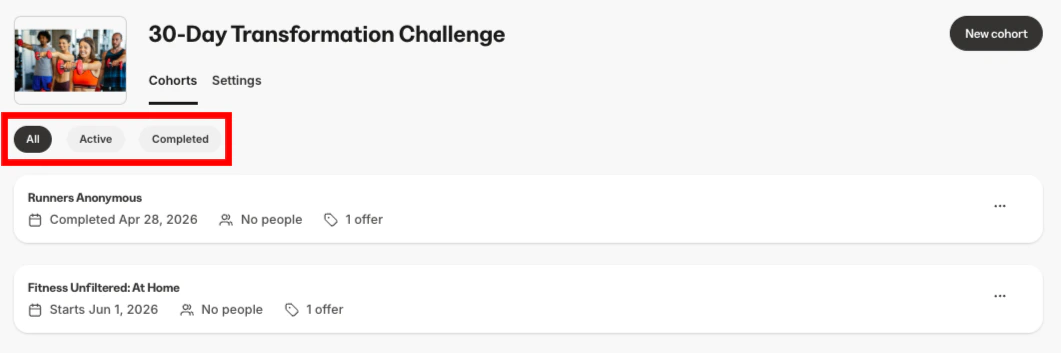
- All active cohorts for the Course will display. Click the pill buttons to toggle between viewing All, Active, or Completed cohort groups:
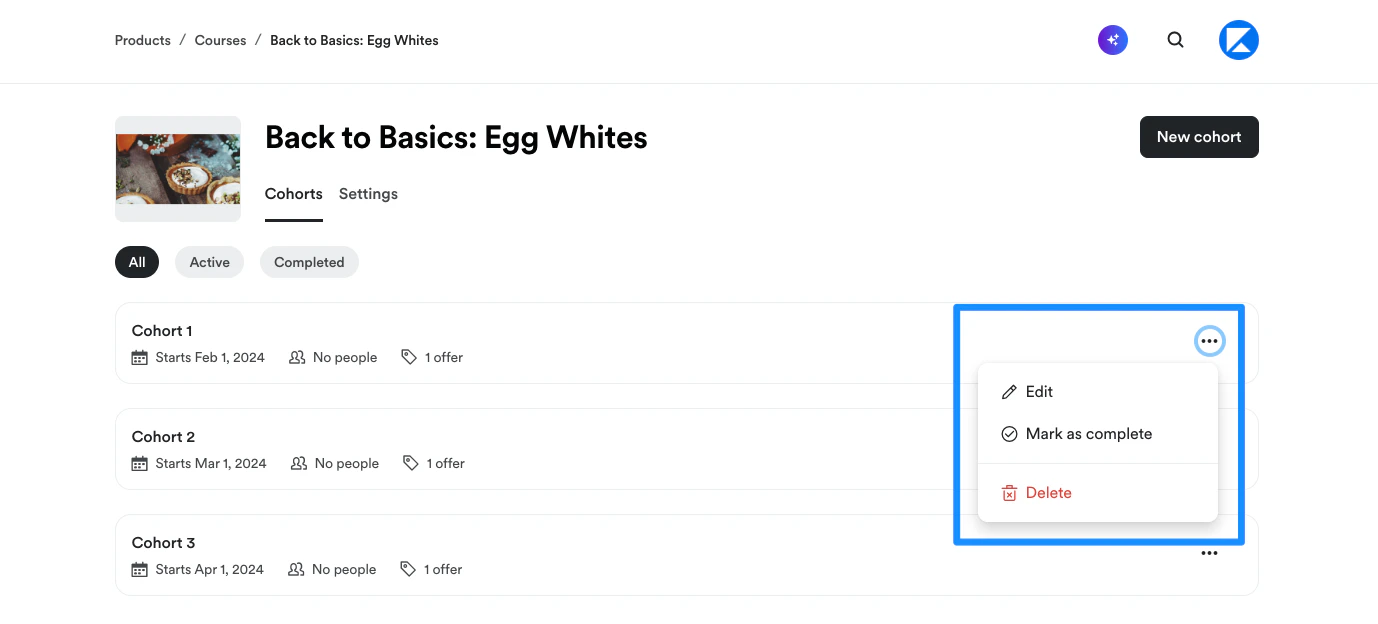
- Edit a cohort or toggle the cohort Status between Active and Completed by clicking the More options (…) menu to the right of the cohort:
Add a cohort
- At the top right corner of the Cohorts Index page, click Add cohort.
- Select an existing cohort to use as the template for your cohort.
- Then, enter a cohort Name.
- Choose a Start date for the cohort.
- Next, choose to create either a Free or Paid cohort. If you choose to create a Paid cohort, enter your desired Payment frequency, Price, and Payment method.
- Click Add cohort.
Update Cohort Course details
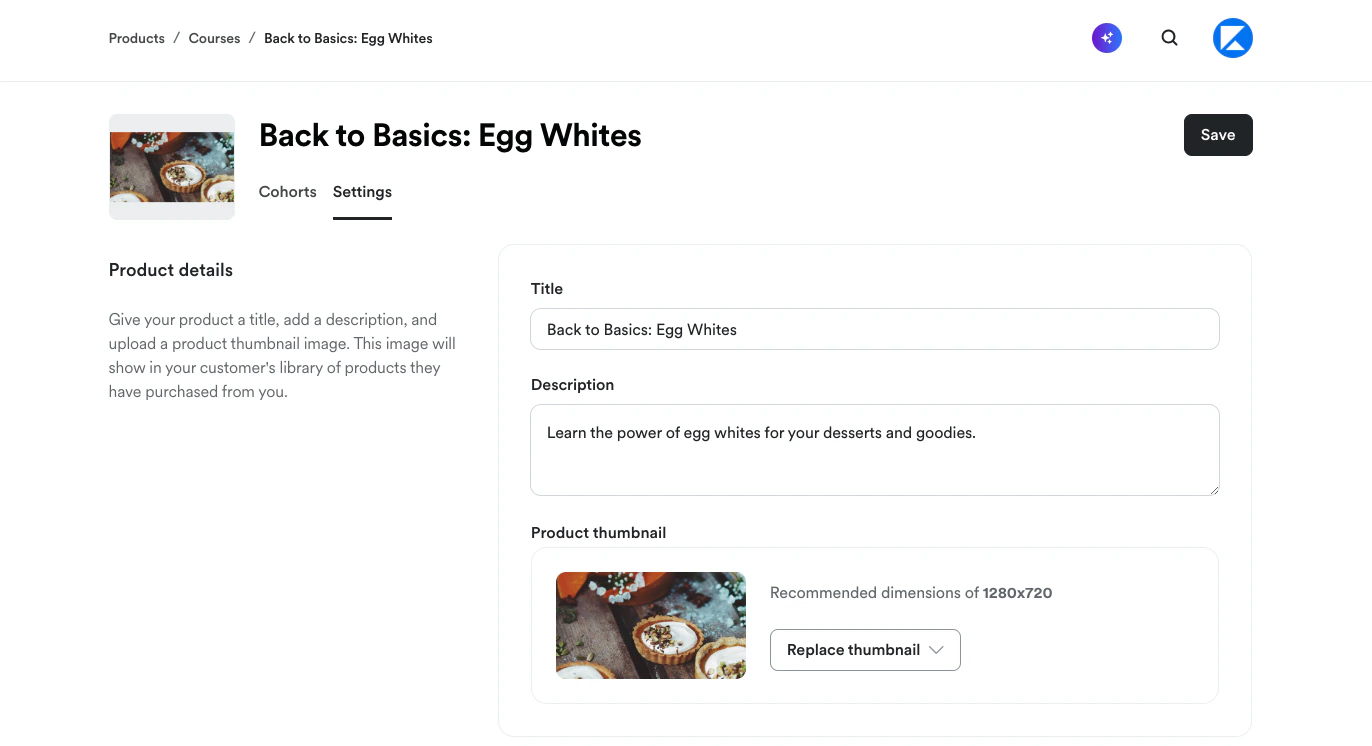
- From the Cohorts index page, click the Settings tab.
- Update the Course Title, Description, and/or Thumbnail image:
Edit cohort content and settings
Open a cohort for editing
- From the Cohorts index page, either click the name of the cohort you want to edit, or
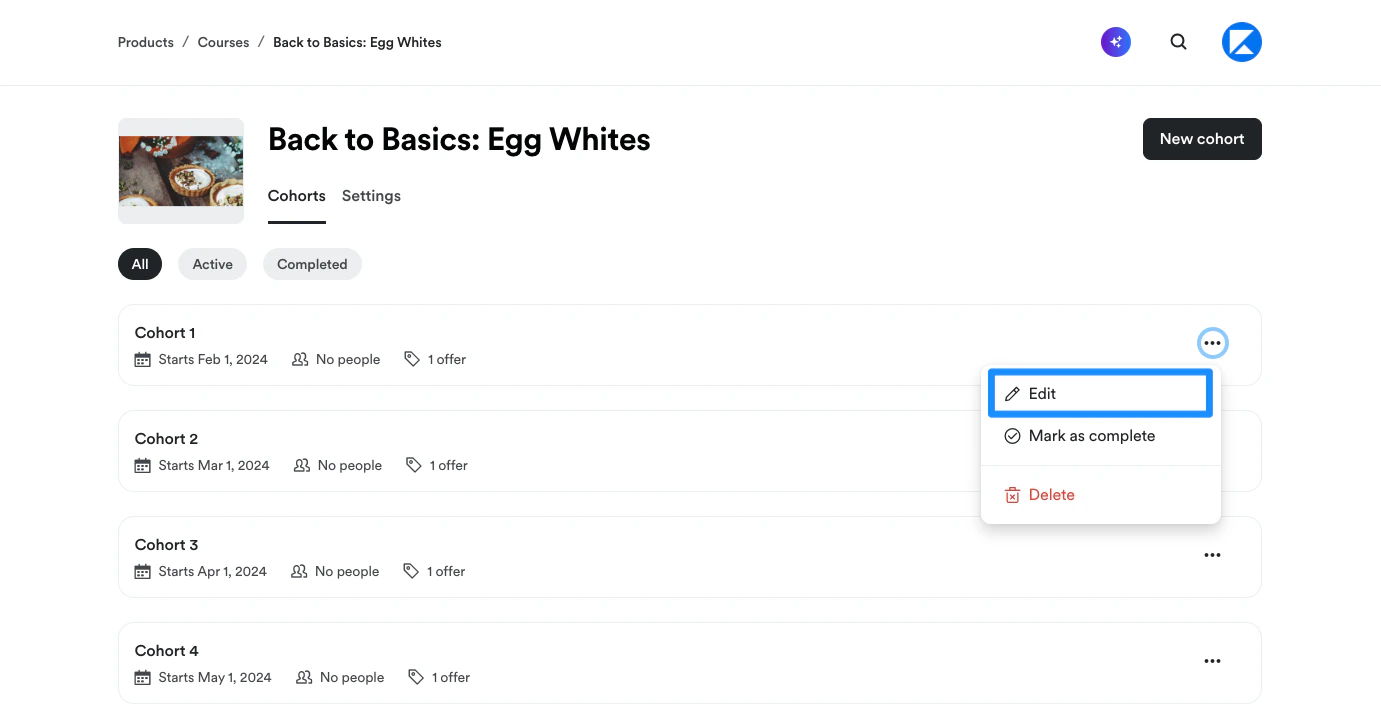
- Click the More options (…) menu to the right of the cohort and select Edit:
- Inside the cohort editor, you can view and edit the Course Outline, Customers, Offers, Certificates, customize the Course template, and update Course settings:
Outline
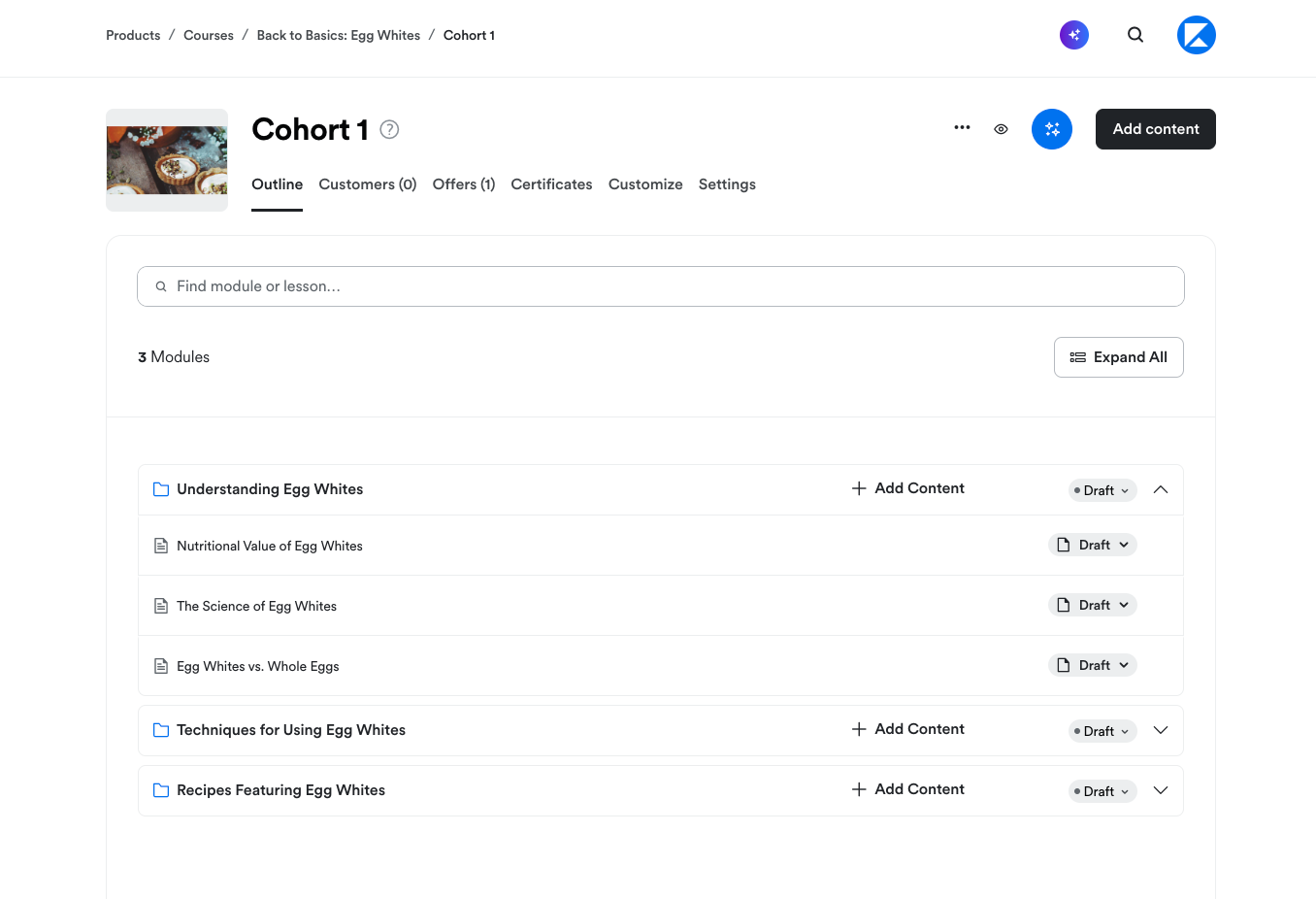
On the Outline tab, you can:- Create Modules, Lessons, and Quizzes
- Add and schedule Live Sessions
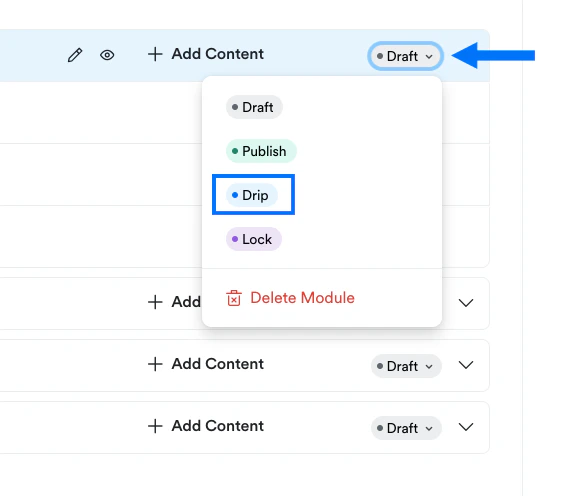
- Publish, unpublish, delete or lock your content
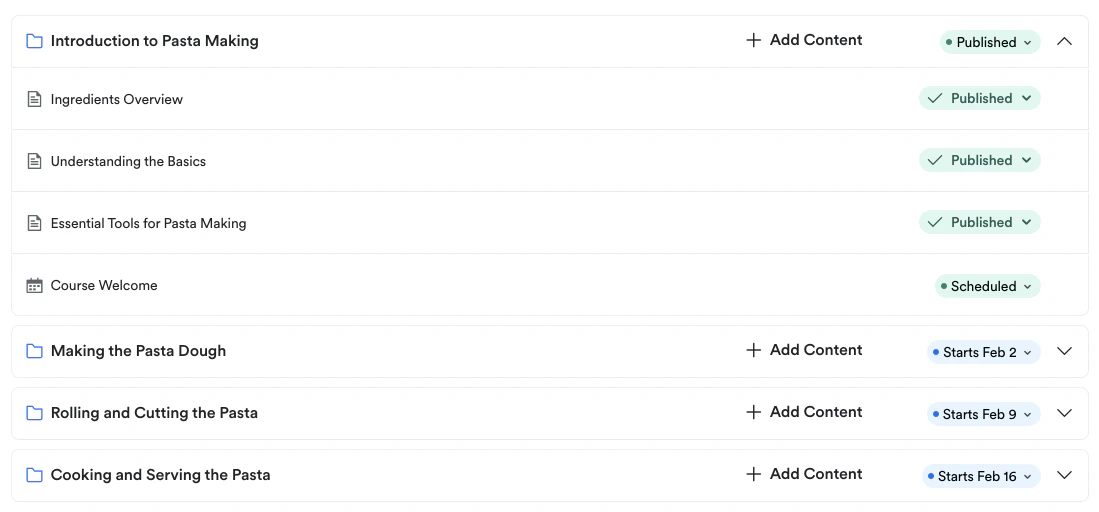
- Drip your content on specific dates in cadence with your live session dates
Customers
Select the Customers tab to view a list of all Course customers. You can also click on each customer to view additional customer details: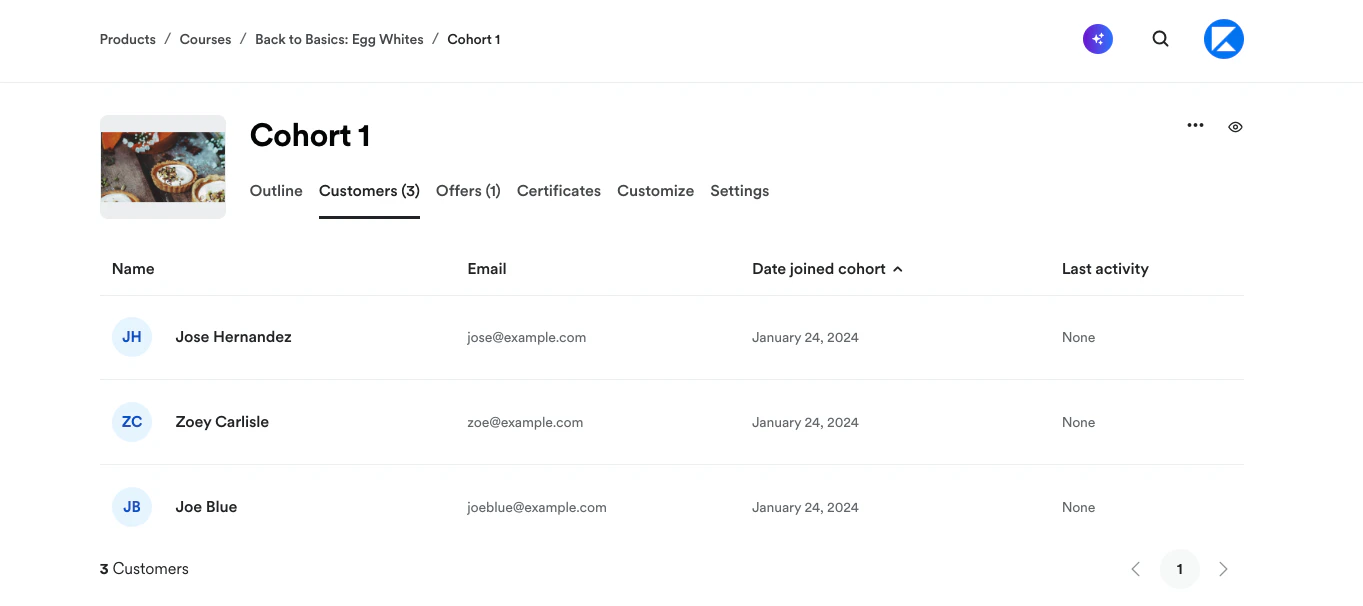
Offers
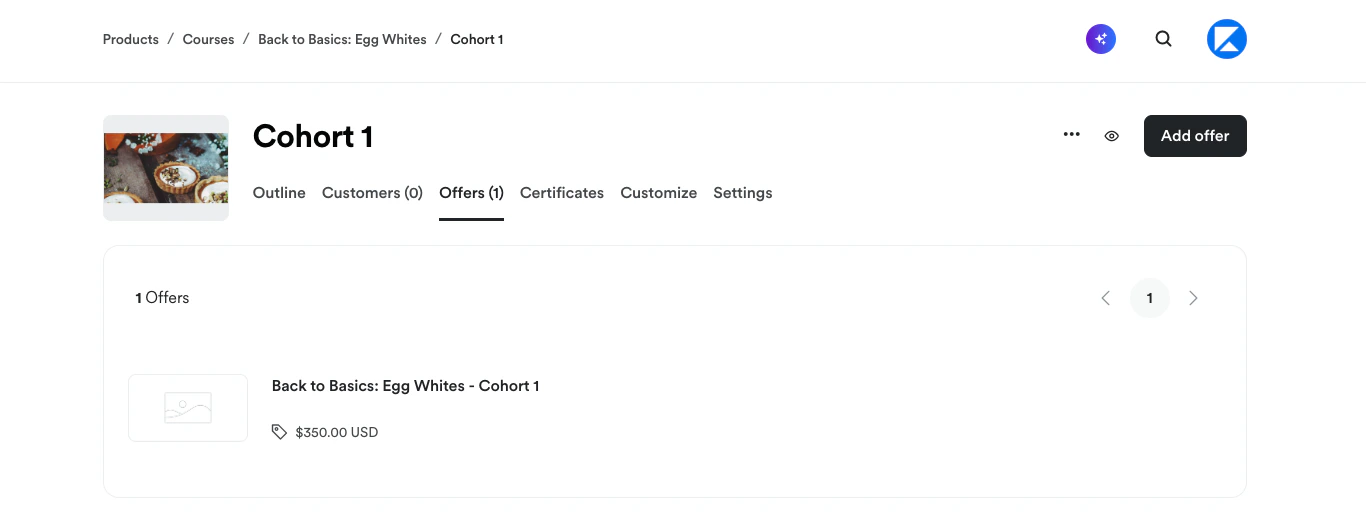
Select the Offers tab to view the Offer(s) created to sell the Course or to create a Course Offer: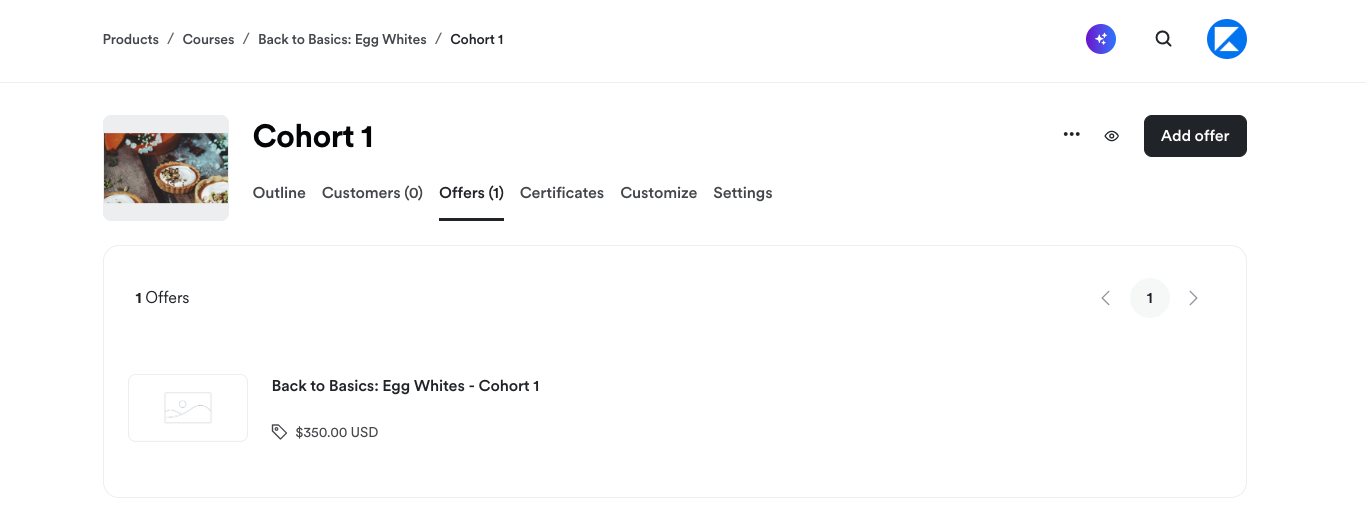
Certificates
Select the Certificates tab to create a Certificate of Completion to send your students when they complete the Course: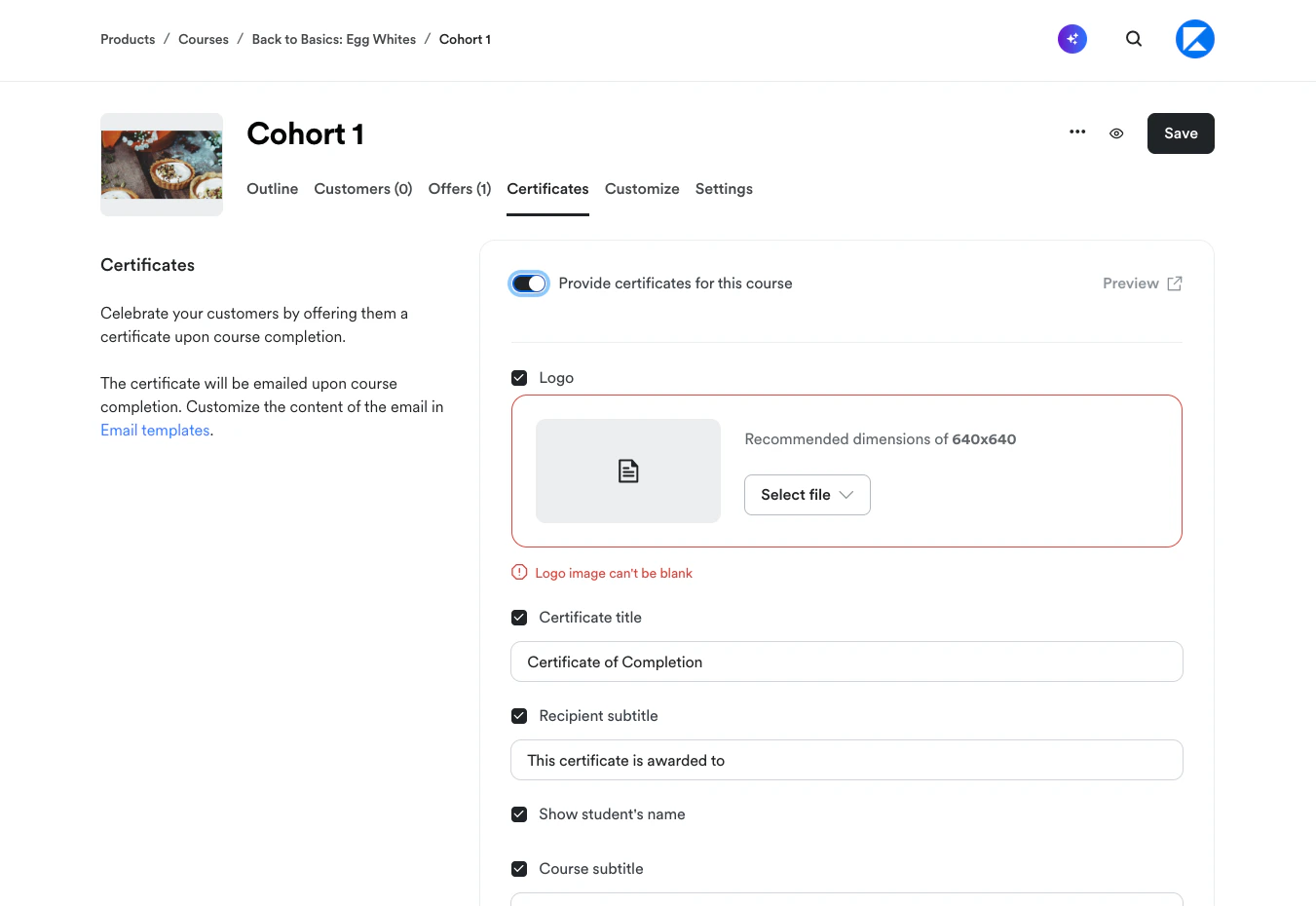
Customize
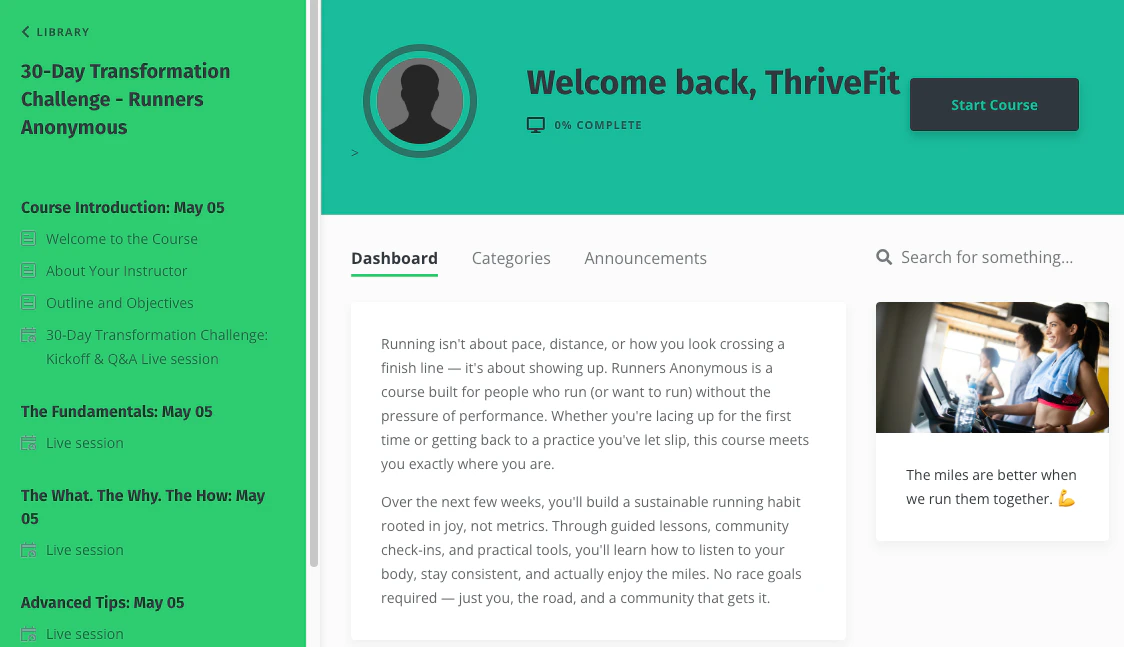
The Customize tab lets you design the template students see when they access the Cohort Course.What’s a Course template?
The Course template is where you configure the visual design and layout students experience. When students log into the Course, they see materials and branding elements exactly as you’ve set them up in the template.Customize a Cohort Course template
Note: Cohort Courses work exclusively with Kajabi’s Momentum template.
Open Course template for editing
- From the Cohorts index page, either click the name of the cohort you want to edit, or click the More options (…) menu and select Edit.
- Click the Customize tab.
- Navigate to the template image and click Customize.
- Your template will open in the Page Builder for editing.
Note: Template customizations are done at the cohort level. Each cohort template inside the Course must be customized individually.
Live Session page
The Live Session page in the Momentum template is unique to Cohort Courses. This is where your students join your live sessions. They can access the Live Session page by selecting it from the course outline in the left sidebar. From the Live Session page, your students can:- Click Join session to join a live video session
- Click Download to access added resources
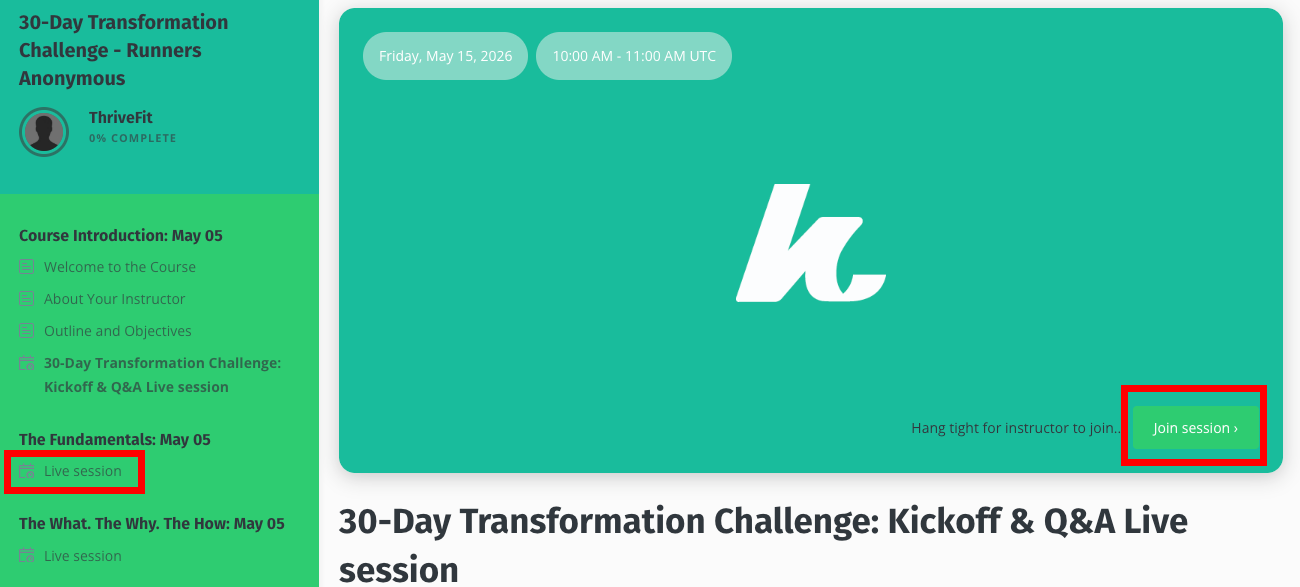
Note: If you’re using a custom session location instead of Kajabi Live Video, students will see the Location URL or Description you entered in the Live Session settings instead of a join button.
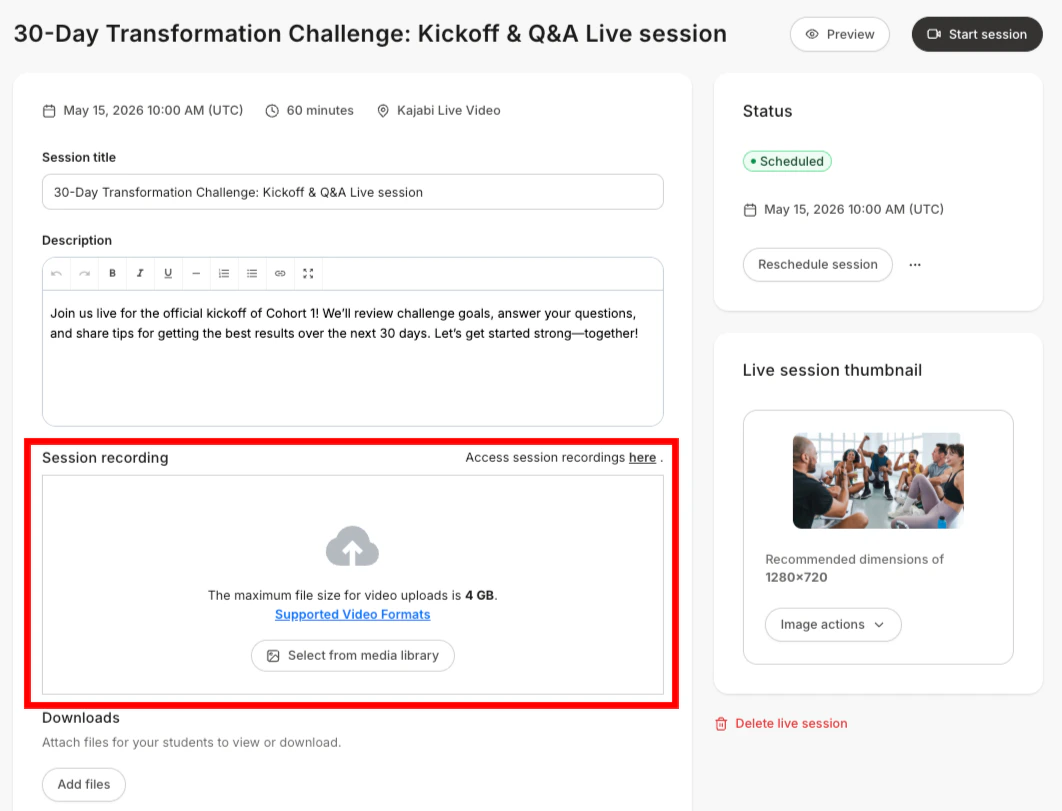
Settings
Select the Settings tab to update the cohort Title and Start date or to change live video scheduling preferences (location and/or session duration):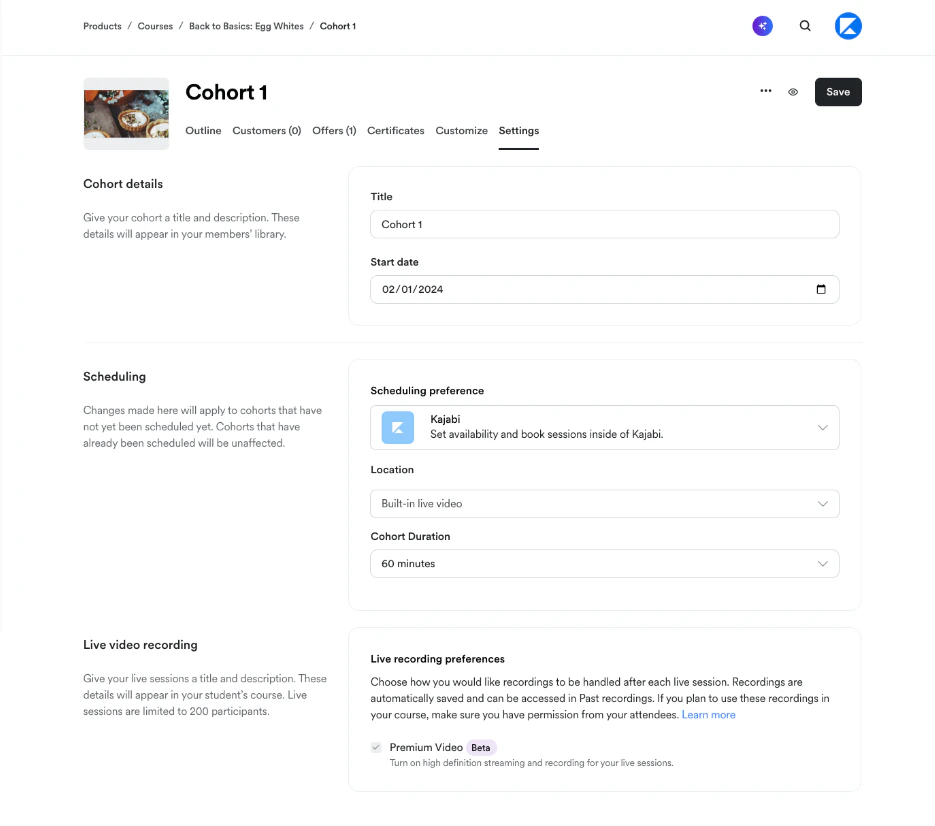
Delete a Cohort
- From the Cohorts index page, click the More options (…) menu to the right of the cohort you want to delete.
- Select Delete.
- A modal popup will appear. Click Delete to confirm the deletion.