

Create a private Podcast in Kajabi
- Open the Products tab from the dashboard
- Select Podcasts
- Click Get Started or +New podcast
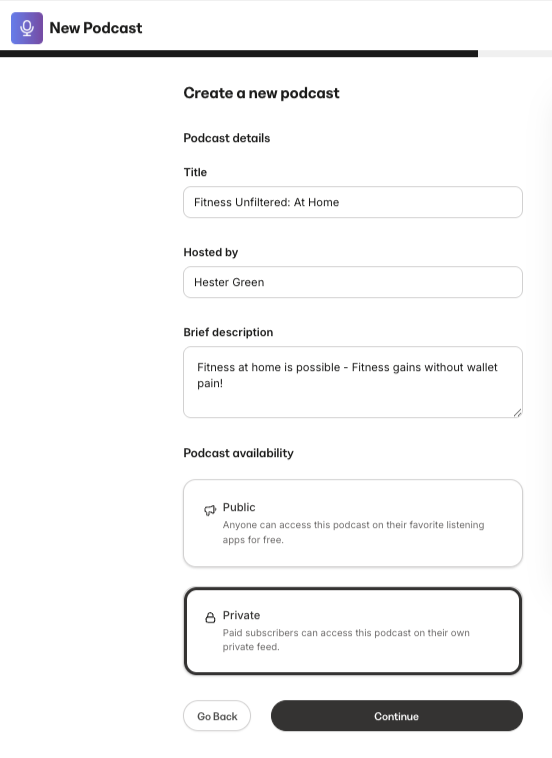
- Select Create a new podcast and click Continue
- Enter the following about the new Podcast:
- Title
- Hosted by
- Brief description
- Select Private as the Podcast availability type. Then, click Continue.
- Select your Podcast Language and Podcast category
- Next, choose whether you would like your Podcast to appear in episodic or serial order:
- Episodic will order your Podcast episodes starting with the most recent episode at the top of the list
- Serial will order your Podcast episodes from oldest to newest, organized by season
- Click Continue
- Finally, customize the appearance of your Podcast by selecting a Primary and Accent color, along with a thumbnail image
- Click Save and Finish
Preview the Podcast page
Your Podcast page will automatically generate with a URL in the format of: https://domain.com/podcasts/your-podcast-name. Preview your Podcast page and your page URL by clicking the Preview icon at the top right of the Podcast Editor: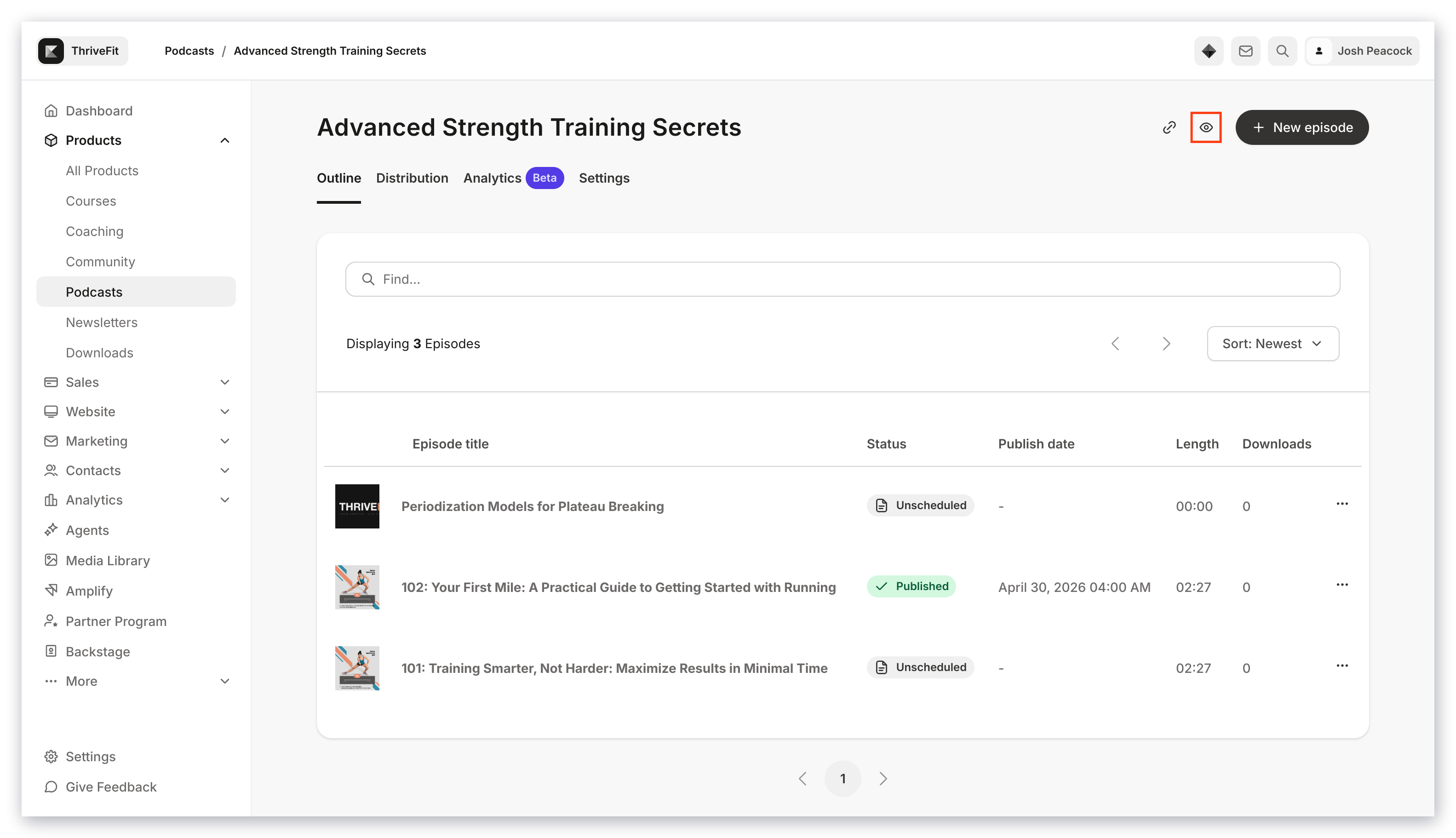
Edit Podcast details
- Click the Settings tab in the top menu of your Podcast page.
- Podcast title
- Hosted by
- Owner email
- Copyright
- Language
- Description
- Thumbnail Image
- Select if the Podcast contains explicit content
- Select if you wish to Disable episodes from being downloaded
Podcast categories
In the Podcast categories section, select up to three categories that best fit the description of your Podcast content to help with podcast discoverability.Page customization
In the Page customization section, you can select Primary and Accent colors to customize the look of your Podcast page to better match your branding. Primary Color applies to the audio player and page buttons. Accent Color applies to the header background: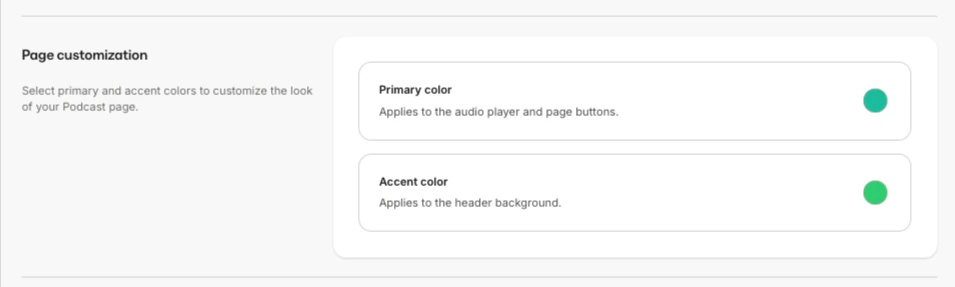
Connect a private Podcast to an Offer
For your private Podcasts to be purchased or granted, they must first be connected to an Offer.- Open the Sales tab from the Dashboard
- Select the Pricing tab
- Click +New Offer
- Enter an Offer title and choose one or more private Podcast(s) to include in the Offer.
- Select Free as the pricing plan, or select another plan type and enter a Price and Currency.
- Select payment providers. You may also check Let customers pay what they want.
- Then, click Next.
- Choose a solid button background color, and if desired, customize the checkout button text.
- Click Save and Finish.
View Podcast analytics
- Click the Analytics tab from the top menu of your Podcast page.
- Total Downloads
- Apps used to stream your Podcast episodes
- Devices used to stream your episodes
- Device Operating Systems used to stream your episodes
- Top Countries
- Top Ten episodes by Downloads