

Add custom code to a single page
Page settings
- Under Website, navigate to the website or landing page you want to edit.
- Next to the page, click the Customize button.
- In the page builder, click the Settings tab.
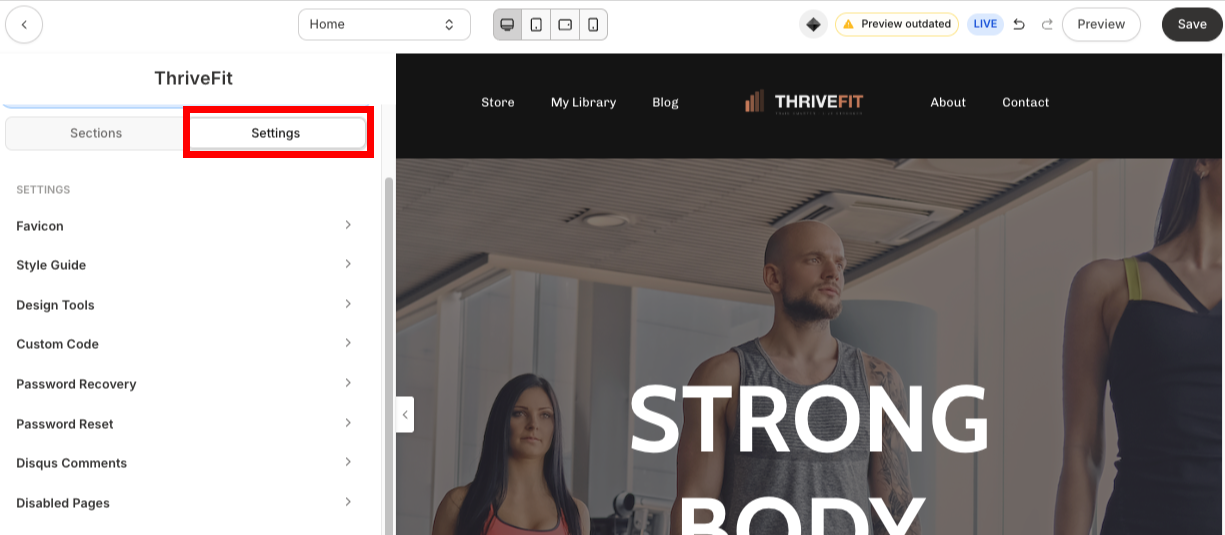
- Click the Custom Code section.
- Add your Custom CSS or Custom JavaScript in the panel.

- Click Save.
Note: Do not include
<style> or <script> tags in the Custom CSS or Custom JavaScript sections within page Settings.Custom code block
Adding custom code in a block can be helpful for embedding content on your page, such as a calendar booking widget.- From the Dashboard, open Website.
- Locate the Website Page or Landing Page you want to edit and click the Page Title.
- In the page builder, open a Section.
- Click Add block.
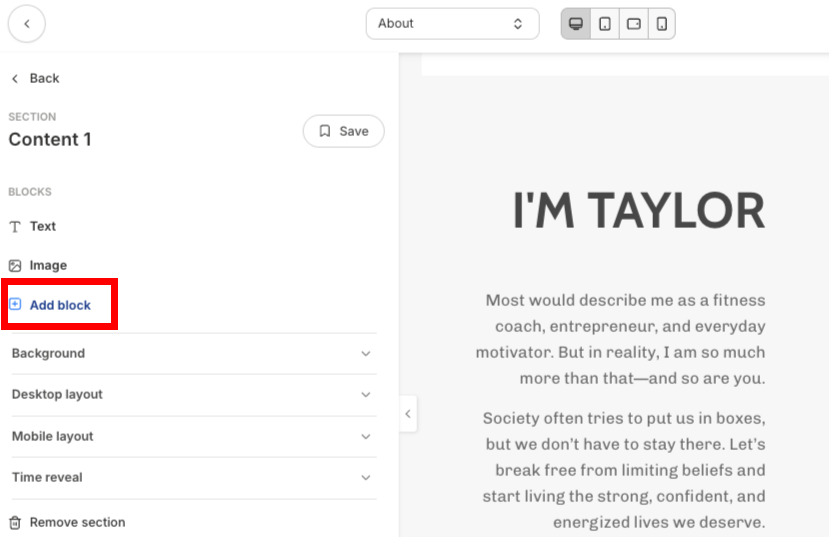
- Click Custom Code.
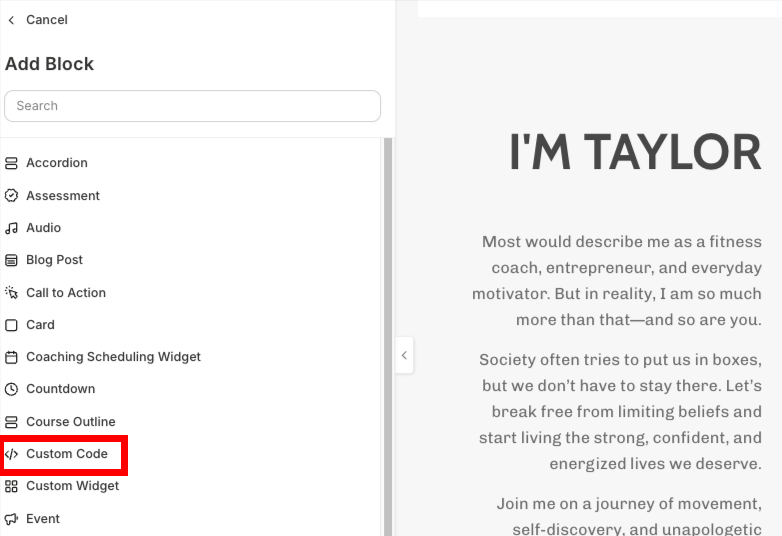
- Add your custom CSS or Javascript in the Code field.
- Add additional settings for the block’s Background and Layout, as well as any Animations and Time reveal settings.
- Click Save.
Note: In a Custom Code Block, you’ll need to use
<style> (for CSS) and <script> (for JavaScript) tags in order for your custom code to work.Add custom code to all pages
Adding custom code to all pages can be helpful, such as adding a cookie disclaimer, custom fonts, analytics, or more to your website.- From the Dashboard, open Settings.
- Under Site settings, click Site details.
- Under Page scripts, enter your custom code in the Header Page Scripts field.
- Click Save.
Note: Custom code added to the Header Page Scripts field will be included in the
<head> tag of every page on your website, except Offer checkout pages and upsell pages. To add tracking code to checkout pages, see Add a JavaScript tracking code to checkout pages.