Documentation Index
Fetch the complete documentation index at: https://help.kajabi.com/llms.txt
Use this file to discover all available pages before exploring further.
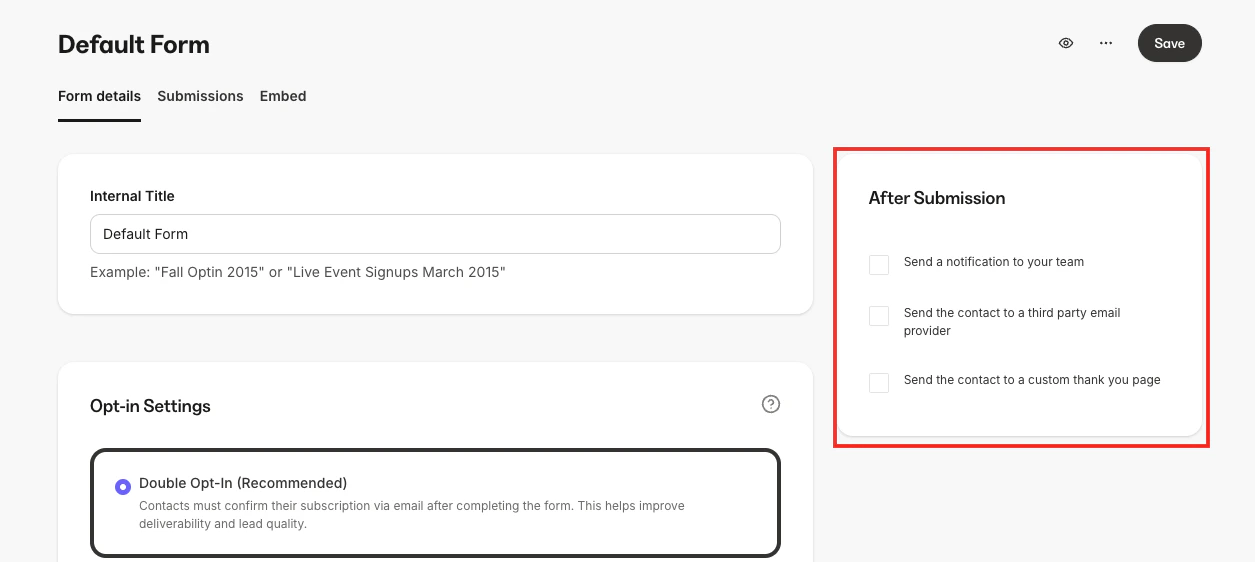
After Submission settings are actions that automatically occur after a Form is completed and submitted by your leads or customers. With Kajabi Forms, you can send a notification to your team, send the Form data to a third-party email provider, or route the contact submitting the Form to a custom thank you page.
Send a notification to the team
Select this option, then enter the Email Address of your team member in the box below. To add multiple emails, hit the Tab button after you enter each email. Click Save to apply.
To send the Form’s data to a third-party email provider, first integrate with that provider within your Kajabi account.
Learn how to integrate with third-party providers using the integration guides.
Send the contact to a custom thank you page
To redirect the Form submitter to a thank you Landing Page, first create that page for it to appear as an option in the dropdown.
Learn how to create a Landing Page.