

Your customers can listen to your private Podcast on their favorite listening apps, including Apple Podcasts. Customers access a unique private Podcast URL from their subscription confirmation email and add it to the Apple Podcast app.Documentation Index
Fetch the complete documentation index at: https://help.kajabi.com/llms.txt
Use this file to discover all available pages before exploring further.
Access the private Podcast URL
When a customer purchases your private podcast, they will receive an email that provides a link that will send them to a login page. Once they have logged in, they can access the podcast from the library. Below the login link, there will be a private podcast URL that contains an access token specific to that customer: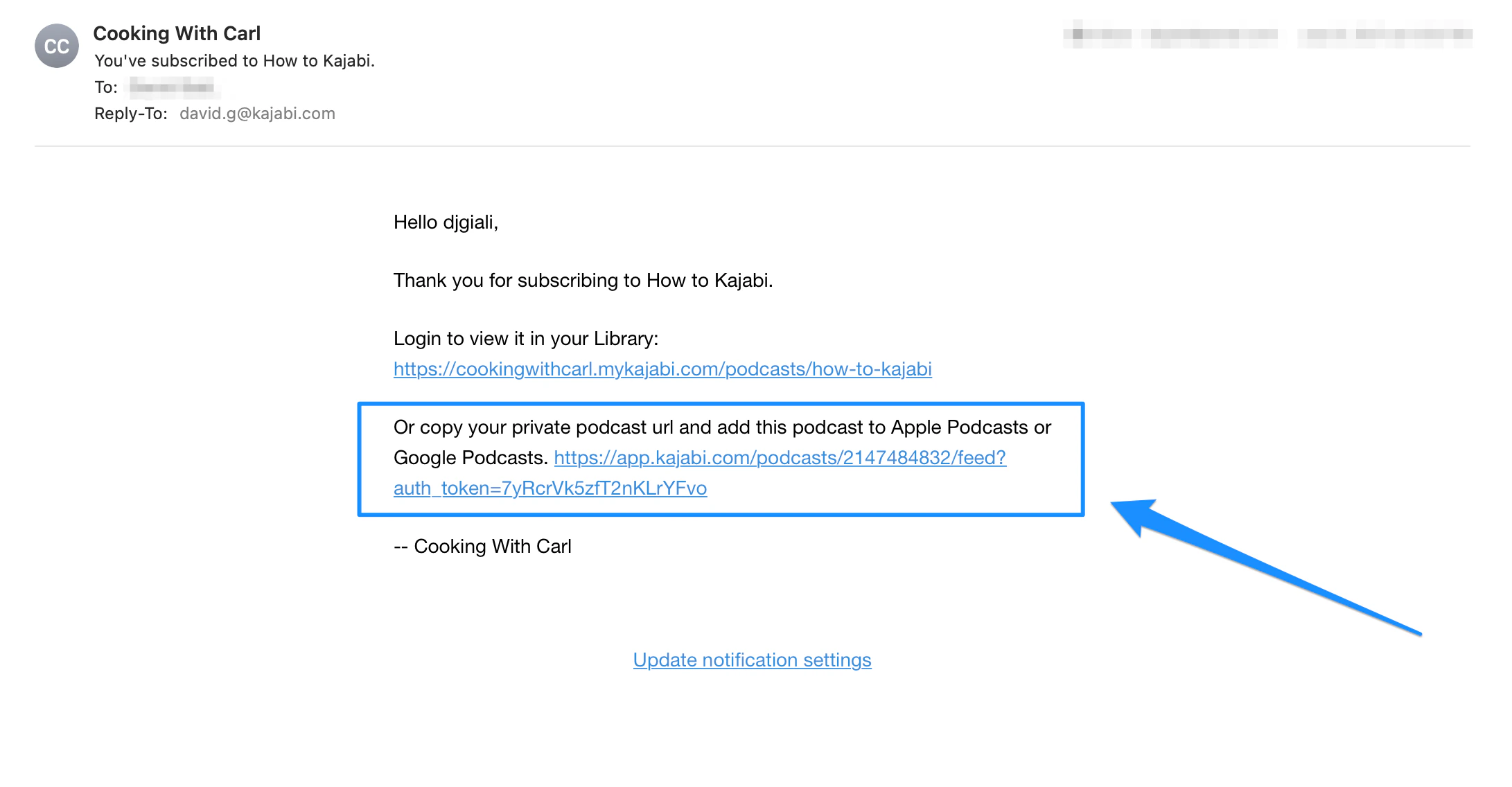
Access private Podcasts in the Apple Podcast app
To listen to your podcast on the Apple Podcast app, paste the private podcast URL into the app. This can be done via desktop or mobile.Listen to a private Podcast in the mobile Apple Podcast app
- Copy the Private Podcast URL from inside the subscription confirmation email
- Open the Apple Podcast app and click the Library tab
- Click Edit in the top right corner and select Add Show by URL
- Paste the Private Podcast URL into the text box and then click Follow
- The show will then appear in your library
Listen to a private Podcast in the Apple Podcast app via desktop
- Copy the Private Podcast URL from inside the subscription confirmation email
- Open the Apple Podcast app
- Open the File from the main menu and select Add Show by URL
- Paste the Private Podcast URL into the text box and select Follow
- The show will then appear in your Library