

Calendly is a scheduling tool built to help you schedule your meetings professionally and efficiently. With Kajabi’s native integration with Calendly, you can create a seamless scheduling experience for your members. Use Calendly to set time blocks, adjust your appointments, and manage your overall scheduling. Learn more about Calendly.Documentation Index
Fetch the complete documentation index at: https://help.kajabi.com/llms.txt
Use this file to discover all available pages before exploring further.
Note:
The Calendly plan with webhooks is required to integrate your Calendly with your Coaching Product on Kajabi successfully.
Create a Calendly Event
Get started with your Calendly integration by first creating your Calendly event. If you haven’t created a Calendly account, create one now. Keep in mind that a Calendly account with webhooks is required to integrate your Calendly with your Coaching Product on Kajabi successfully.Note:
In order to connect Calendly with Kajabi, your Calendly account must have admin status.If your account does not currently have admin status, your role will need to be changed by a current admin: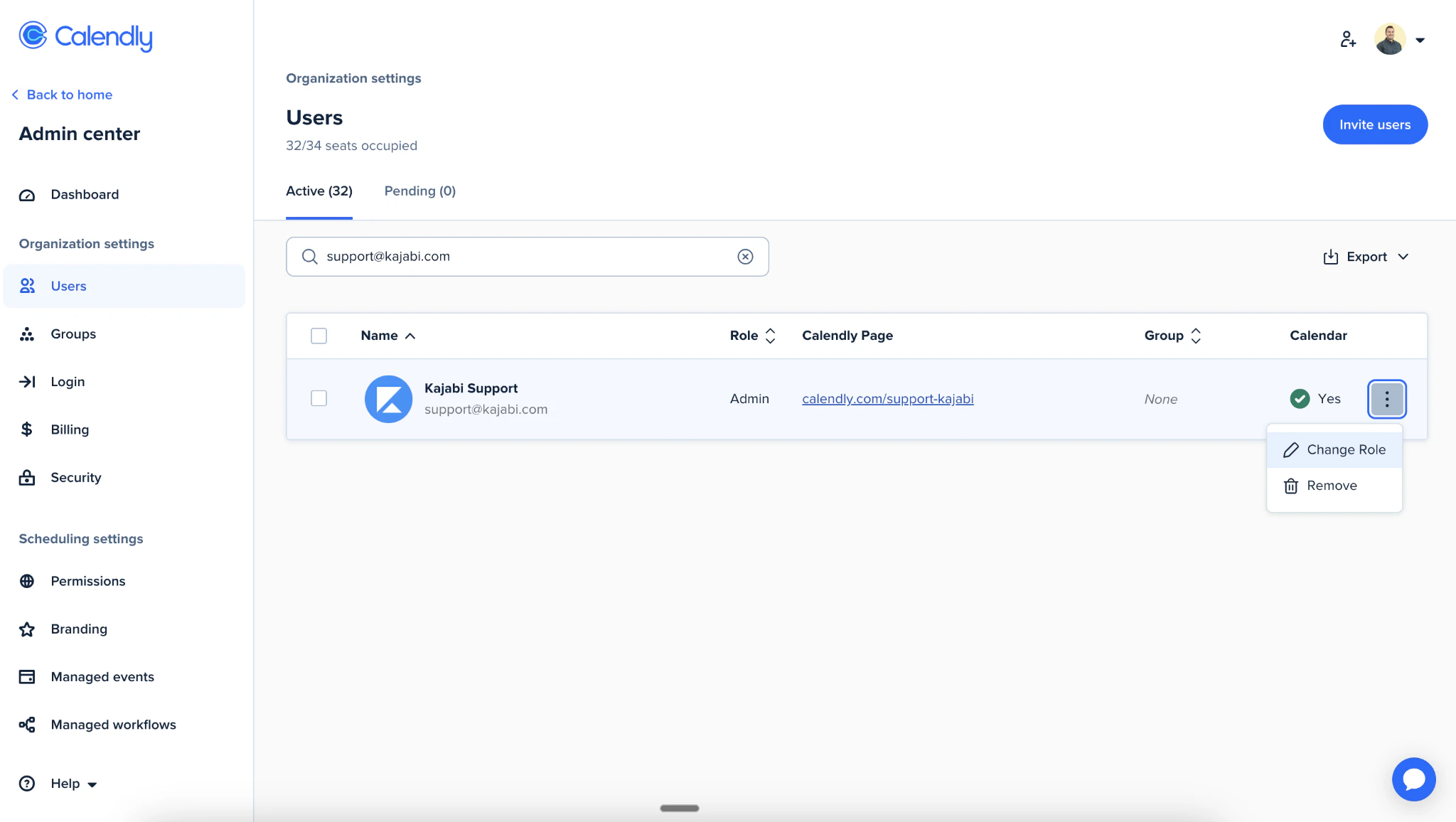
Create the event
After creating your account, log in to Calendly and:- Select + Create from your Calendly Dashboard
- Click Event Type
- Select Create for the One-on-One Event Type
Note:
Only one-on-one Calendly event types are supported at this time.
- Provide the following information for your Calendly Event:
- Event name
- Location
- Description/Instructions
- Event link
- Event color
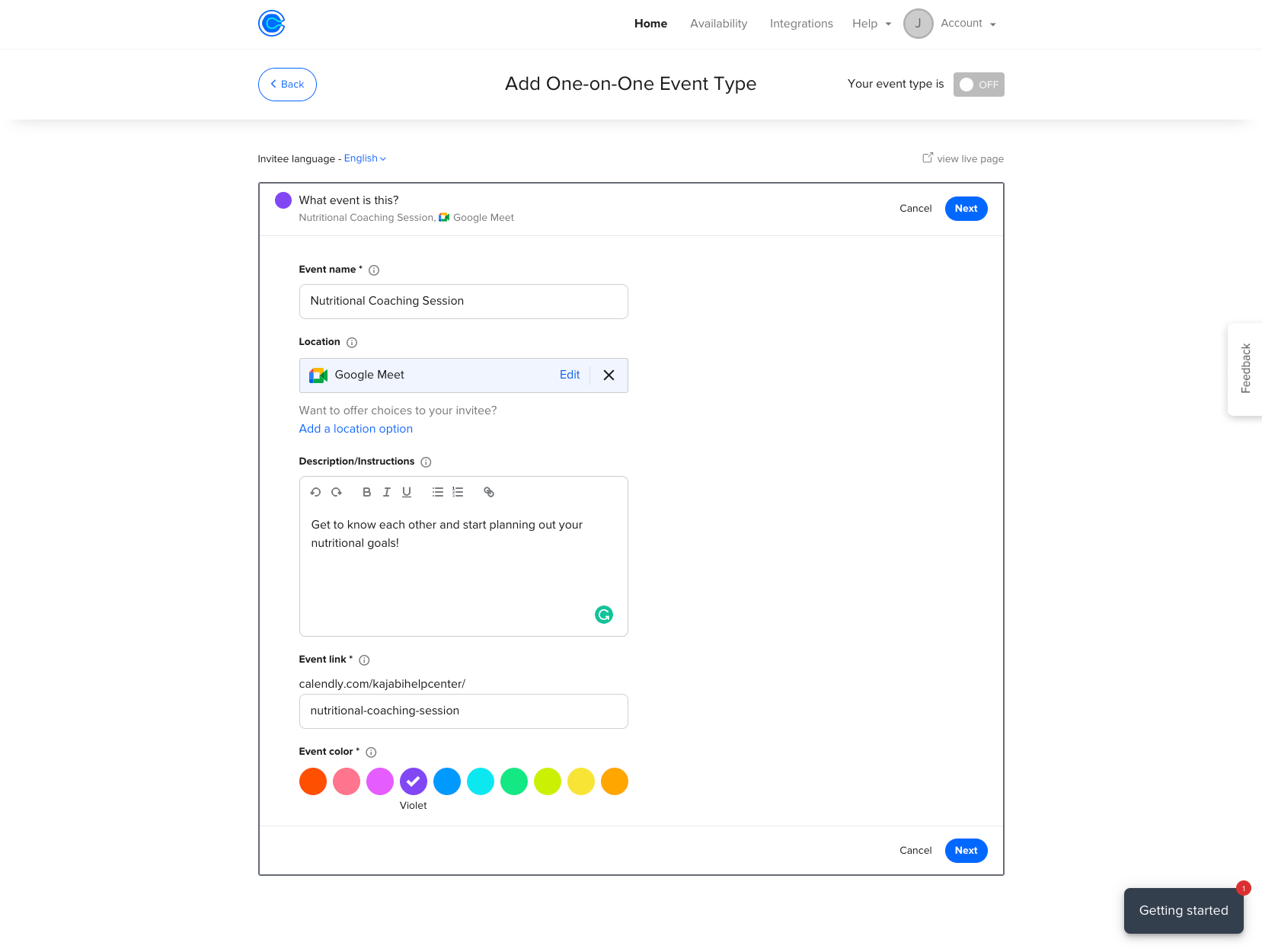
- Click Next when you are finished
- Complete your booking details:
- Date Range
- Duration
- Availability
- Click Additional rules for your availability
- Scroll to the bottom of the page and select Make this a secret event
- When you are finished creating your event, click Next
Connect Calendly to a Kajabi Coaching Product
After your event is live in Calendly, connect Calendly to your Kajabi Coaching Product.Connect Calendly
- Select Products from your Dashboard
- Select Coaching
- Click + New Coaching Program
- Click Get started
- Select Single session or Package for your Coaching program
- Enter your Coaching Program details:
- Title
- Coach name
- Product description
- Click Continue
- Open the Scheduling Preference dropdown menu
- Select Calendly
- Click Connect with Calendly
- Enter your Calendly login credentials and click Continue to be directed back to Kajabi
Re-enter Program details
- Click Get started
- Select Single session or Package for your Coaching program
- Enter your Coaching Program details:
- Title
- Coach name
- Product description
- Click Continue
- Select Calendly
- Choose the One-on-one Event Type from the dropdown
- Click Finish
Schedule a session on behalf of a client
You can book a session on behalf of your client after successfully connecting Calendly to your Coaching Product.- Navigate to your Products tab from your Dashboard
- Click Coaching
- Click Programs
- Select your Coaching Program
- Select your client’s Name
- Click Schedule session
- Select a Date and Time
- Click Confirm
- Edit the Session Details
- Click Schedule Event