

Add Coaching resources
You can add resources to an individual client’s session or to a session listed on a Coaching package outline.Add resources to an individual client Coaching session
- From the Dashboard, open Products.
- Click Coaching.
- On the Coaching Dashboard, click an individual client session.
- Under the Session Title and scheduling details, click the Resources tab.
- Click + Add resource.
- Select Upload Resource or Link.
- For Upload Resource, select a current file, or click the Upload button and select to upload a specific file type. Or, you may select Generate an image with AI or Start from Adobe stock to create images without leaving Kajabi using Adobe Express.
- Click Select media to attach the resource to the session.
- If you selected Link, enter a Name for the resource and its Link URL. Click Save to attach it to the session.
- To edit the resource Name or Link URL, click the pencil icon.
- View the link for or download an attached resource by clicking their respective icons. Click X to remove it.
Add resources to a session on a Coaching package outline
- From the Dashboard, open Products.
- Click Coaching.
- From the Coaching Dashboard, click the Programs tab.
- Click a Program. Then, select the Package outline tab.
- Click an individual Session or an Additional session, or click the more actions (…) icon and select Edit details.
- Scroll to the Resources section:
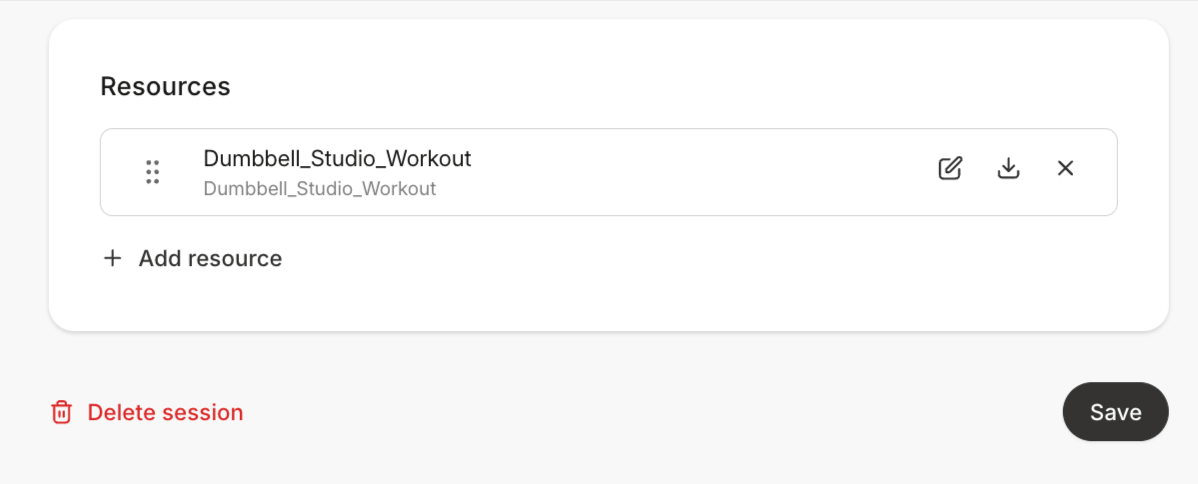
- Click + Add resource.
- Select File or Link.
- For File, select a current file, or click the Upload button and select to upload a specific file type. Or, you may select Generate an image with AI or Start from Adobe stock to create images without leaving Kajabi using Adobe Express.
- Click Select media to attach the resource to the session.
- If you selected Link, enter a Name for the resource and its Link URL. Click Save to attach it to the session.
- To edit the resource Name or Link URL, click the pencil icon.
- View the link for or download an attached resource by clicking their respective icons. Click X to remove it.