

Key benefits
- Keep momentum between sessions. Continue any web conversation on your phone or start a new one on the go. Context and history are always there.
- Work in the gaps. Chat, capture ideas, or check action items without sitting down at a laptop.
- Stay on top of your messages. Reply to Backstage DMs and AI-escalated conversations directly from the app with push notifications so nothing slips through.
- Get nudged at the right moment. Push notifications from Cofounder surface timely, data-backed guidance and open directly into the relevant conversation.
- Speak instead of type. Voice mode lets you talk to your Cofounder and hear back — then switch to text anytime without losing your place.
Download and sign in

- Download the Kajabi Cofounder app from the App Store (iOS) or Google Play (Android).
- Open the app and sign in with your Kajabi email and password.
Chat with Cofounder
Open the app to start or continue a conversation. Your Cofounder knows your business and can help you think through strategy, create content, build action plans, and surface insights about your site’s performance.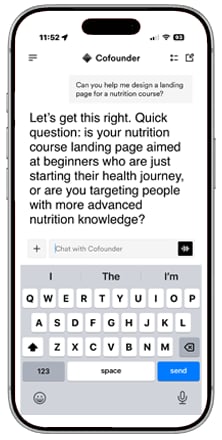
Text and voice mode
You can chat by typing or by speaking.- In text mode, type naturally and receive text responses.
- In voice mode, speak to your Cofounder and receive spoken responses back.
- Switch between modes at any time. Your full conversation history and context carry over either way.
Long-form content
When Cofounder generates something substantial like a Course outline, Email Sequence, or launch strategy, it appears as a collapsible card. Tap to expand or collapse it. You can ask follow-up questions and Cofounder retains everything in that card.Action items
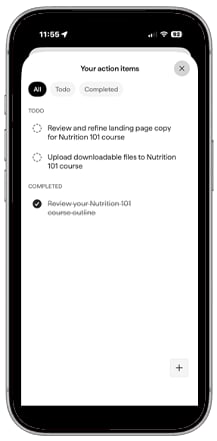
Action items give you a focused view of what Cofounder recommends working on next. There are two ways to interact with them:- In chat: Ask Cofounder to list, create, or update action items at any point in a conversation.
- Action item list: Tap the icon in the top right corner of the app to see all current items. Tap any item to open a focused conversation with Cofounder briefed on that specific task.
Messages
The Inbox tab gives you an inbox for conversations that need your attention. From here you can reply to Backstage DMs and respond to AI-escalated conversations directly from your phone. Push notifications alert you when a new message arrives so you can respond quickly without being at your desk.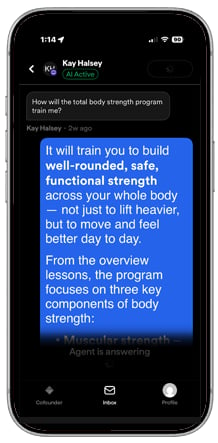
Proactive nudges
Cofounder sends push notifications when it has something timely to surface based on your business activity, site performance, and what you’ve been working on. Tap a nudge to open a conversation pre-loaded with that context. If you manage multiple Kajabi sites, the nudge opens for the right one automatically.Files and images
Attach a file directly in chat and your Cofounder will analyze it and respond. You can ask follow-up questions about what it found. You can attach up to 10 files per message, with a maximum size of 10 MB per file. Supported file types:- Images (.jpg, .jpeg, .png, .gif, .webp)
- PDFs
Note: Video and audio file uploads are not currently supported.
Cross-device continuity
All conversations sync automatically. Anything you start when logged in on a desktop is available on mobile, and vice versa. You can pick up any conversation on any device without re-establishing context.Manage push notifications
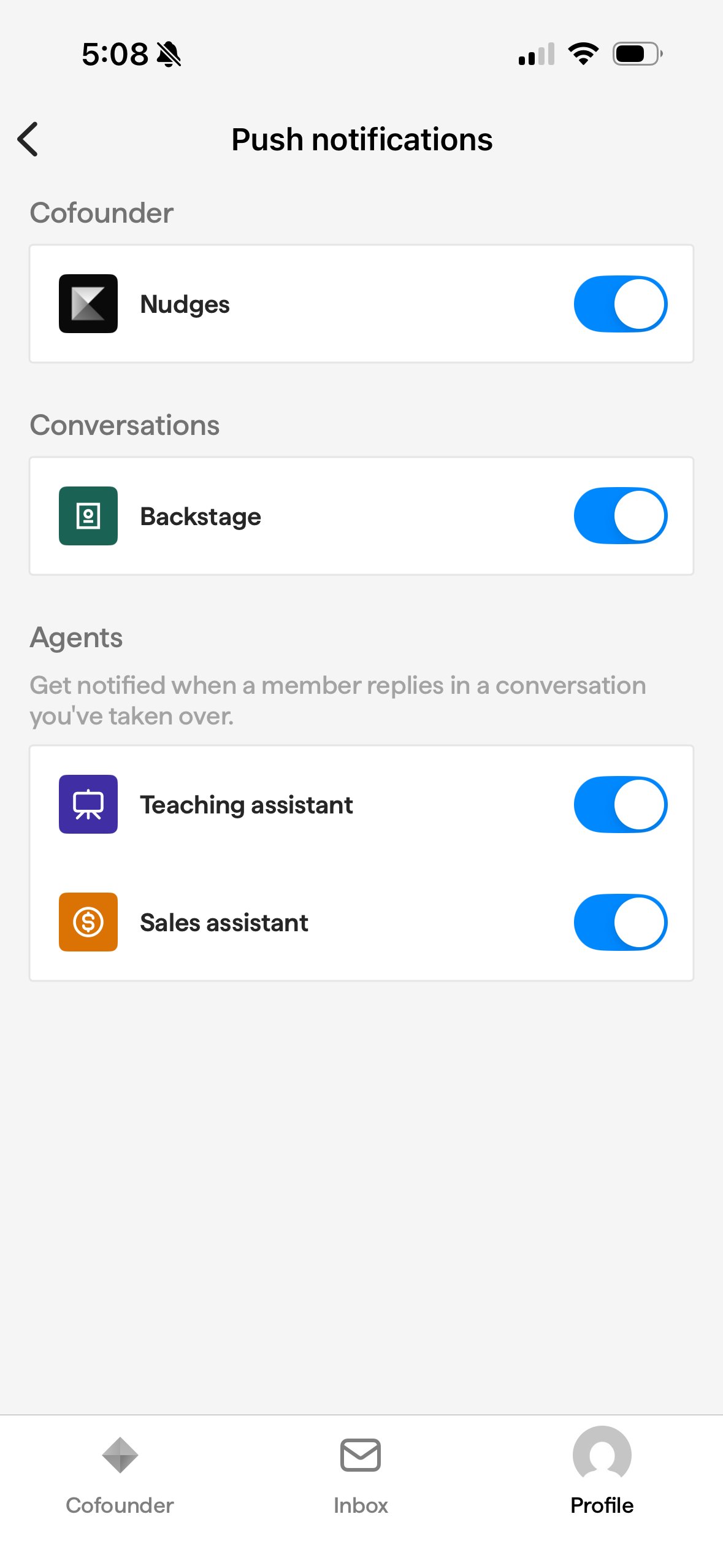
From the app’s Settings, you can control which types of push notifications you receive from Kajabi. Toggle each category on or off to match how you want to stay informed.- Cofounder Nudges: Proactive recommendations from your AI Cofounder based on your business activity and site performance
- Backstage: Messages from your members
- Teaching Assistant: Updates and alerts from your course and content delivery assistant
- Sales Assistant: Hot leads and sales-related escalations flagged by your AI Sales Assistant
Switch between sites
If you manage more than one Kajabi site, you can switch between them without signing out.- Tap Profile in the app navigation.
- Tap Kajabi site.
- Select the site you want to switch to.
Home screen widgets and shortcuts
Add a Cofounder widget to your iPhone home screen to see your current action items at a glance. You can also set up iOS Shortcuts or assign your iPhone’s Action Button to open a new Cofounder conversation instantly — no navigating required.Display settings
The app follows your device’s appearance settings. Switch between dark and light mode in your device Settings, and the app updates automatically.FAQS
Do I need a separate account to use the Kajabi Cofounder app?
No. Sign in with your existing Kajabi email and password — the same credentials you use on web.Does the app work without an internet connection?
No. All interactions require an internet connection. The app does not support offline mode.Are my conversations synced between web and mobile?
Yes. All conversations — including full message history and context — are available across both web and mobile. Start something on one device and continue it on any other.Can I use the app with multiple Kajabi sites?
Yes. The app supports multiple sites. Proactive nudges automatically open the conversation for the relevant site.What files can I attach in chat?
You can attach images (.jpg, .jpeg, .png, .gif, .webp) and PDFs. The limit is 10 files per message and 10 MB per file. Video and audio uploads are not currently supported.What push notifications will I receive?
Cofounder sends proactive nudges based on your business activity, site performance data, and what you’ve been working on. You will also receive notifications for new messages in your inbox. If you haven’t used Cofounder in a while, you may receive a nudge to bring you back when there is a good moment to pick up momentum.Can I disable the push notifications?
Yes, you can disable the push notifications by going to your Profile and clicking into the Push Notifications screen.Will I still receive notifications when my iPhone is in Focus Mode?
Cofounder respects your iOS Focus Mode settings. Notifications are timed to arrive when you’re most likely to act on them, and held back during Do Not Disturb or focused states.Can I use Cofounder on a mobile browser?
Yes, you can also use Cofounder in any mobile browser.- Open Safari, Chrome, or any browser on your phone.
- Go to Kajabi’s signup pages or log into your admin.
- The chat adapts to your screen.