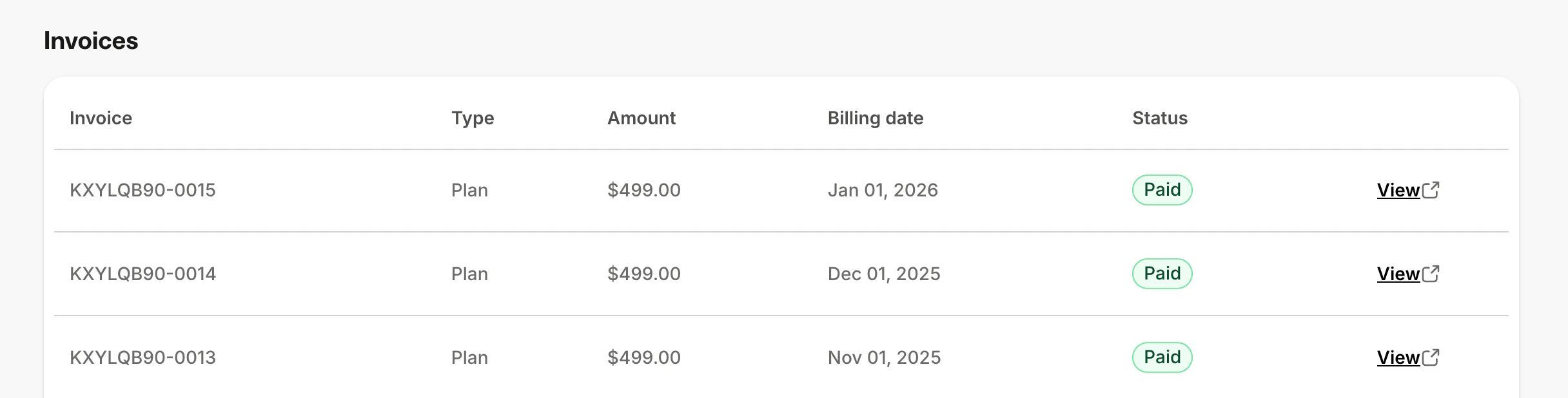
Access your billing information to track upcoming payments and review your invoice history. You can view your next billing date, amount due, and a full history of past invoices from the Subscription & Billing page.Documentation Index
Fetch the complete documentation index at: https://help.kajabi.com/llms.txt
Use this file to discover all available pages before exploring further.
View your upcoming invoice
- Go to Settings > Subscription & Billing.
- Click on the Billing tab.
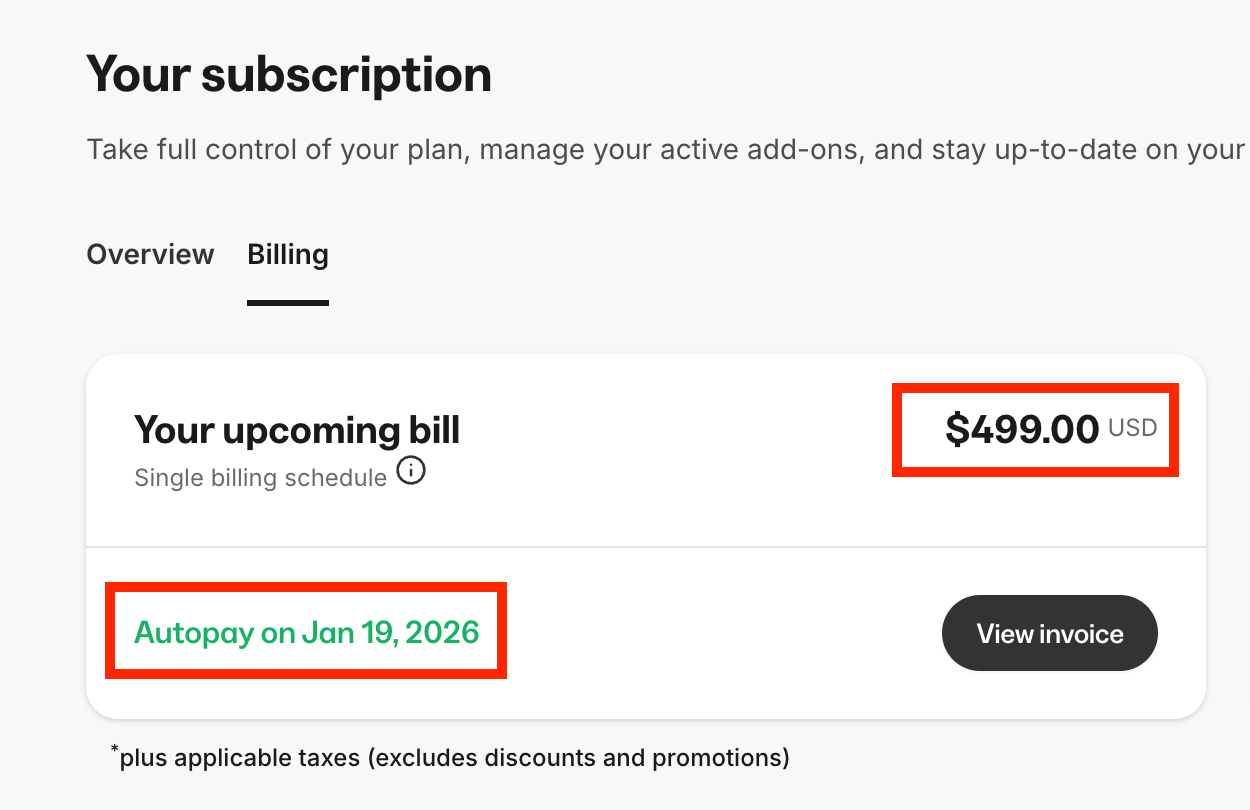
- Under “Your upcoming bill,” you can see your next billing date and amount. If you like, you can click View invoice to view your upcoming invoice.
View all your invoices
- Go to Settings > Subscription & Billing.
- Click on the Billing tab.
- You will see a list of your invoices for your Kajabi subscription. Click View to view an invoice. If you like, you can save this page to your device.