

Pay What You Want Offer pricing allows your customers to purchase an Offer for a price they choose.Documentation Index
Fetch the complete documentation index at: https://help.kajabi.com/llms.txt
Use this file to discover all available pages before exploring further.
Pay What You Want
Pay What You Want Offers means that you can set a minimum purchase price for a one time payment Offer, including $0, and then your customers can purchase the offer for either the minimum price or for whichever amount they want. The Pay What You Want option has multiple benefits for you, your business, and your customers:- Experimentation - Pricing your product can be a big hurdle and hard to gauge accurately. With Pay What You Want offers, you enable your customers the option to pay more, which may prove that what you offer holds more value than you originally expected. This also allows you to run pay-your-own-price style promotions to entice new members.
- Support - Letting your customers choose how much they want to pay for your product allows them to tip you or pay more than the baseline price you set. This enables them to show their support for you and your product.
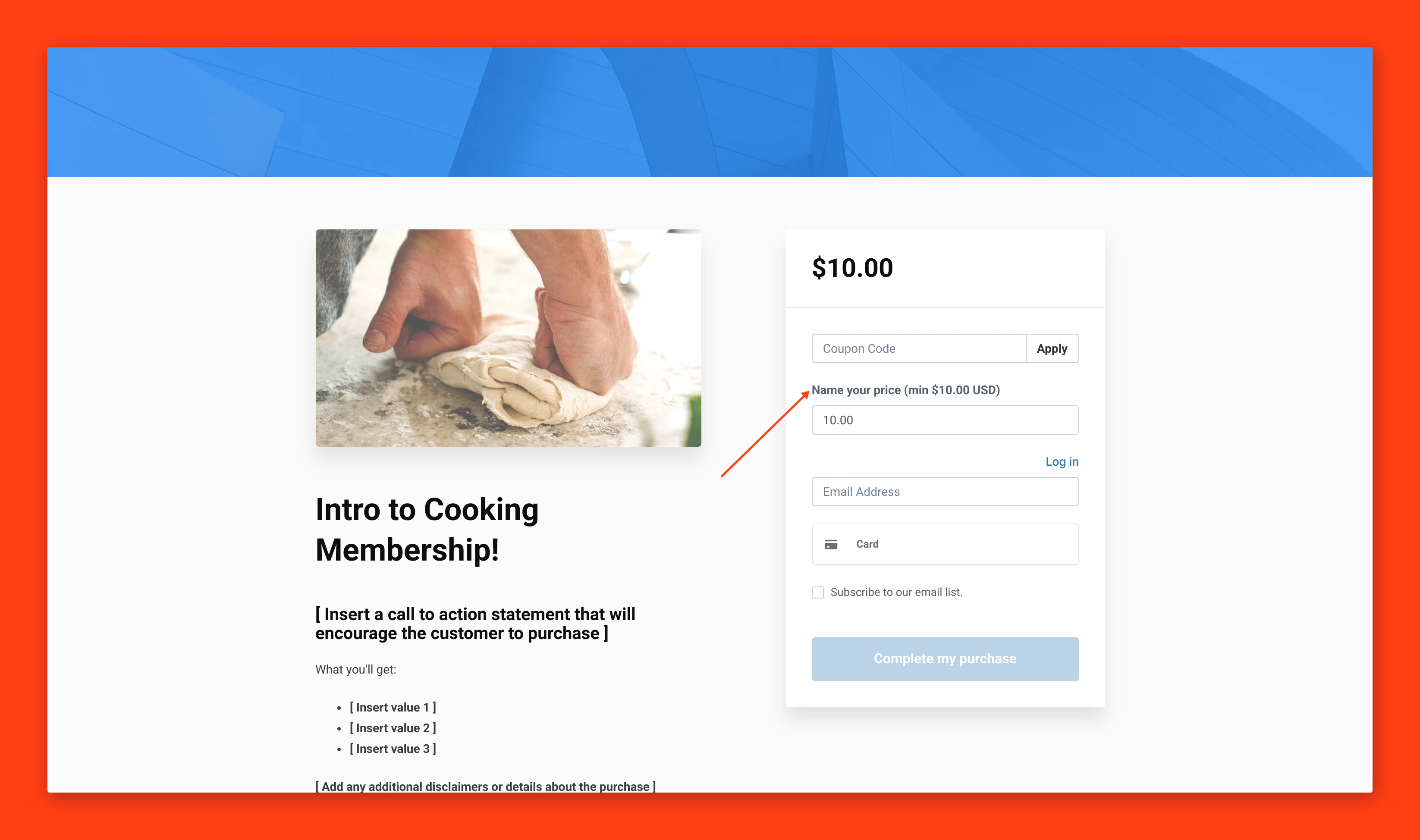
Create a Pay What You Want Offer
Creating a Pay What You Want Offer is easier than ever due to the Offer creation flow. To create a Pay What You Want Offer:- From your Kajabi dashboard, select Sales
- Navigate to Offers
- Click +New Offer to enter the Offer creation flow
- Once inside the Offer Creation Wizard, enter an Offer Title and choose the Product(s) to sell with this offer
- To use the Pay What You Want feature, select the One Time payment option
- Check the Let customers pay what they want box
- A Pay What You Want offer can be free (priced at $0), or whichever base minimum amount you desire to sell your product, as long as the price is set over 0.50
- Choose the Payment Provider and any additional payment options for your offer
- Select Save and Finish to complete creating your offer
Change a pre-existing Offer to a Pay What You Want Offer
You can also change a pre-existing offer to a Pay What You Want offer. This is helpful in situations where you want to offer flexible pricing, such as a promotion or sale. To change a pre-existing offer to Pay What You Want:- From your Kajabi dashboard, select Sales
- Navigate to Offers
- Select the Offer you wish to edit
- Click Pricing
- In the Price Details section, select One-time Payment from the drop-down menu (Note: If your offer is already set up as a one-time payment, you may need to reset the payment type drop-down menu and re-select the one-time payment option to open the Minimum Price field for editing)
- Enter a price for your offer to set a Minimum Price (this can be $0, or any price 0.50 or higher)
- Click the Let customers pay what they want checkbox
- Remember to Save your changes
FAQs
Which offers can I use the Pay What You Want feature with?
Any one-time payment offer will work with the Pay What You Want feature. Pay What You Want does not work for:- Payment Plans
- Subscription