

Documentation Index
Fetch the complete documentation index at: https://help.kajabi.com/llms.txt
Use this file to discover all available pages before exploring further.
Overview
Your checkout page includes an email opt-in checkbox that allows customers to subscribe to your marketing emails when completing a purchase. You can customize this message to better reflect your brand voice and clearly communicate what customers are signing up for. Customizing this message helps you build trust with customers by being transparent about how their email will be used, while also ensuring compliance with email marketing regulations.Customize the email opt-in message
To update the email opt-in message on your checkout page:- Open the Settings tab from your Dashboard.
- Click Checkout Settings.
- Locate the Email Opt-in Message field.
- Enter your custom message in the text field.
- Click Save to apply your changes.
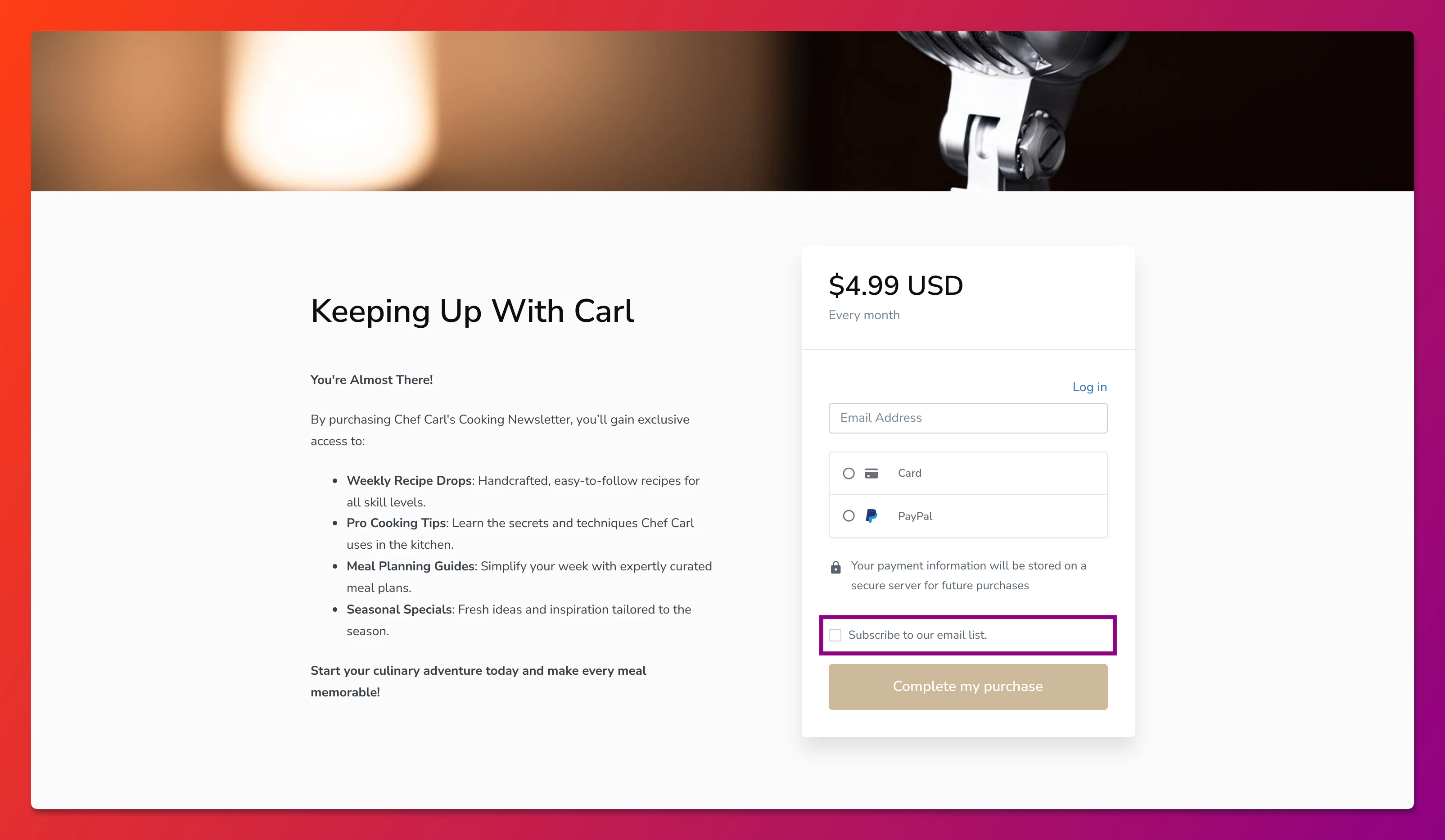
Best practices for email opt-in messages
- Be specific about what subscribers will receive (newsletters, promotions, course updates)
- Keep it concise so customers understand the value without reading a lengthy paragraph
- Avoid pre-checked boxes to ensure customers actively choose to opt in
- Mention frequency if you send emails regularly (weekly tips, monthly updates)