

The Kajabi Community URL can be customized to reflect your brand. Updating the URL slug helps build brand recognition and makes it easier for members to find your Community.Documentation Index
Fetch the complete documentation index at: https://help.kajabi.com/llms.txt
Use this file to discover all available pages before exploring further.
Update the Community URL
- Open your Community.
- Click the ellipsis icon on your cover photo, then select Community Settings.
- Select Details.
- Under Basic Information, navigate to the URL Slug field to change your URL.
- Input your URL Slug and click Save.
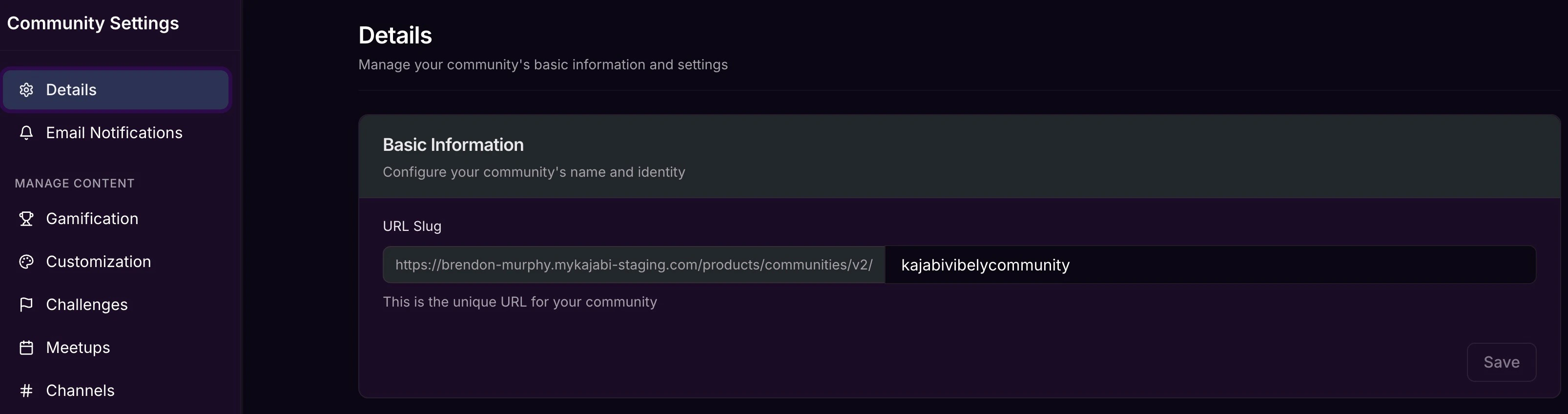
- The first part of the URL is pulled from your site’s domain.
- The last part is the section you can customize in the Community settings.