

Member guidelines let you greet incoming Community members with a welcome message, outline your Community’s rules, or both — all in one section that members must review and agree to before they can join.Documentation Index
Fetch the complete documentation index at: https://help.kajabi.com/llms.txt
Use this file to discover all available pages before exploring further.
Add a welcome message and guidelines
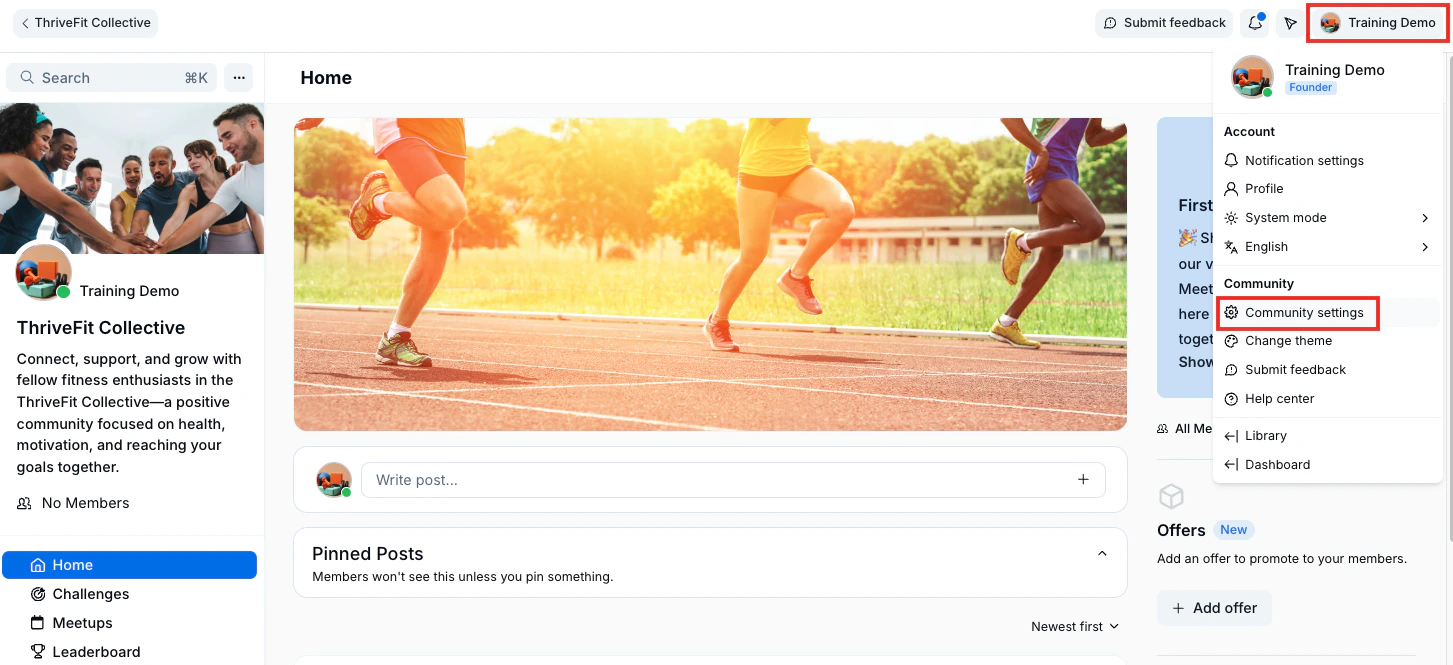
- Click the profile icon in the top right corner of your Community.
-
Click Community settings:
- Then, in the left sidebar, select Details.
- Scroll down to the Community Guidelines section.
- Click Add guidelines.
- Add a Title, Image, and Description for your guideline.
- Click Save.
- Click Back to community to view your guideline pop-up.
Note: The created guideline will also appear in the left sidebar.