

What the law is about
When someone buys certain things online, they get 14 days to change their mind, withdraw from the purchase, and receive a refund. The new law says that where this right exists, you have to give the customer a clear button to use it — rather than making them hunt for an email address or jump through hoops. Where the right applies, the law expects the button to:- Be easy to find and clearly labeled (for example, “Withdraw from contract”)
- Sit somewhere obvious, like the customer’s account or order page
- Take two clicks to confirm
- Collect the customer’s name, the order or contract it relates to, and how to reach them
- Send the customer a prompt confirmation, in a lasting form such as email
Why this may not apply to most of your offers
Most Kajabi offers hand the customer something they can use right away — a course they can start, a download they can open, a coaching package they can begin booking. For digital content like this, the 14-day withdrawal right can fall away. But it doesn’t disappear on its own just because the content is available. It falls away when the customer, at checkout, agrees to get immediate access and acknowledges that doing so gives up their 14-day withdrawal right. That agreement is what removes the right — not the fact that the course is sitting there ready to go. So the practical path for most offers is “we ask the customer to agree to immediate access, and we capture that agreement.”How to capture agreement at checkout
The simplest place to handle this is right at checkout. You ask the customer to agree to immediate access and to acknowledge that, by taking it, they’re giving up their 14-day withdrawal right — and you make that a required step before they can buy. Here’s how to set it up on Enhanced Checkout:- Open the Sales tab in your Dashboard.
- Click Pricing.
- Open the offer you want, or create a new one.
- Go to the Settings tab.
- Under Service agreement, choose Custom service agreement.
- Add your agreement text — see the note on wording below.
- Click Save.
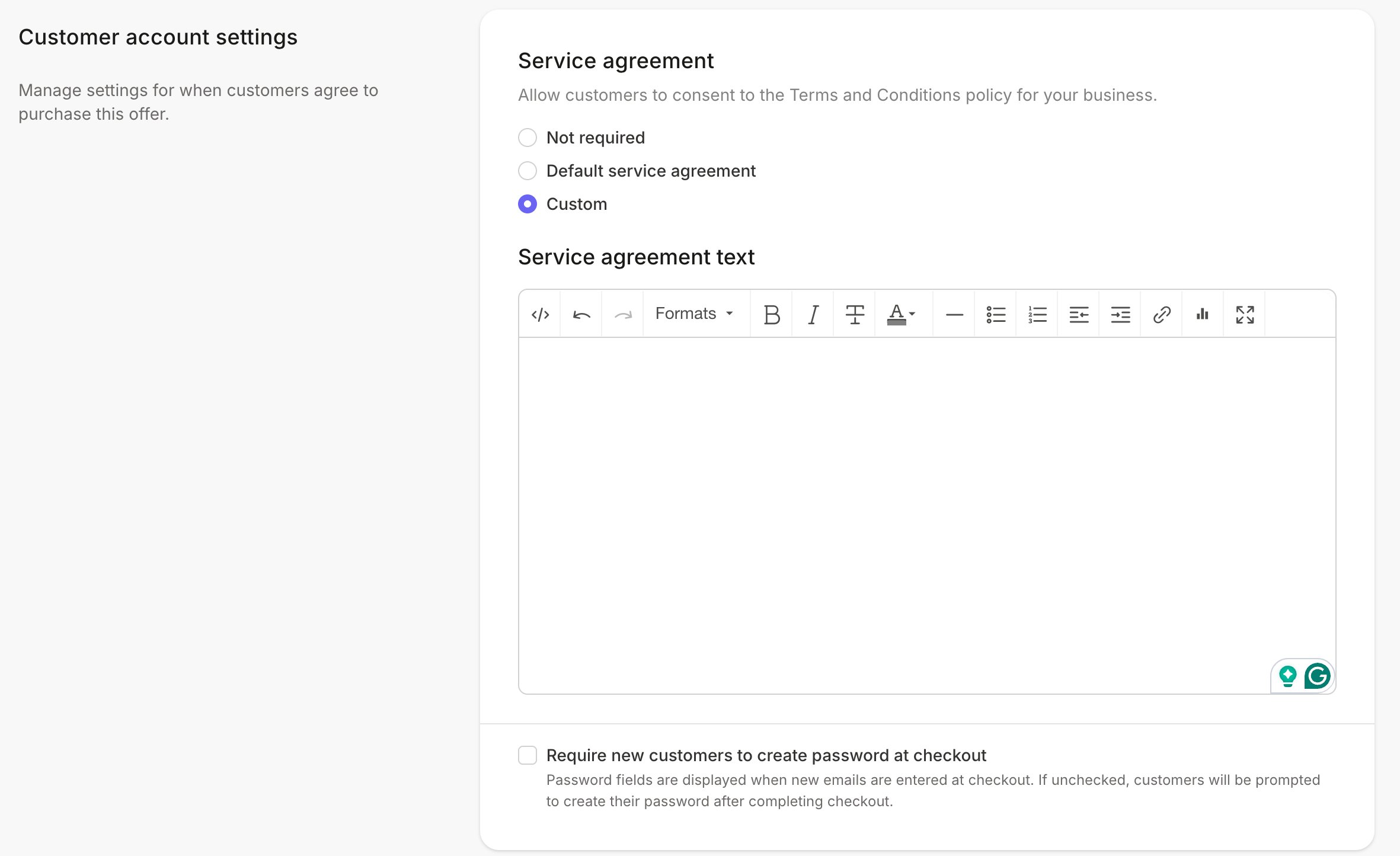
Prefer a secondary checkbox? In the Checkout Editor, add a Checkbox custom field, label it with the acknowledgment, and mark it Required. Learn more.
- Ask you to start right away, before the 14 days are up.
- Confirm they understand that doing so means they lose the right to withdraw. Both parts have to be there. The wording that actually holds up depends on your offers and how you sell, so it’s worth having a licensed attorney confirm it before you go live.
- Ask you to start right away, before the 14 days are up.
- Confirm they understand that doing so means they lose the right to withdraw. Both parts have to be there. The wording that actually holds up depends on your offers and how you sell, so it’s worth having a licensed attorney confirm it before you go live.