

Note: Cohort Courses are only available with Growth and Pro Plans. Check out kajabi.com/pricing for more details.
Create a Cohort Course from scratch
- From your Dashboard, select Products.
- Click Courses, then +New course.
- Select Cohorts as the Course type and click Next.
- Choose Start from scratch.
- Add a Title and a Brief Description for your Course.
- Optionally, toggle on Use this info to generate content and additional resources if desired. Selecting this option will create an AI-generated course outline and lesson material, an opt-in landing page with a form that automatically tags contacts on submission, and a Course announcement email broadcast to send when ready.
- Choose a Start date for the first cohort group and Course module and click Next.
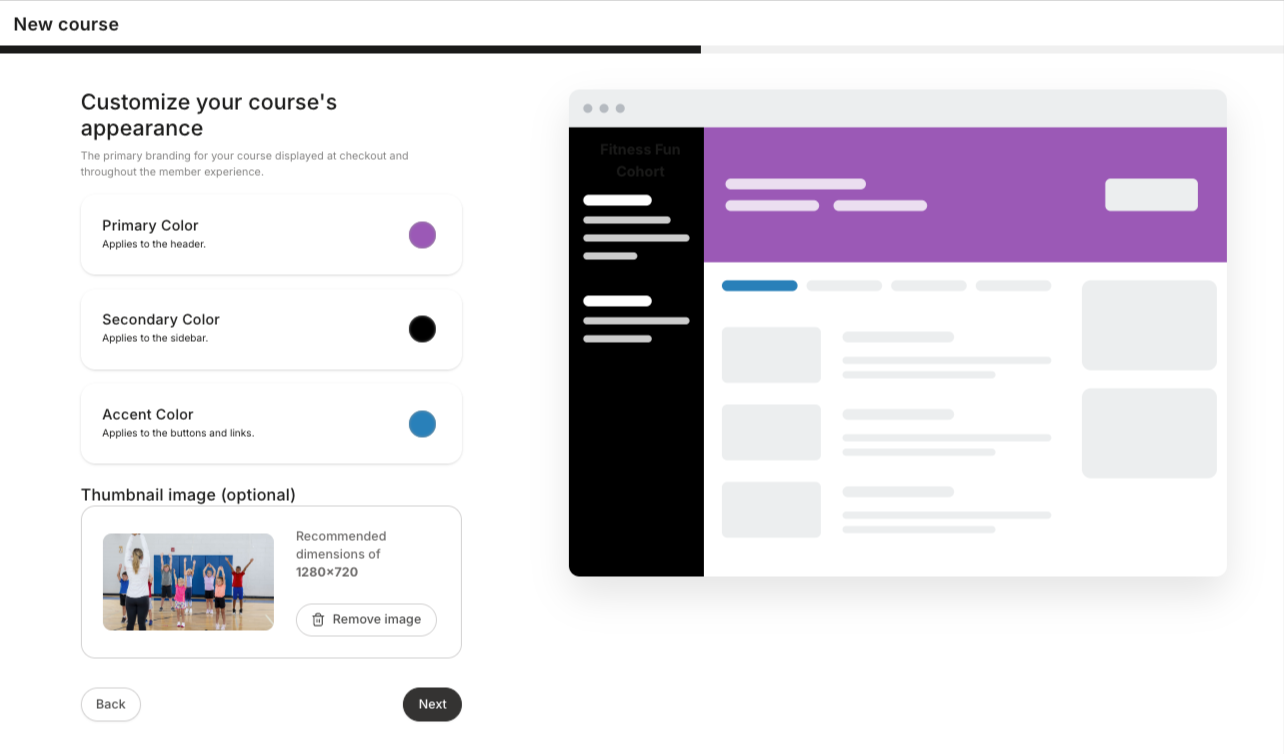
- Select the Primary Color (header), Secondary Color (sidebar), and Accent Color (buttons/links). Optionally, upload a Thumbnail image (recommended dimensions: 1280 x 720 px).
- Click Next.
- Choose to create either a Free or Paid Course. If you create a Paid Course, choose a desired Payment frequency, Price, and Payment method. Learn how to connect a payment processor.
- Click Next. The Course creation content wizard will then generate your new Cohort Course outline.
Create a Cohort Course using an existing Evergreen Course
Create a cohort version of your existing Evergreen Course by using the Import existing course option on the How do you want to start? page. To create a Cohort Course from an existing Course:- From your Dashboard, select Products.
- Click Courses, then +New course.
- Select Cohorts for your Course type and click Next.
- Choose Import existing course.
- Select the Course you want to import from the dropdown menu.
- Choose a Cohort start date for your first cohort group and Course module and click Next.
- Select the Primary Color (header), Secondary Color (sidebar), and Accent Color (buttons/links). Optionally, upload a Thumbnail image.
- Choose to create either a Paid or Free Course. If you create a Paid Course, choose the desired Payment frequency, Price, and Payment method.
- Click Next.
Note: At this time, you are not able to duplicate a Cohort Course. You may only import an existing Evergreen Course as noted in the section above.