

Your Help Center is a critical resource for your customers, providing essential support and information. Customizing your Help Center landing page template ensures it aligns with your brand and meets the needs of your audience. Follow this guide to personalize your Help Center landing page in Kajabi.Documentation Index
Fetch the complete documentation index at: https://help.kajabi.com/llms.txt
Use this file to discover all available pages before exploring further.
Customizing your Help Center landing page template
Step 1. Access your Dashboard

- From your Kajabi Dashboard, navigate to Website > Landing Pages.
Step 2. Create a landing page
- Click on New Landing Page to start building a customized Help Center page.
Step 3. Select the Help Center template

- Click View All (15) to browse templates, then scroll down to select KHL Help Center.
- Click Get started to begin customization.
Step 4. Name your Help Center page
- Enter a name for your page (e.g., “Help Center”) and click Create to proceed.
Step 5. Add a form to collect visitor information
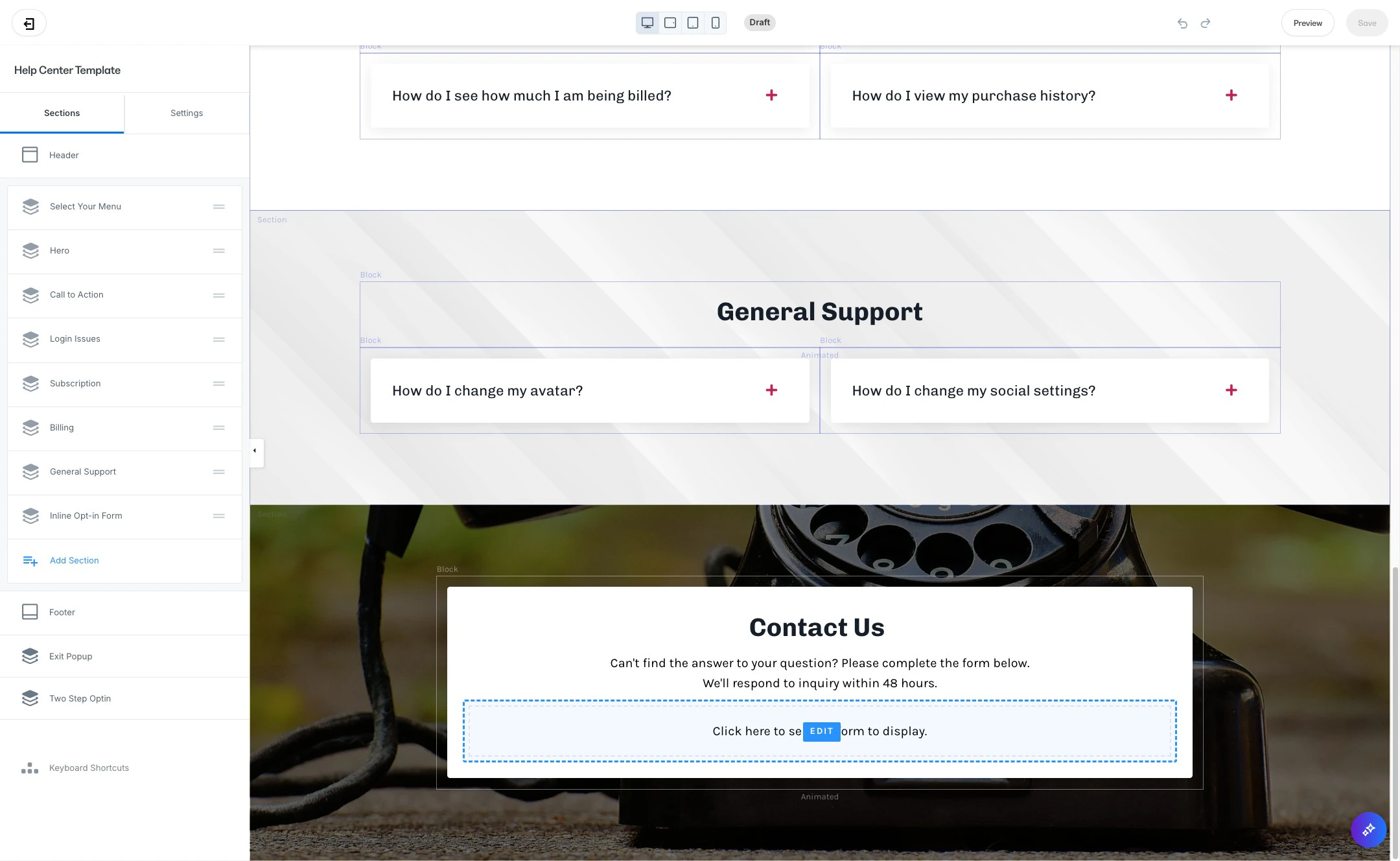
- At the bottom of your Help Center template, click Click here to select a form to display.
- Select a Form: Choose a form that collects Name, Email, and Message fields to help you capture user inquiries effectively.
Step 6. Create a form (optional)
- If you need to create a form for your Help Center submissions, click Edit your forms > New form.
- Enter a title for your form, then click Save.
Step 7. Customize form fields

- Click Add Form Field > Create a New Field
- Select “Text” under type
- Add a “Title” for your form field (we recommend “How can we help you?”)
- Finally, click “Make this field required”
Step 8. Set a custom thank you page
- To redirect users after they submit a form, choose Send the contact to a custom thank you page and save your settings.
Step 9. Review and save your page
- Once you’re satisfied with your Help Center layout and content, click Save to publish your customized Help Center page.
Customizing your Help Center landing page creates a cohesive, user-friendly support hub for your customers. Following these steps ensures your Help Center is both functional and reflective of your brand.