Documentation Index
Fetch the complete documentation index at: https://help.kajabi.com/llms.txt
Use this file to discover all available pages before exploring further.
Overview
To help organize the many pages of your website, your Kajabi site consists of Website, Landing, and Funnel pages. Each of these page types has its own Page Editor, which can be accessed to customize each of your pages. Learn about the difference between Website, Landing, and Funnel pages.Access the Website Page Editor
- Open the Website tab from the Dashboard.
- Click Website Pages.
- Locate the Website page you wish to edit.
- Click the Page Title or click the Customize icon.
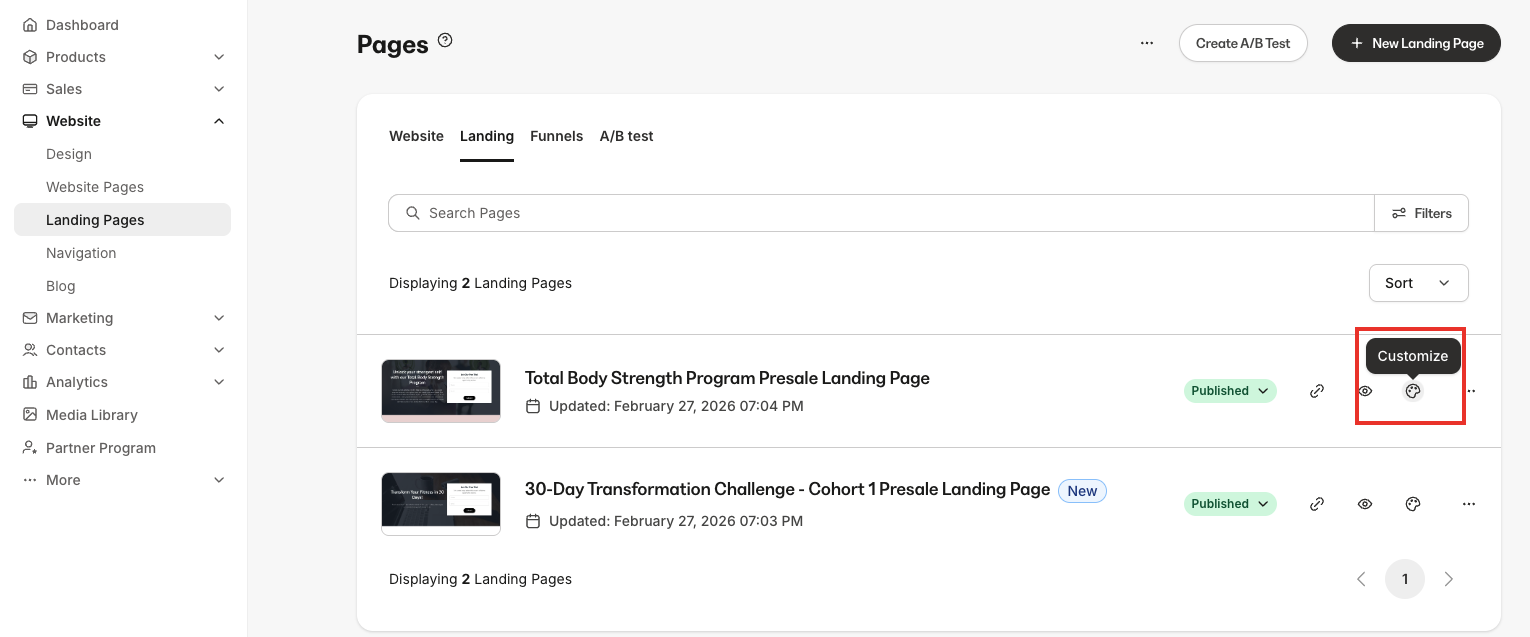
Access the Landing Page Editor
- Open the Website tab from the Dashboard.
- Click Landing Pages.
- Locate the Landing page you wish to edit.
- Click the Page Title or click the Customize icon.
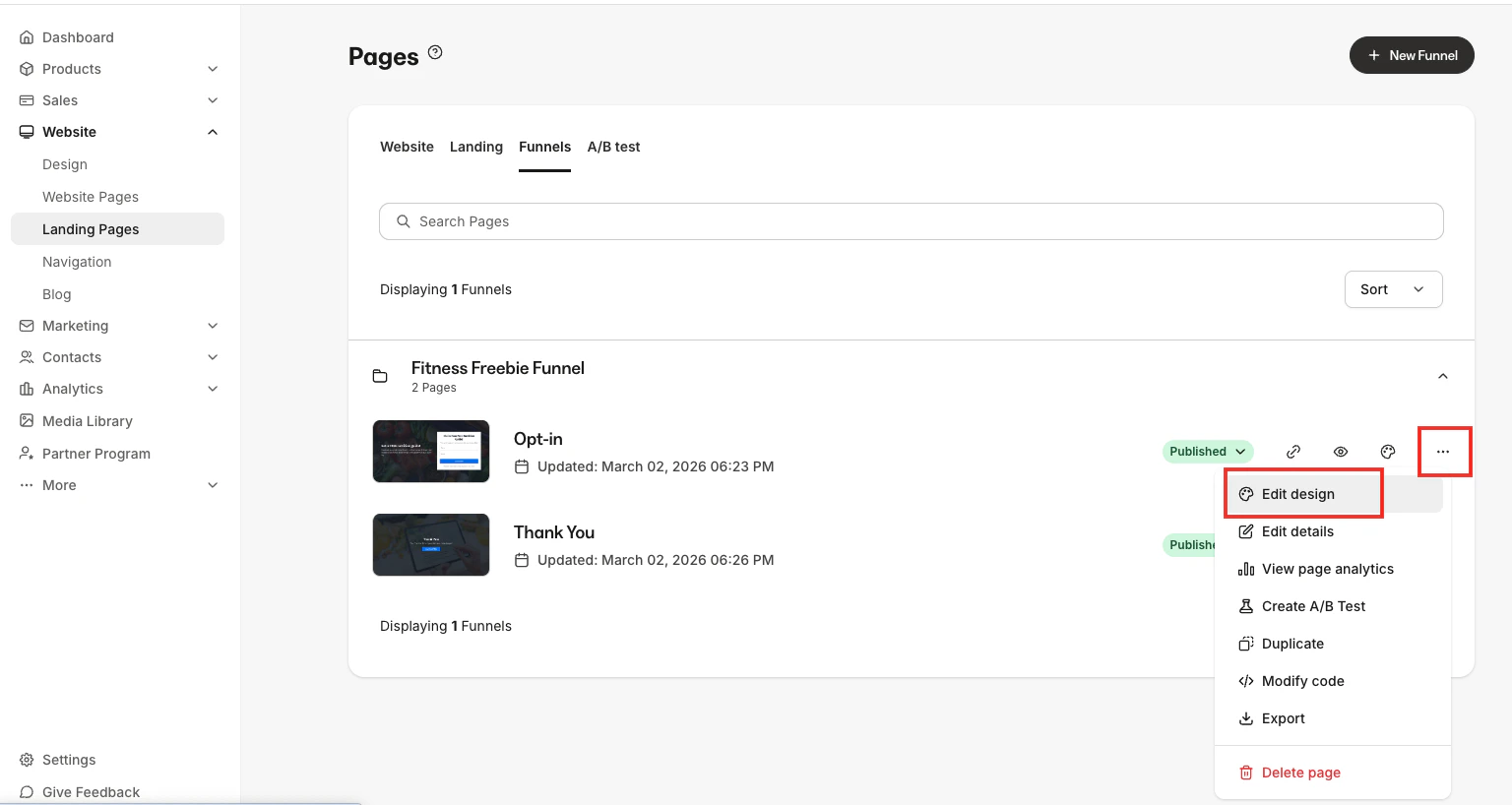
Access the Funnel Page Editor
- Open the Website tab from the Dashboard.
- Click Website Pages.
- Navigate to your Funnel pages listing by clicking Funnels in the header.
- Locate the Funnel page you wish to edit.
- Click the Funnel Title, click the Customize icon, or click the ellipsis … icon and select Edit design.