

A Hero Image is designed as a background accent for your page. Hero Images will dynamically re-size depending on screen size and will appear differently to most of your site visitors based on their device type and screen settings.Documentation Index
Fetch the complete documentation index at: https://help.kajabi.com/llms.txt
Use this file to discover all available pages before exploring further.
What is a hero image?
A Hero Image is designed as a background accent for your page. Adding a Hero Section can allow you to create a Hero Image in which the image uploaded dynamically resizes depending on your user’s screen size to provide a fluid user experience with your page. To create a Hero Image, change the spacing to Full Height in your Premier page: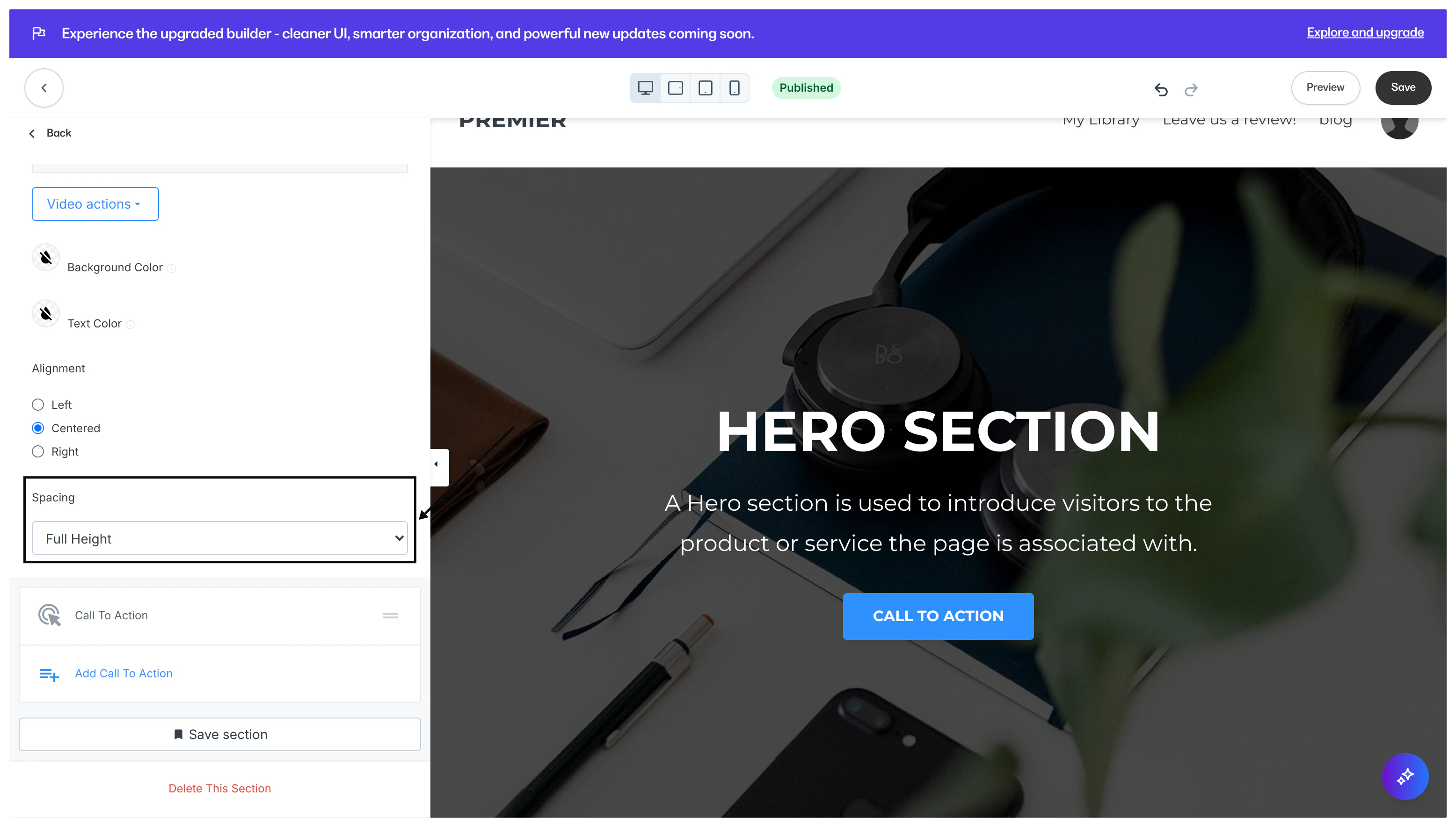
Dark overlay on your hero background image
If your Hero Background Image looks too dark, you can change the overlay color by adjusting the overlay opacity or toggling off the Image Overlay entirely. To toggle off the Image Overlay:- Open the Hero section in the template editor.
- On the left-hand sidebar editor, uncheck Use Image Overlay:
- Open the Hero section in the template editor.
- Scroll down to the Background Color option on the sidebar.
- Open the color picker and slide the transparency bar to your liking: