

Duplicating a Page can be used to keep your branding uniform throughout all pages. This can help save you time to focus on your content. Learn to duplicate your pages.Documentation Index
Fetch the complete documentation index at: https://help.kajabi.com/llms.txt
Use this file to discover all available pages before exploring further.
Duplicating pages
What is duplicating?
Duplicating a Page in Kajabi creates a copy of your page. Your duplicated page copies the Template, the page settings, and the content from the original page. Duplicating your Page is a great tool to accomplish various actions, for example:- Creating a uniform design throughout your website
- Creating pages specific to different languages
- Duplicating a Funnel Page to a standalone Landing Page
How do I tell the difference between my original page and the duplicated page?
To differentiate between your original page and the duplicate, note that your duplicate page includes a number following the title of the page. This number signifies the number of times your original page has been duplicated: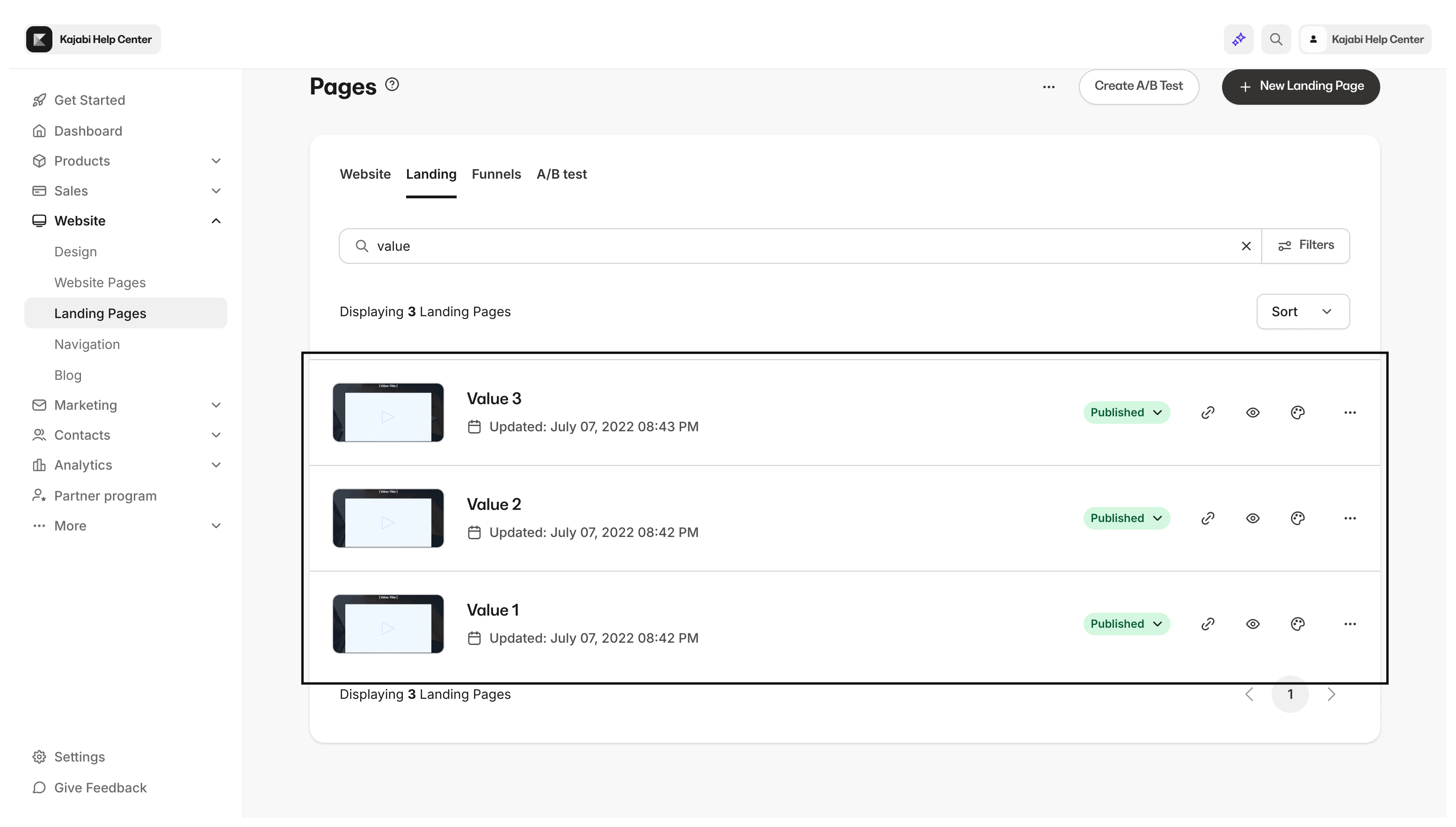
Note: System website pages cannot be cloned. Instead, create new custom pages to match your brand and website. Learn more
How to duplicate a page
- Open the Website tab from your Dashboard.
- Click Pages.
- Locate the Page you wish to duplicate.
- Click
…and select Duplicate:
Note: Duplicated Pages become standalone Landing Pages after generating. If you have duplicated a Funnel Page, you can locate your duplicate page within the list of standalone Landing Pages under the Pages section of your Website tab.